Seller Account Health in Bagisto Marketplace
Account Health turns cancellations and ratings into one clear score.
The seller sees Healthy, At Risk, or Unhealthy at a glance.
Each metric card shows what to fix first in the Bagisto panel.
For sellers, it flags risk early and guides quick recovery.
Account Health
The seller starts under Performance in the seller panel.
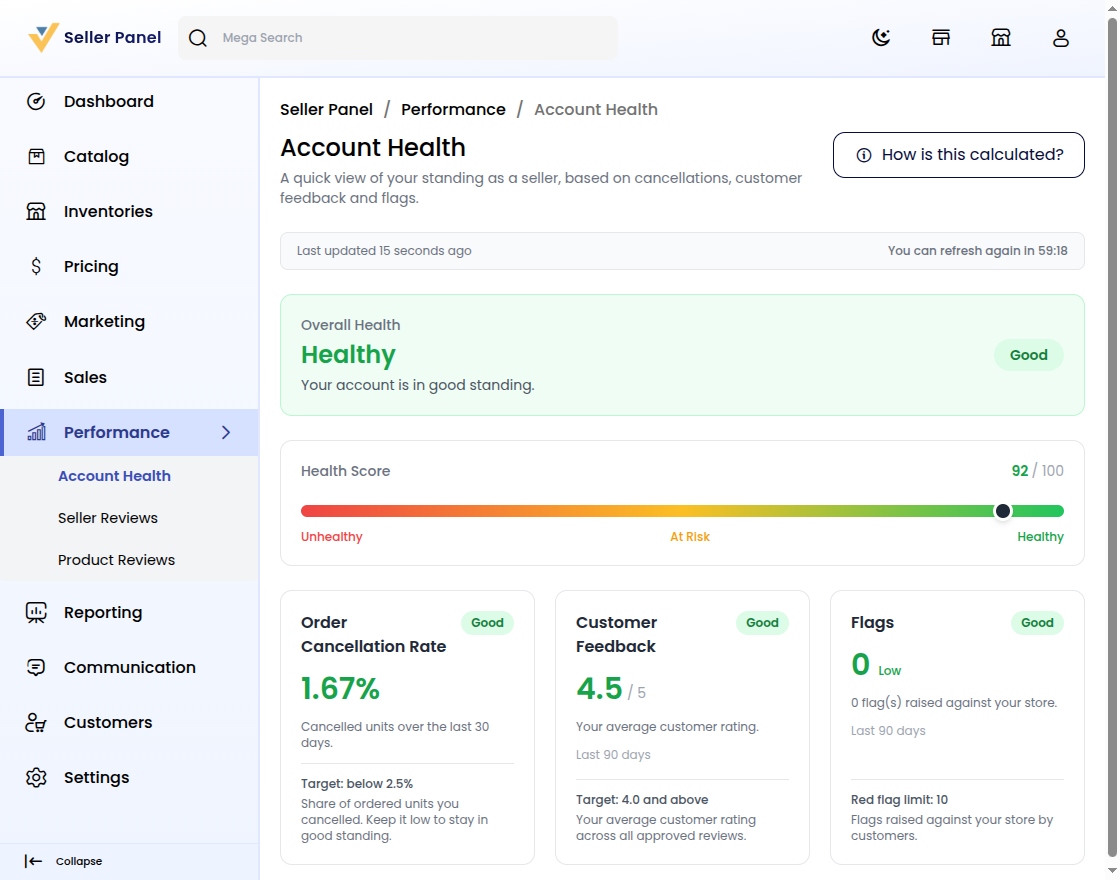
The scorecard shows a verdict, a 0 to 100 score, and three cards.
Step 1: Open Account Health
First, open Performance and choose the health screen.
Then review Overall Health, Health Score, and three metric cards.
Healthy means good standing; the banner stays easy to scan.
See scoring basics in the Bagisto Multi-Vendor Marketplace guide.
Step 2: Read the Health Verdict
Next, read the Overall Health banner at the top.
Healthy shows Your account is in good standing with a Good pill.
At Risk and Unhealthy accounts give a clear next step instead.
See verdict rules in the Bagisto Multi-Vendor Marketplace guide.
Step 3: Review Metrics in Account Health
Below the score, three cards explain the verdict.
Order Cancellation Rate tracks cancelled units over 30 days.
Customer Feedback averages approved ratings over 90 days.
Flags counts customer reports against a red-flag limit.
Step 4: Refresh the Health Figures
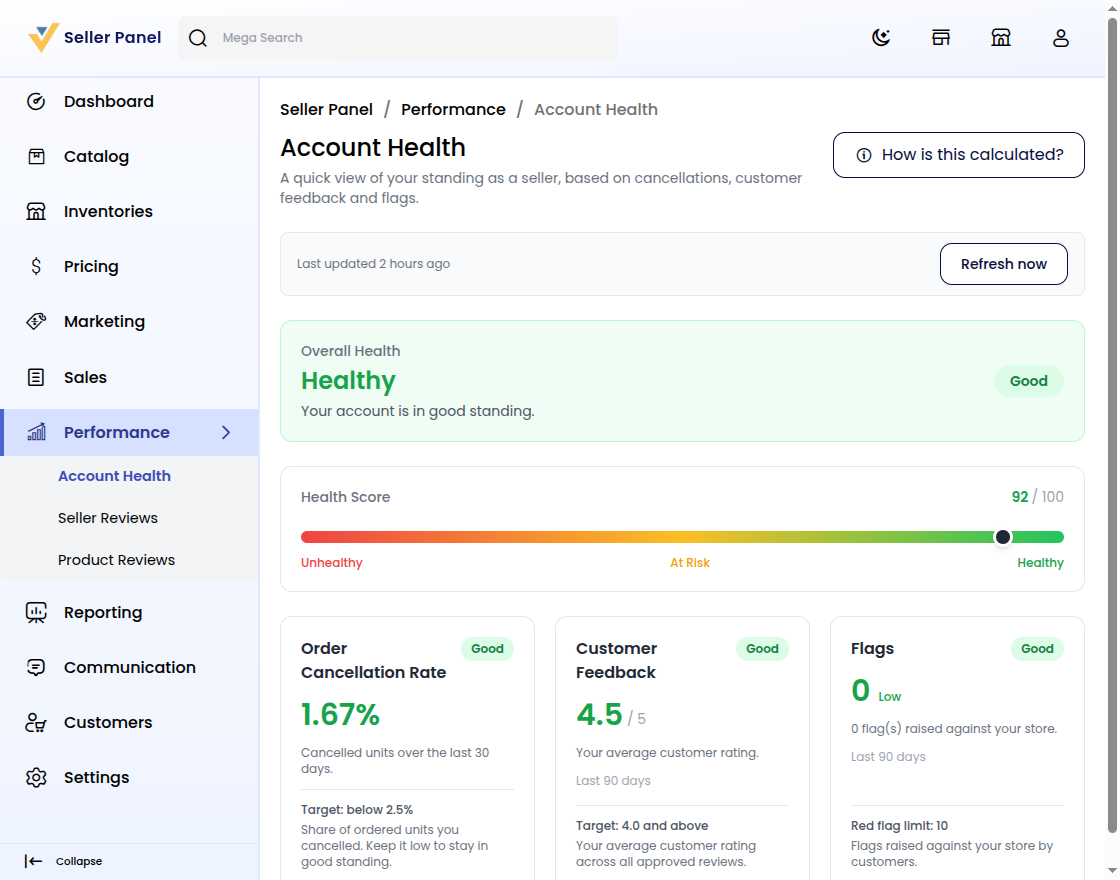
Click Refresh now to recalculate from live data.
Last updated shows the time; a cooldown blocks hourly repeats.
Step 5: Read the Health Calculation Guide
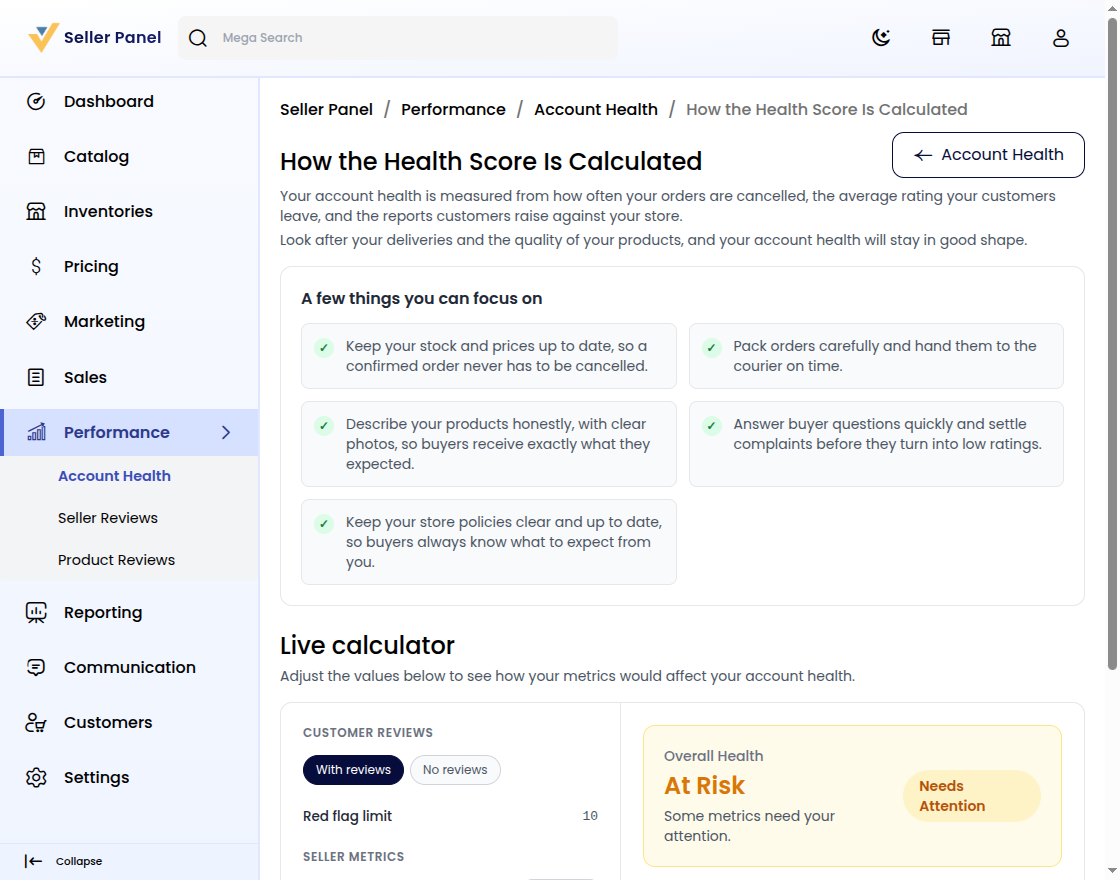
Open How is this calculated? for the full guide.
Focus on stock, honest listings, and quick buyer replies.
See scoring details in the Bagisto documentation.
Step 6: Test Fixes in Account Health
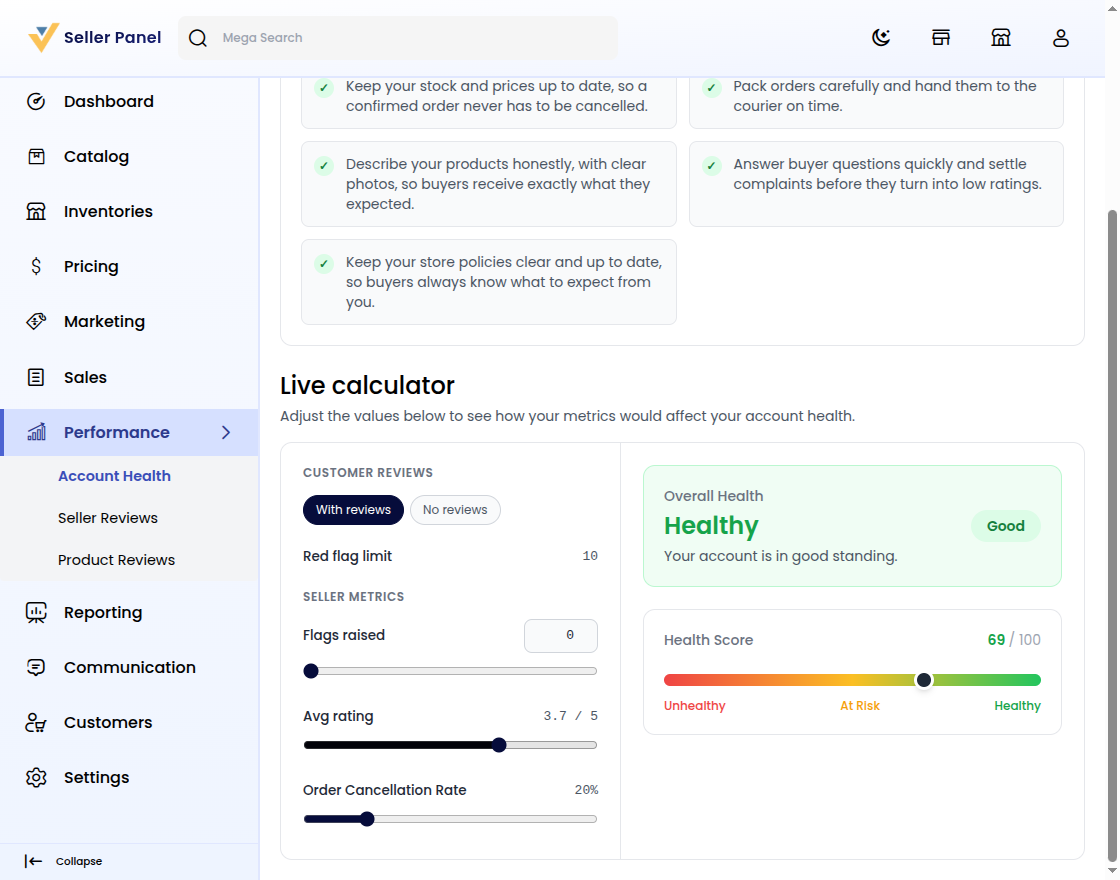
Use the Live calculator at the bottom of the guide.
Move Avg rating and Order Cancellation Rate sliders to preview.
Watch the verdict climb from At Risk toward Healthy.
Preview changes before they reach the Bagisto storefront.
Conclusion
Account Health helps sellers spot risk faster with less guesswork.
You refresh figures, read cards, and fix the weakest metric.
For Bagisto owners, clear scores mean a better seller experience.


Be the first to comment.