Modern Bagisto View Overrides Using prependNamespace()
Overview
Previous Method: Publishing Views
Earlier, view files were copied into the resources directory and directly modified to customize the UI by overriding package views locally.
|
1 2 3 4 |
$this->publishes([ __DIR__.'/../Resources/views/shop/default/checkout/cart/index.blade.php' => resource_path('views/vendor/shop/checkout/cart/index.blade.php'), ]); |
After publishing, developers edited and copied files to customize storefront and admin panel layouts without changing package code.
Drawbacks
- Extra setup step to publish files.
- Difficult to track overridden files.
- Updates to the original package may not reflect in published copies.
- Maintenance becomes harder as the project grows.
Recommended Method: Namespace Override
Instead of copying files, register your custom view path using prependNamespace().
|
1 |
$this->app['view']->prependNamespace( 'shop', __DIR__.'/../Resources/views/shop/default' ); |
|
1 |
$this->app['view']->prependNamespace( 'admin', __DIR__.'/../Resources/views/admin/default' ); |
Example
Suppose Bagisto loads the following view:
|
1 |
view('shop::checkout.cart.index'); |
Laravel will first check:
|
1 |
packages/Webkul/YourPackage/src/Resources/views/shop/default/checkout/cart/index.blade.php |
If the file exists, it will be used instead of the original Bagisto view.
Directory Structure View
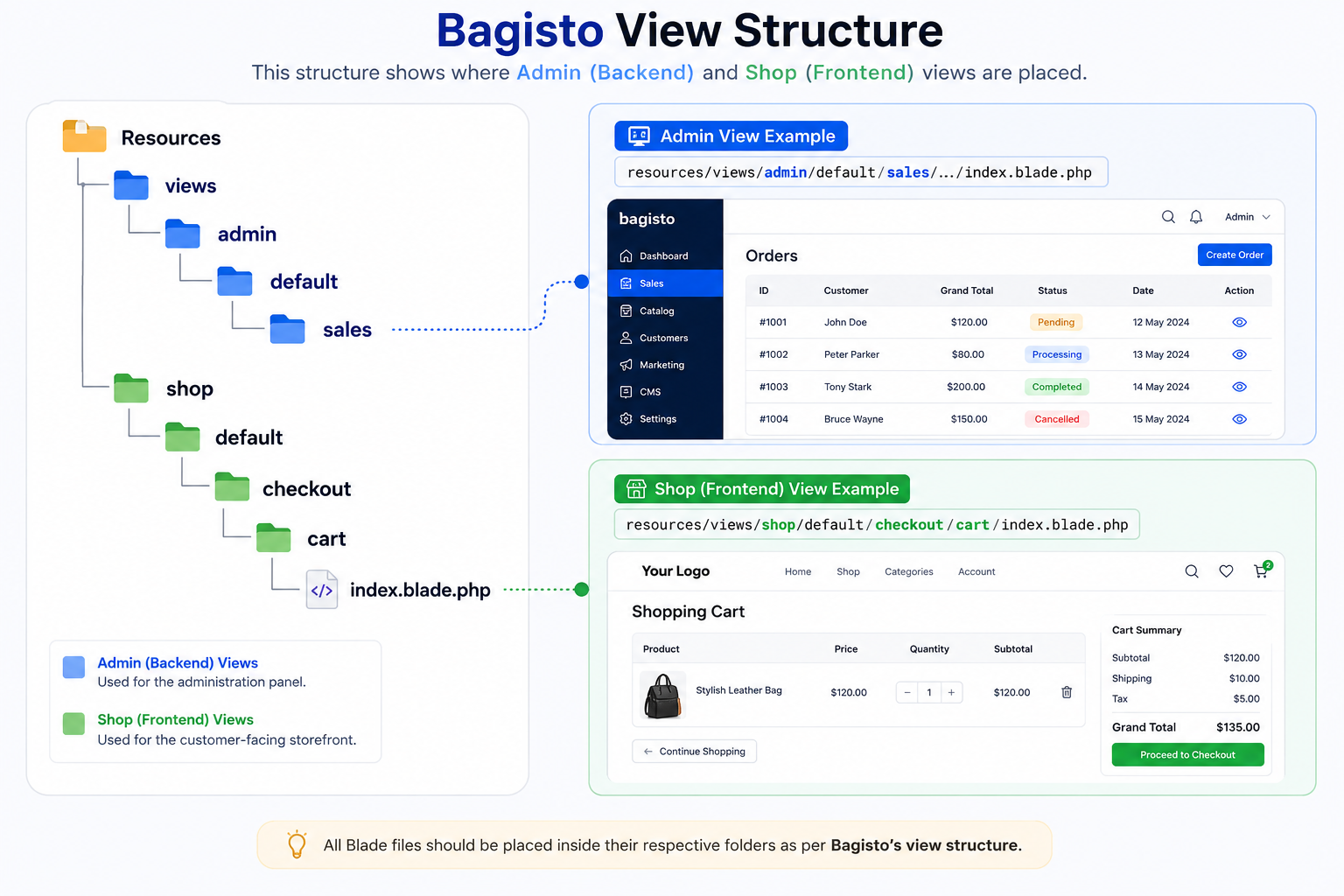
Why Use This Approach?
- View publishing is required, avoiding duplication of package files in the application.
- The package remains self-contained, keeping all original views inside the module.
- Bagisto upgrades become easier with no risk of losing or merging published view changes.
- Cleaner code organization by separating core package logic from custom overrides.
- Faster development and easier long-term maintenance using
prependNamespace()instead of manual file copying.
Final Thoughts

. . .

Be the first to comment.