Marketplace Subscription Plans for Sellers
Marketplace Subscription turns plan choice into one clear seller decision.
The seller compares price, duration, limits, and permissions in one place.
Each plan sets products, staff, commission, and unlocked modules.
For sellers, it shortens checkout and clarifies what each plan grants.
Marketplace Subscription
The seller starts under Plans in the seller panel.
Available plans show price, duration, limits, and permissions.
Step 1: Browse Plans in Marketplace Subscription
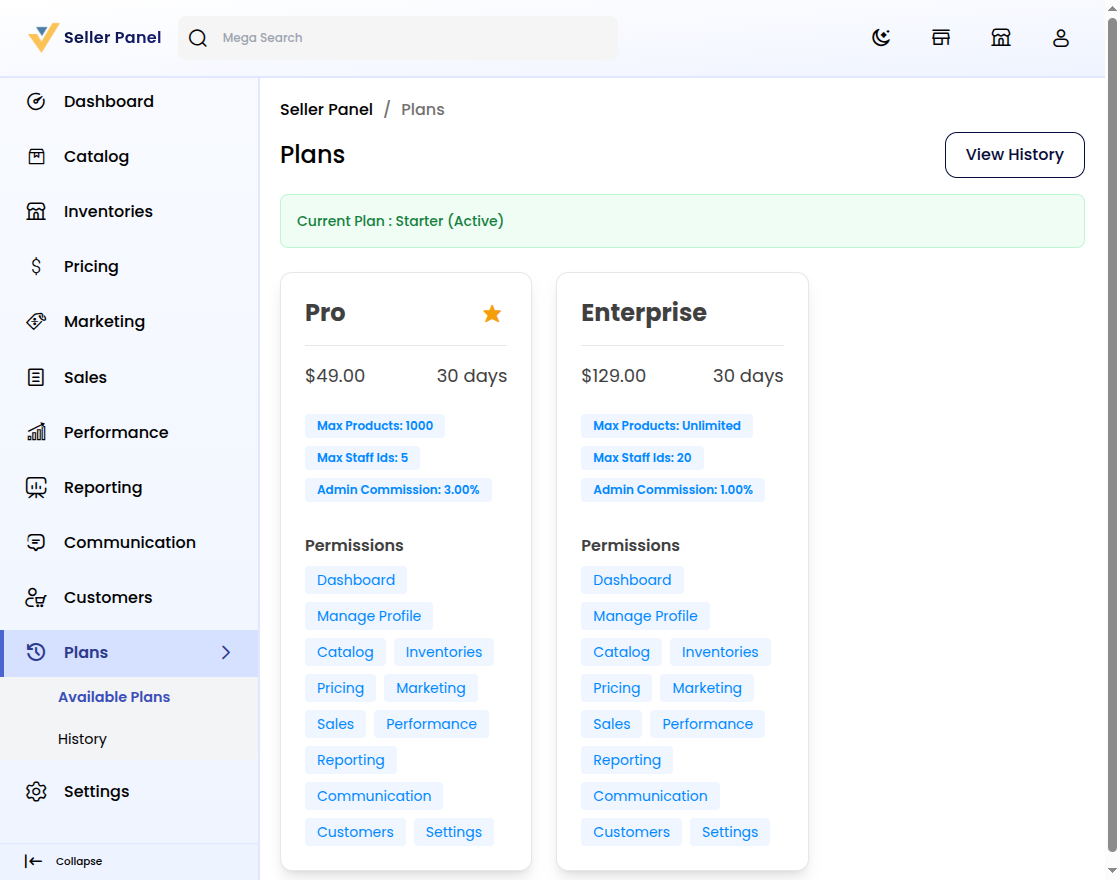
First, open Plans to load every active plan card.
Then compare name, price, duration, limits, and permissions.
A star marks featured plans on their cards.
See plan options in the Bagisto Multi-Vendor Marketplace guide.
Step 2: Review the Plan Details
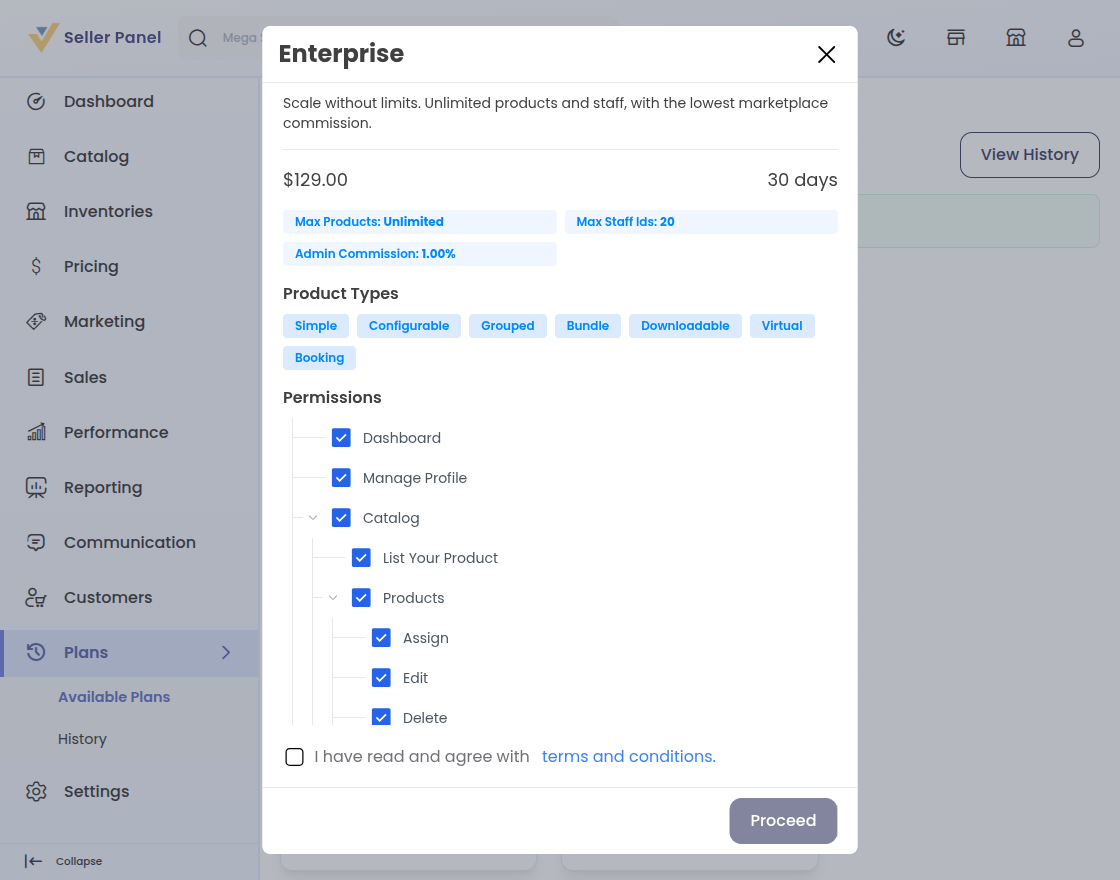
Click a card to open its full detail modal.
Check description, price, limits, types, and the permission tree.
Step 3: Agree to the Plan Terms
Read the terms and conditions before checkout.
Checking the box enables Proceed to payment.
Terms come from the Bagisto Multi-Vendor Marketplace configuration.
Step 4: Pay for the Subscription
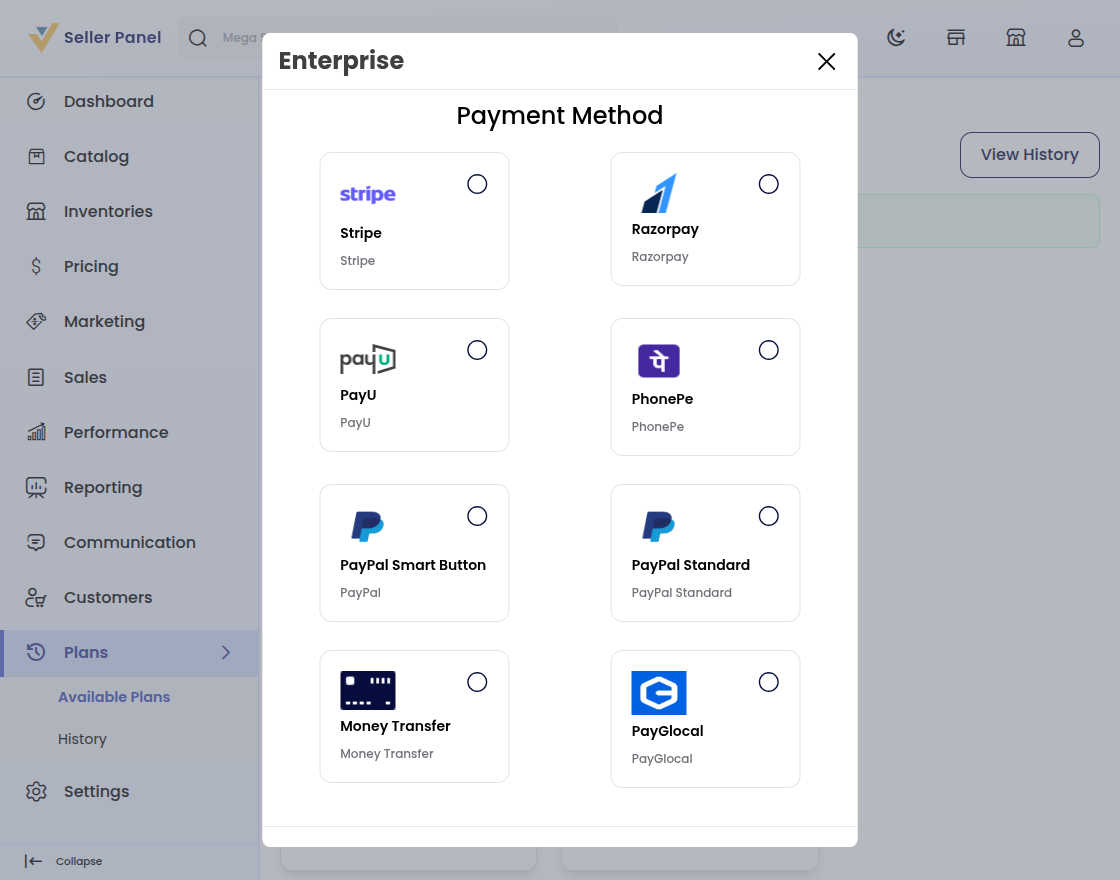
Pick Stripe, Razorpay, PayU, PayPal, or Money Transfer.
Methods follow the store’s active payment setup.
See payment setup in the Bagisto documentation.
Step 5: View Subscription History
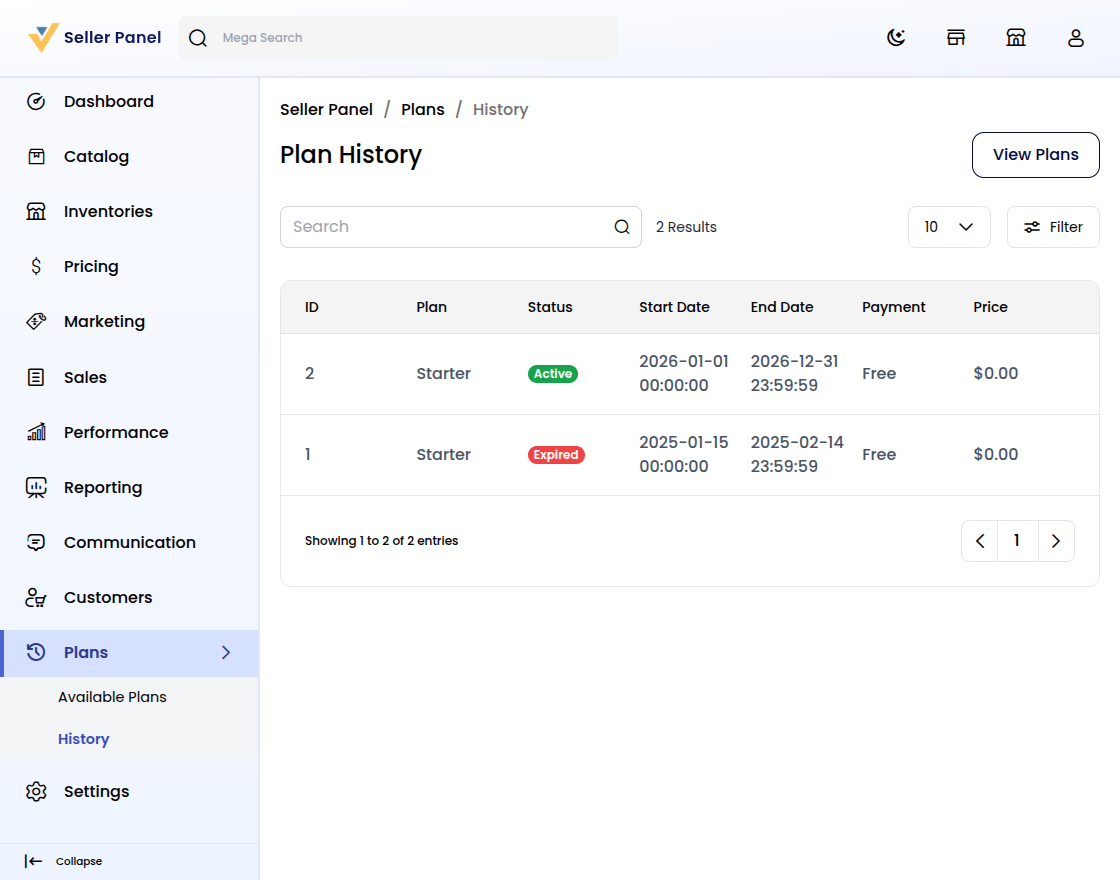
Open Plans, then History, to see every subscription.
Rows track ID, plan, status, dates, method, and price.
Active, Expired, Pending, and Cancelled show each plan’s journey.
Step 6: Manage Every Marketplace Subscription
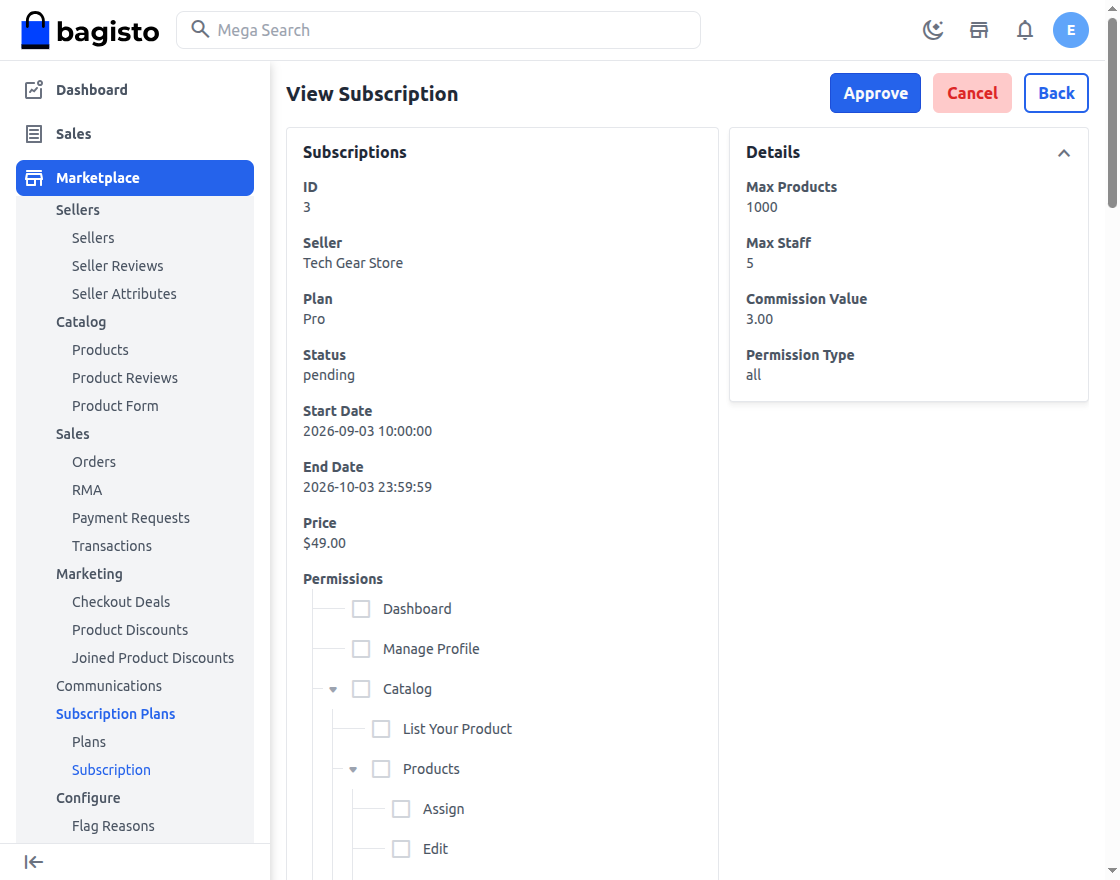
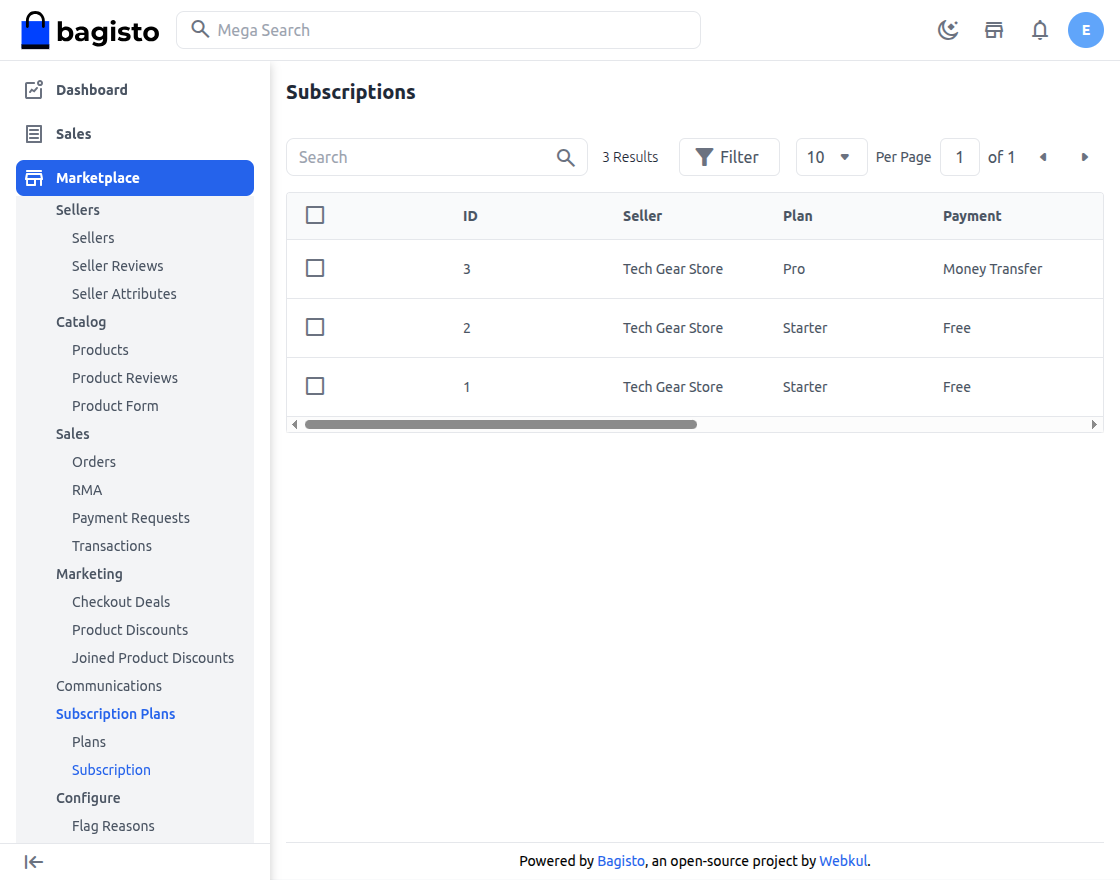
Admins open Marketplace, then Subscription Plans, for all sellers.
Approve pending requests or Cancel live ones from the detail view.
Admins manage sellers on Bagisto every day.
Conclusion
Marketplace Subscription helps sellers pick plans faster with less guesswork.
You compare plans, pay once, and track history with confidence.
For Bagisto owners, clear plans mean a better seller experience.


Be the first to comment.