Create High-Quality Product Content with Generative AI
Generative AI product content generation in Bagisto helps a marketplace seller turn a few product details into a complete, useful listing.
The seller reviews, selects and edits each suggestion before applying it, so control over the final listing stays with them.
The feature cuts the manual work of writing copy, so a seller manages more listings in less time.
For marketplace owners, it lifts the seller experience and helps sellers finish product listings sooner.
Generative AI Product Content Generation
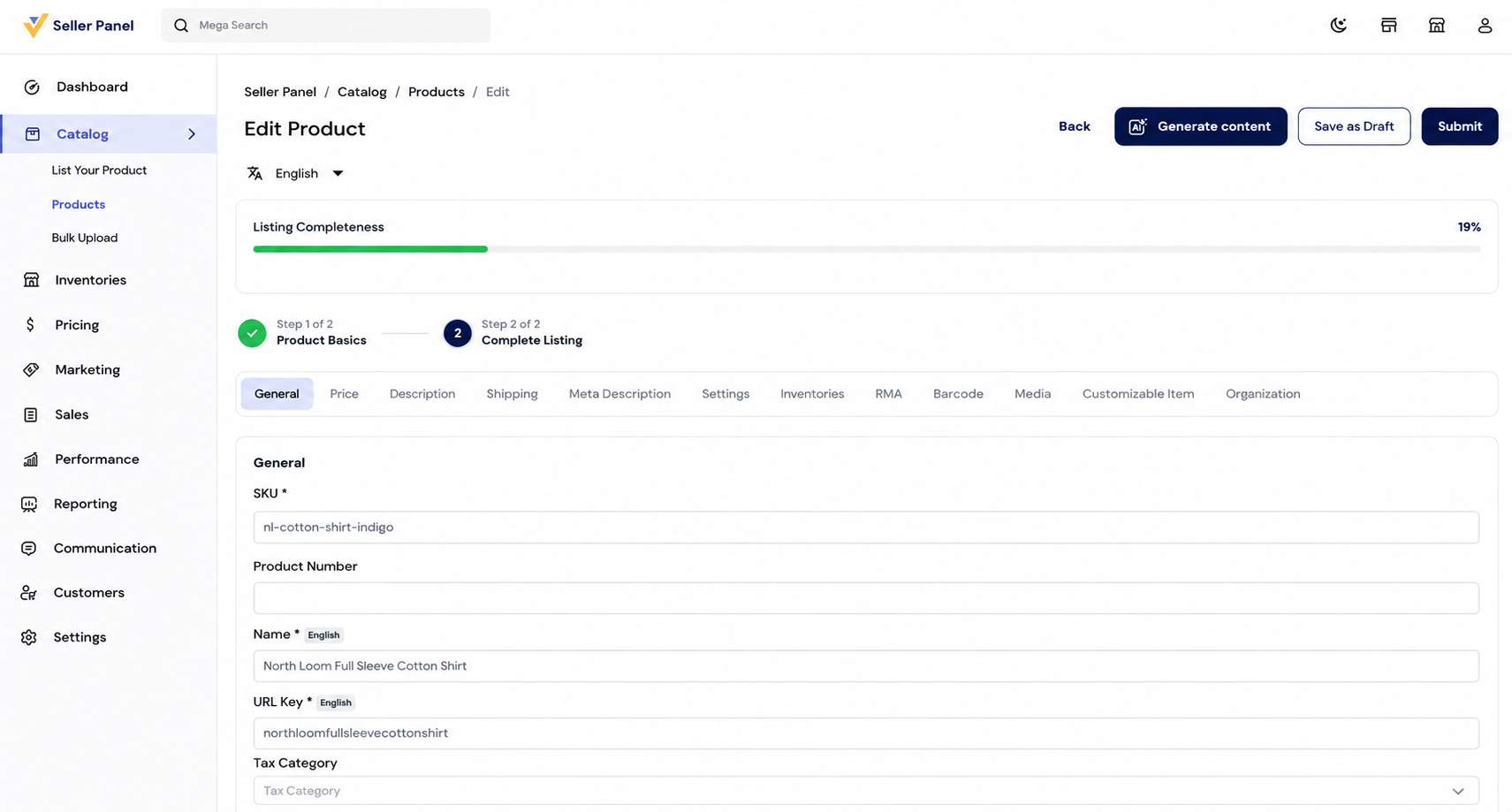
The seller starts on the Edit Product screen, where the Generate Content option sits at the top.
Clicking Generate Content opens the Generative AI window that runs the generation.
The window guides the seller through two simple stages, Describe and Review, from prompt to draft.
Under the hood it calls a large language model, the same class of model OpenAI documents for text generation.
Step 1: Describe the Product
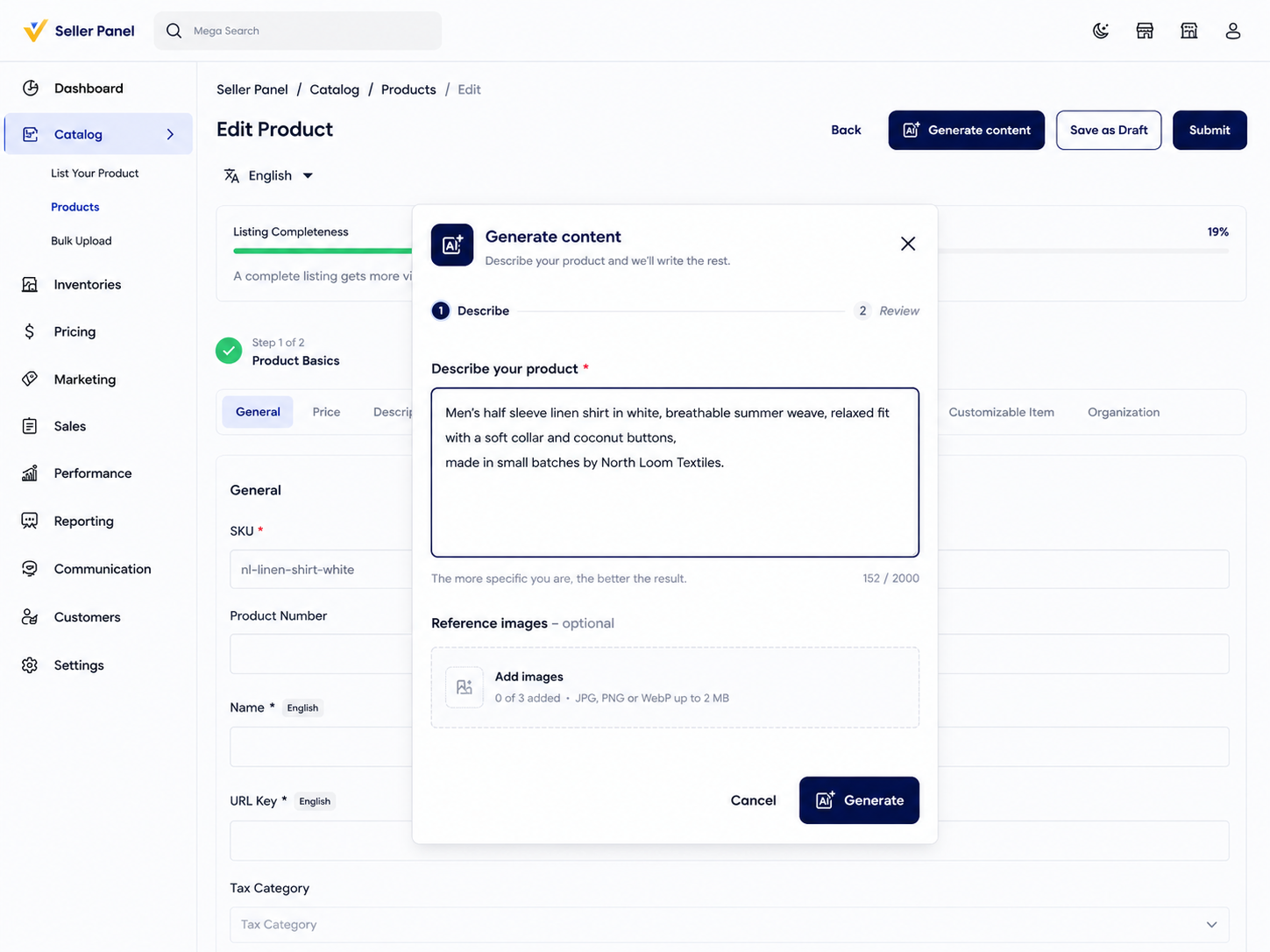
In the Describe stage, the seller enters a short product description in the text field.
More specific details give the model more to work with, so the draft lands closer to the real product.
The seller can name the product type, material, key features, benefits, size and color to guide the copy.
Step 2: Generate Product Content
After the description, the seller clicks Generate, and the model reads the prompt and starts writing.
The dialog shows a short writing message, so the seller knows the product content is being generated.
Step 3: Review AI-Generated Product Content
Once generation finishes, Generative AI moves the seller to the Review step.
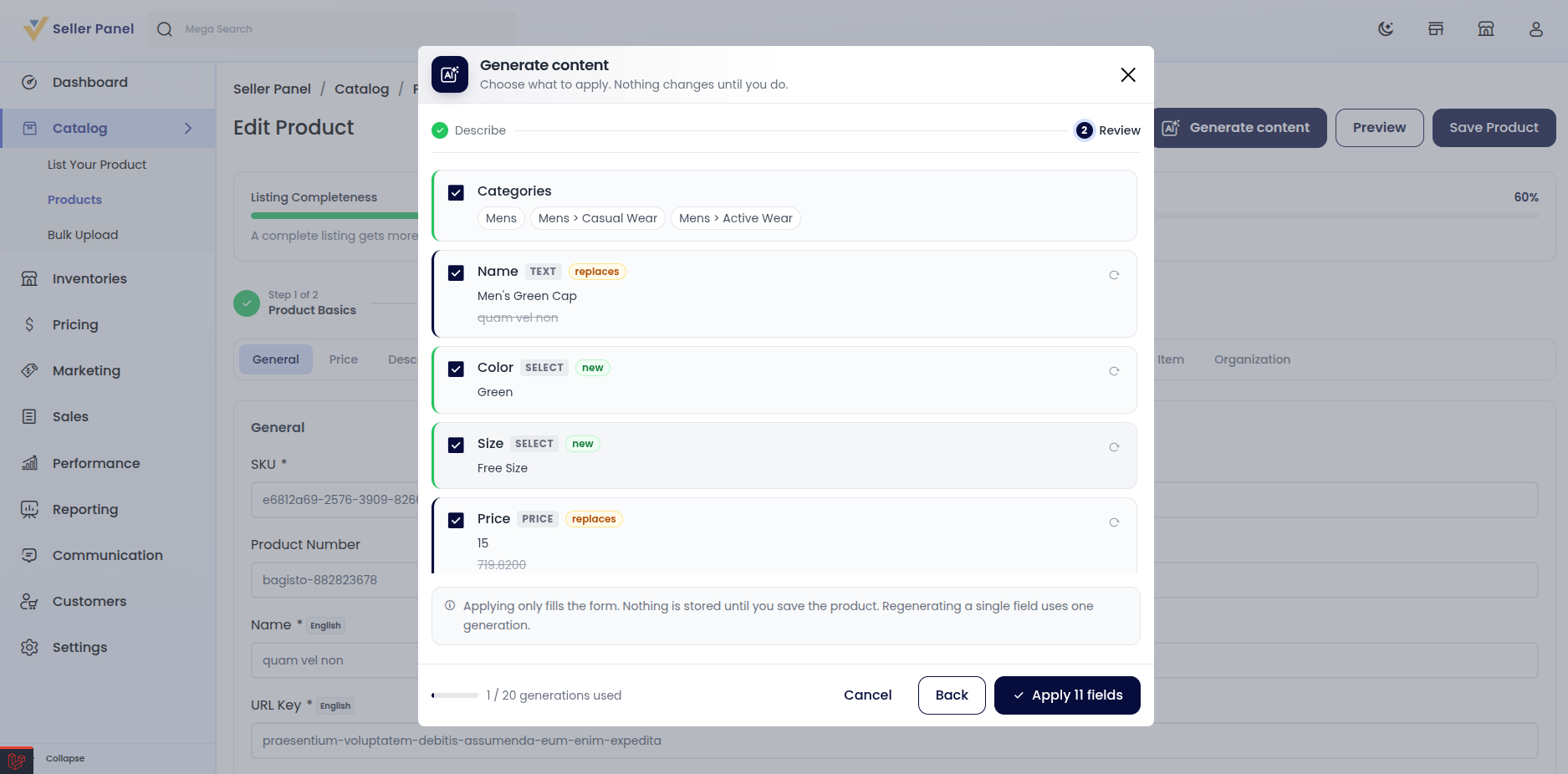
The review screen lists each proposal with a checkbox, so the seller applies only the suggestions they want.
Step 4: Apply
After reviewing, the seller clicks Apply All Fields to add the selected proposals.
Generative AI then fills the matching fields in the product form, so completing the listing is quicker.
Step 5: Save the Product
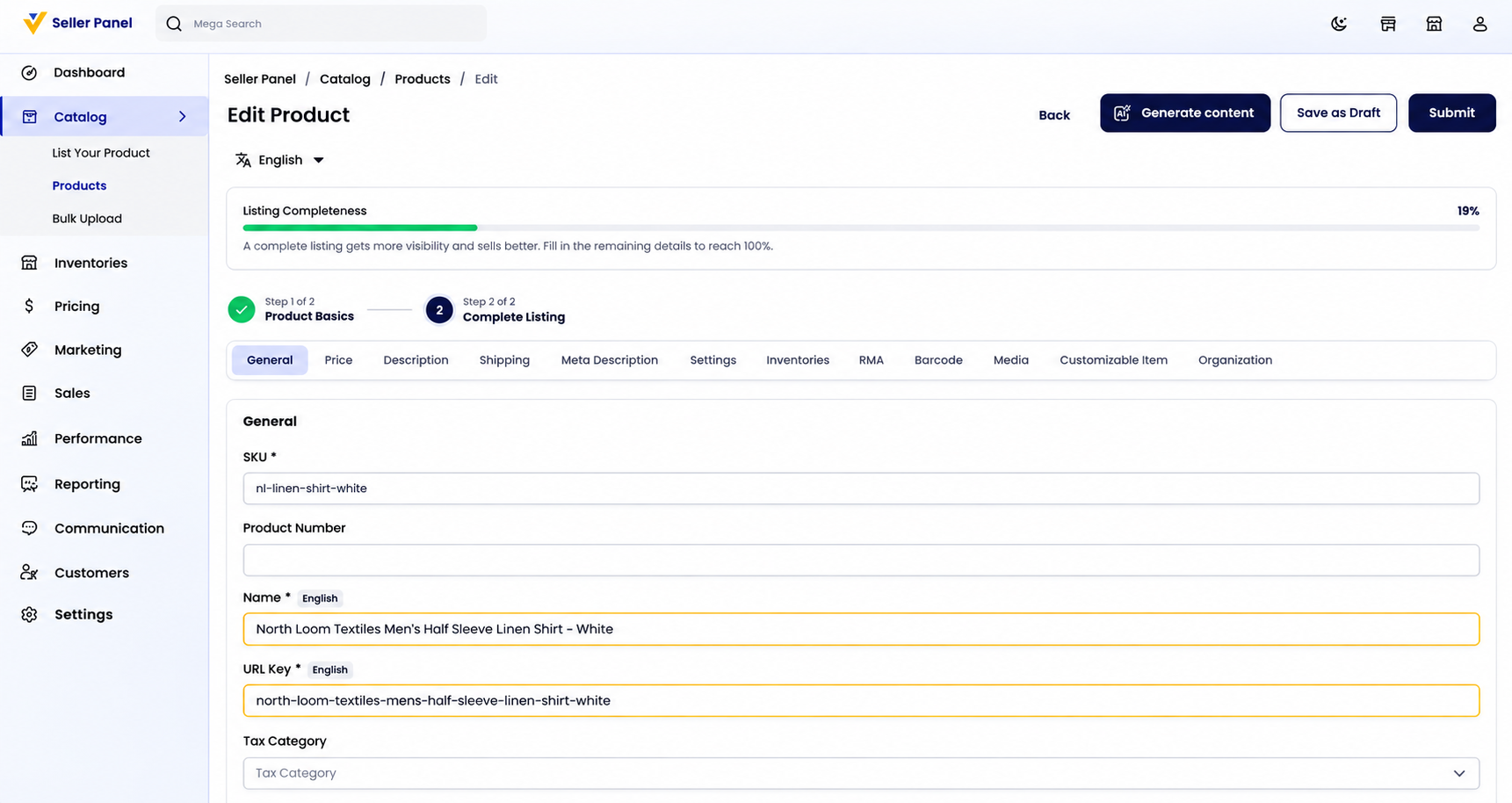
Applying the content does not save the product; the values land in the form for a final check first.
Generative AI product content generation fills the form, but saving the product stays the seller’s decision.
Step 6: Approval
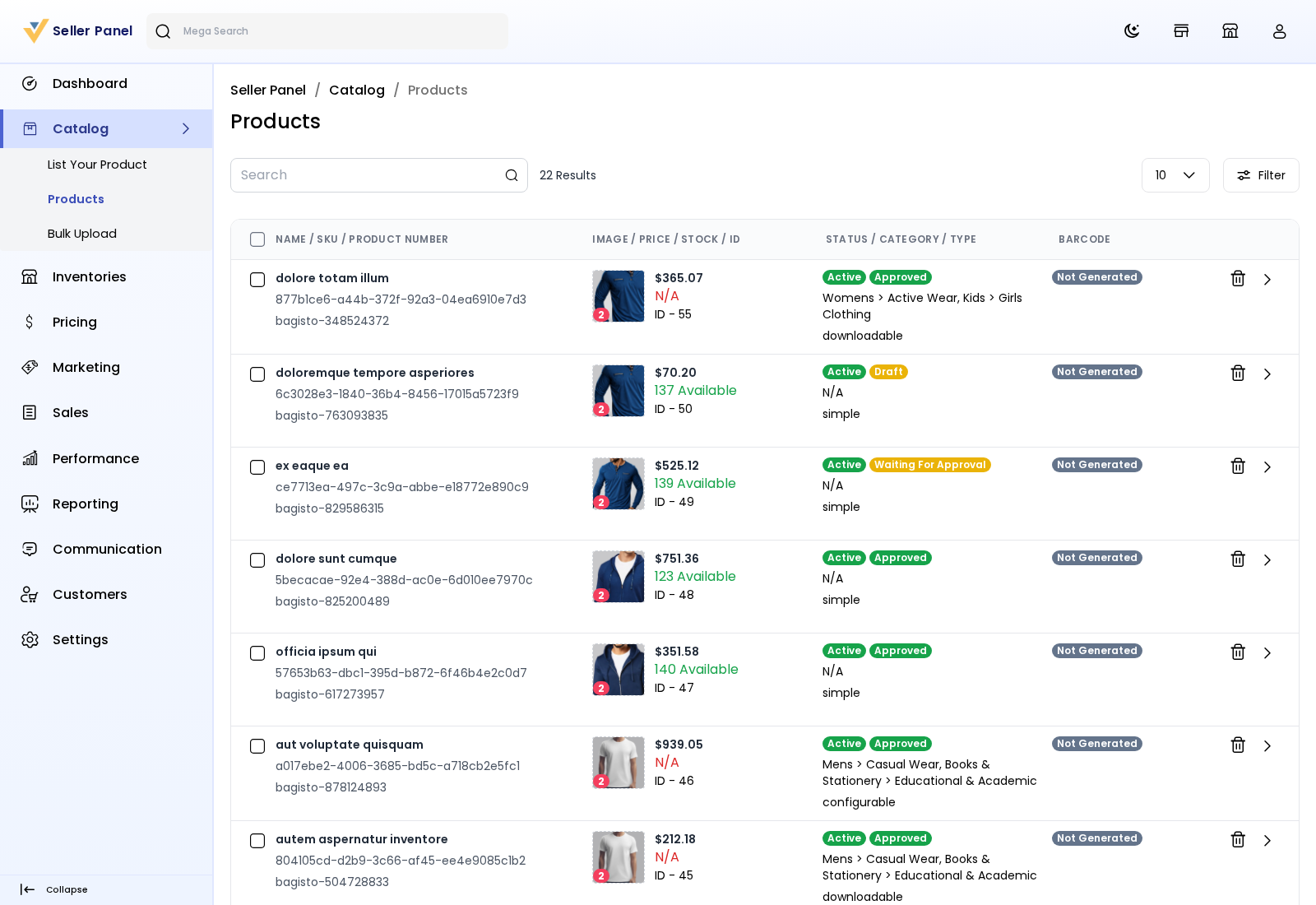
After saving, the product appears under Catalog → Products with its current status.
It can read Draft, Waiting for Approval, or Approved, depending on the store’s review settings.
An admin checks the product before it can appear on the storefront.
After approval, the listing goes live with its new content.
Conclusion
Generative AI helps sellers create product content faster and complete product fields with less manual effort.
Sellers can review, select, and edit AI-generated suggestions before applying them to their product listings.
This makes product creation simpler and helps sellers manage their marketplace listings more efficiently.
For marketplace owners, it improves the seller experience by making product listing faster and easier.

Be the first to comment.