Checkout Deals in Bagisto Marketplace
Checkout Deals turns cart discounts into extra seller orders.
The seller rewards shoppers right in the Bagisto cart.
Each deal can cut a percent, cut an amount, or attach a coupon.
For sellers, it lifts carts with less manual promo work.
Checkout Deals
The seller starts under Marketing in the seller panel.
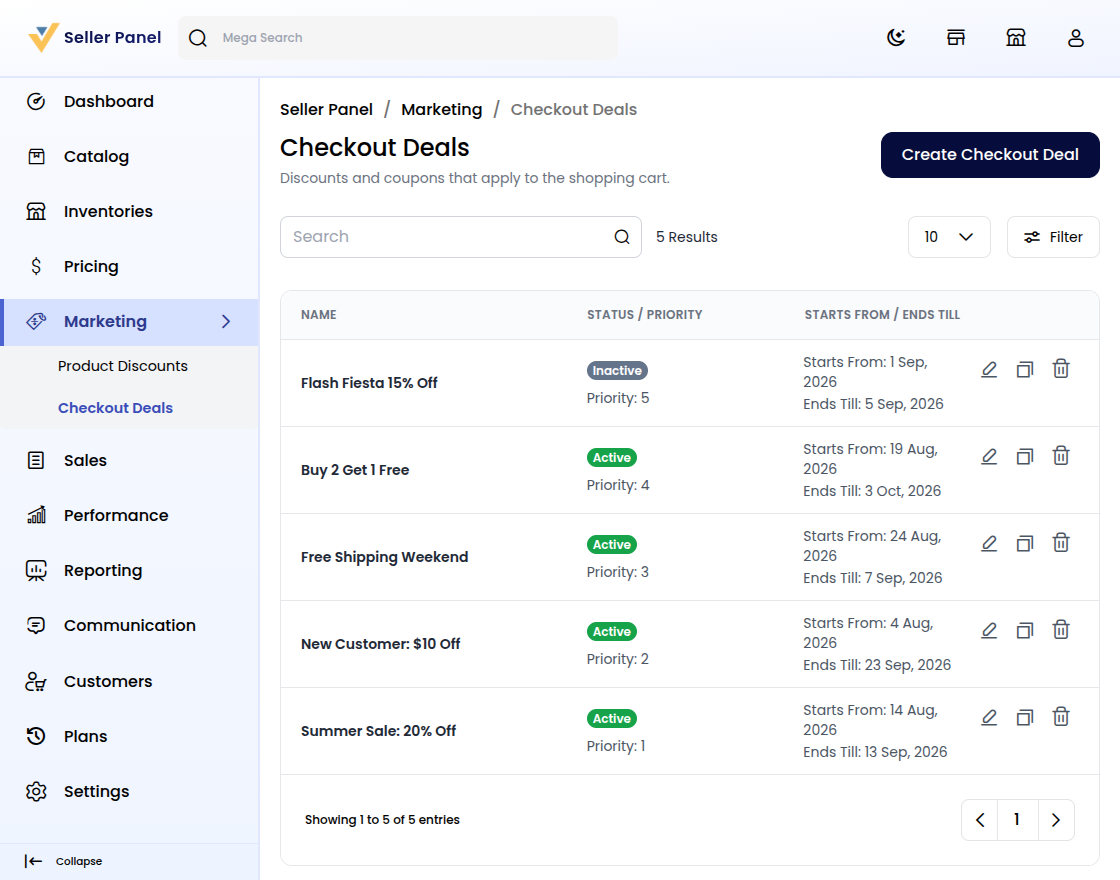
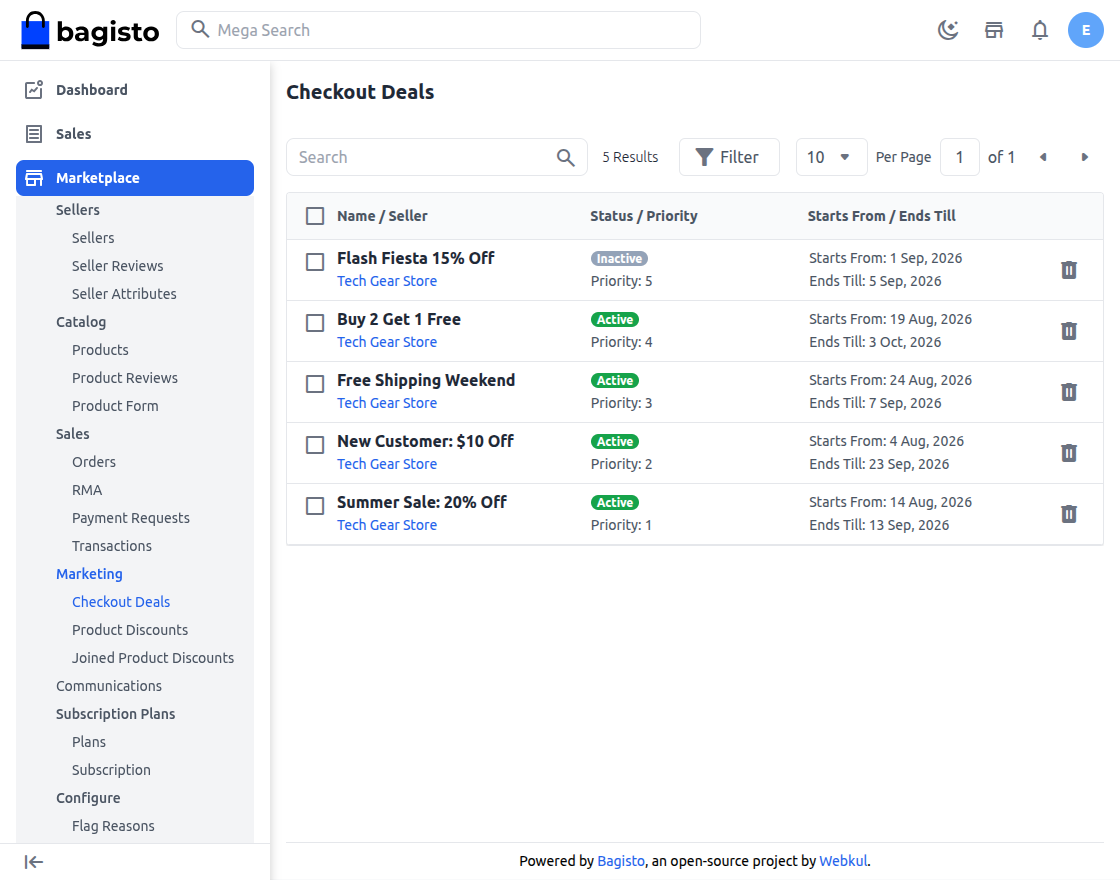
The list shows every rule; the wizard has Deal, Details, and Advanced.
Step 1: Open Checkout Deals
First, open Marketing and choose the deals list.
Then review Name, Status, Priority, Starts From, and Ends Till.
Use Edit, Copy, or Delete on any row.
See the Bagisto Multi-Vendor Marketplace seller guide.
Step 2: Launch the Deal Wizard
Click Create Checkout Deal to open the wizard.
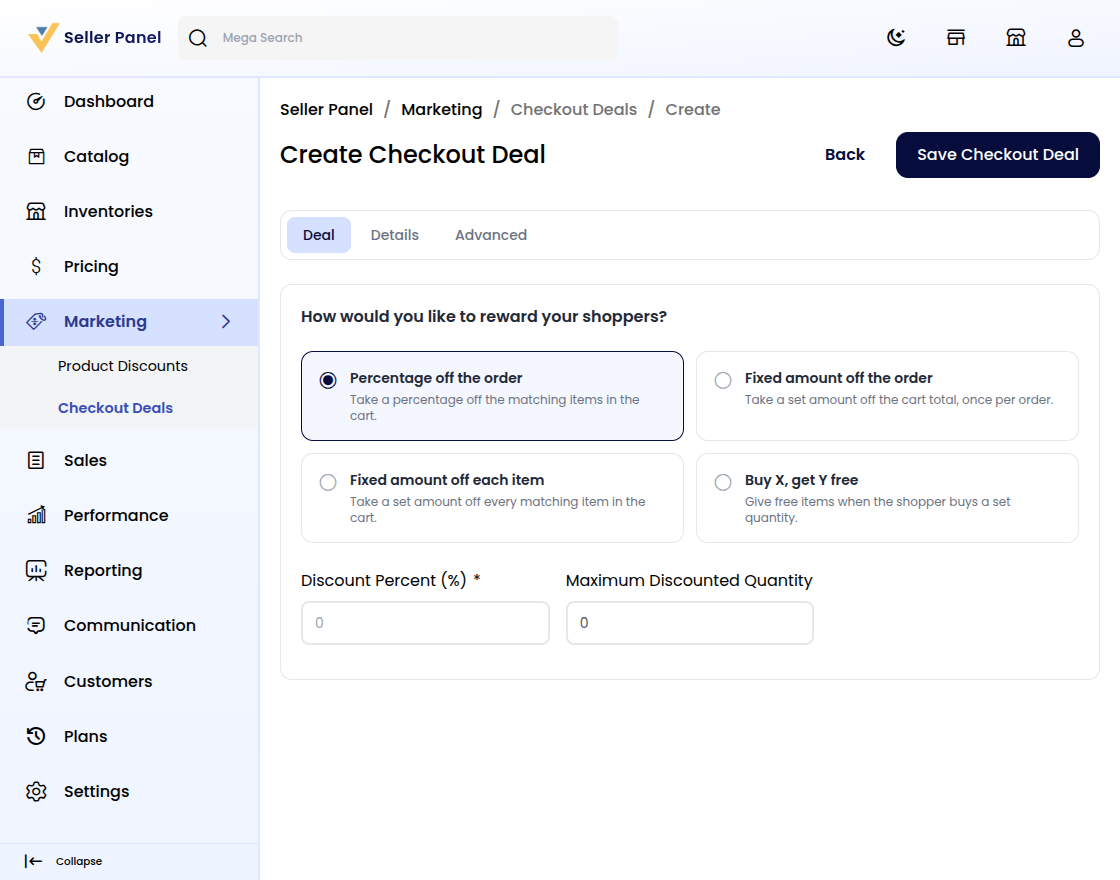
Answer How would you like to reward your shoppers?
Choose one of four reward types for the cart.
Step 3: Choose the Reward Type
Pick Percentage off the order for a share of matching items.
Fixed amount off the order cuts the total once per order.
The next kind, Fixed amount off each item, cuts every matching item.
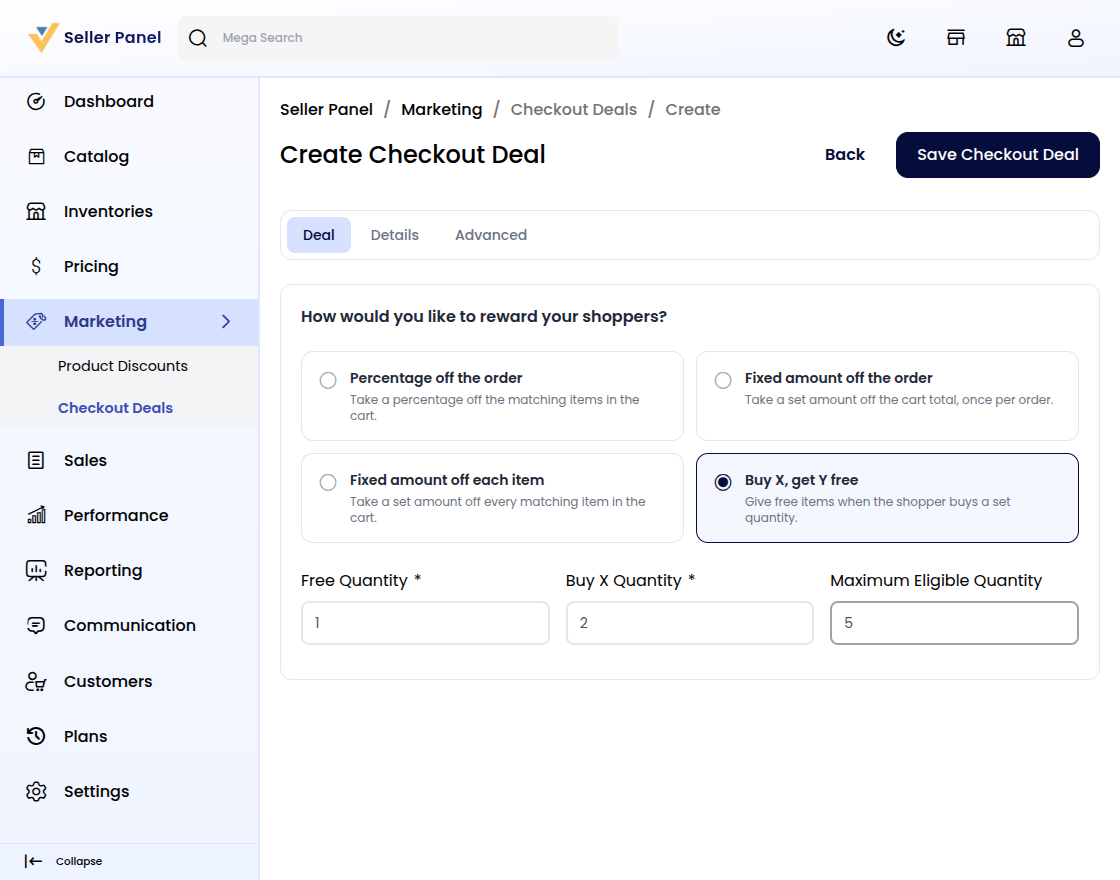
The Buy X, get Y free kind adds free items for set quantities.
Shoppers see the cut right in the Bagisto cart.
Step 4: Add Coupons in Checkout Deals
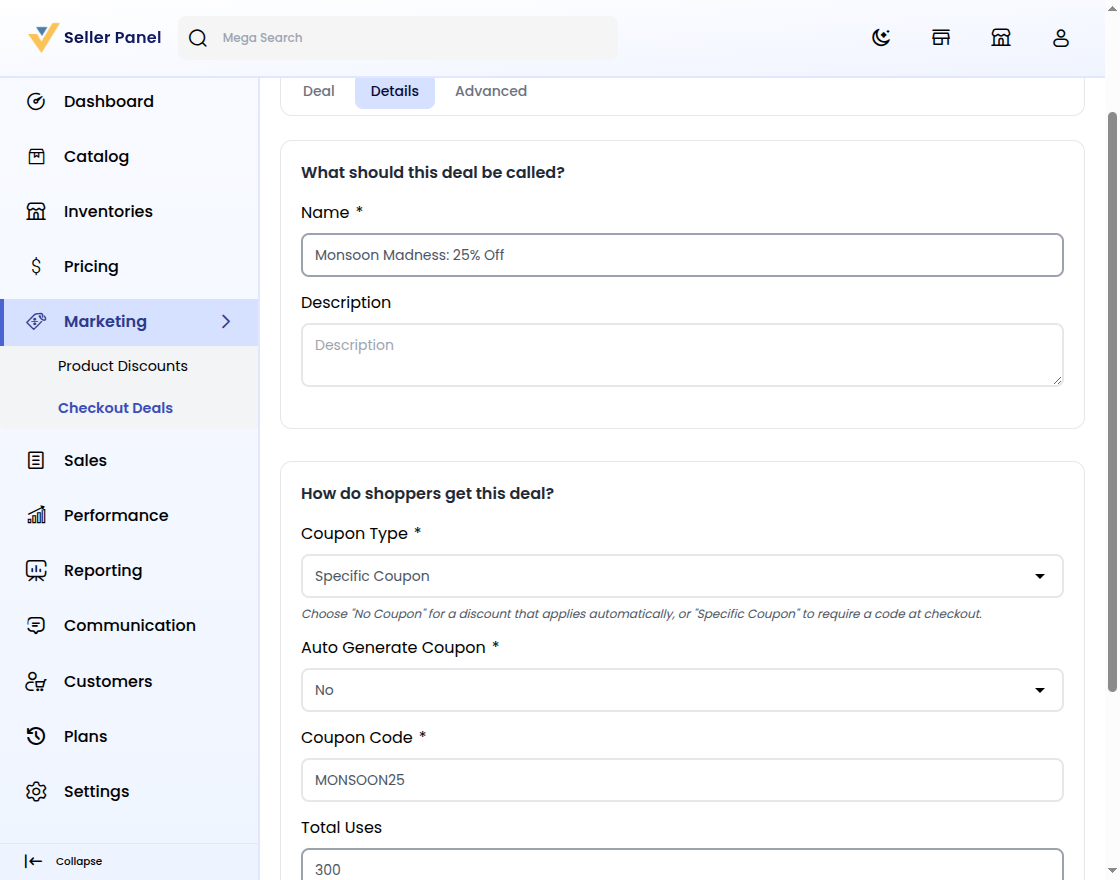
Name the deal and add an optional Description.
Pick No Coupon or Specific Coupon for access.
Specific Coupon reveals Auto Generate Coupon toggle, Coupon Code, and Total Uses.
Set Starts From and Ends Till for the schedule.
See coupon options in the Bagisto documentation.
Step 5: Limit the Deal by Channel and Priority
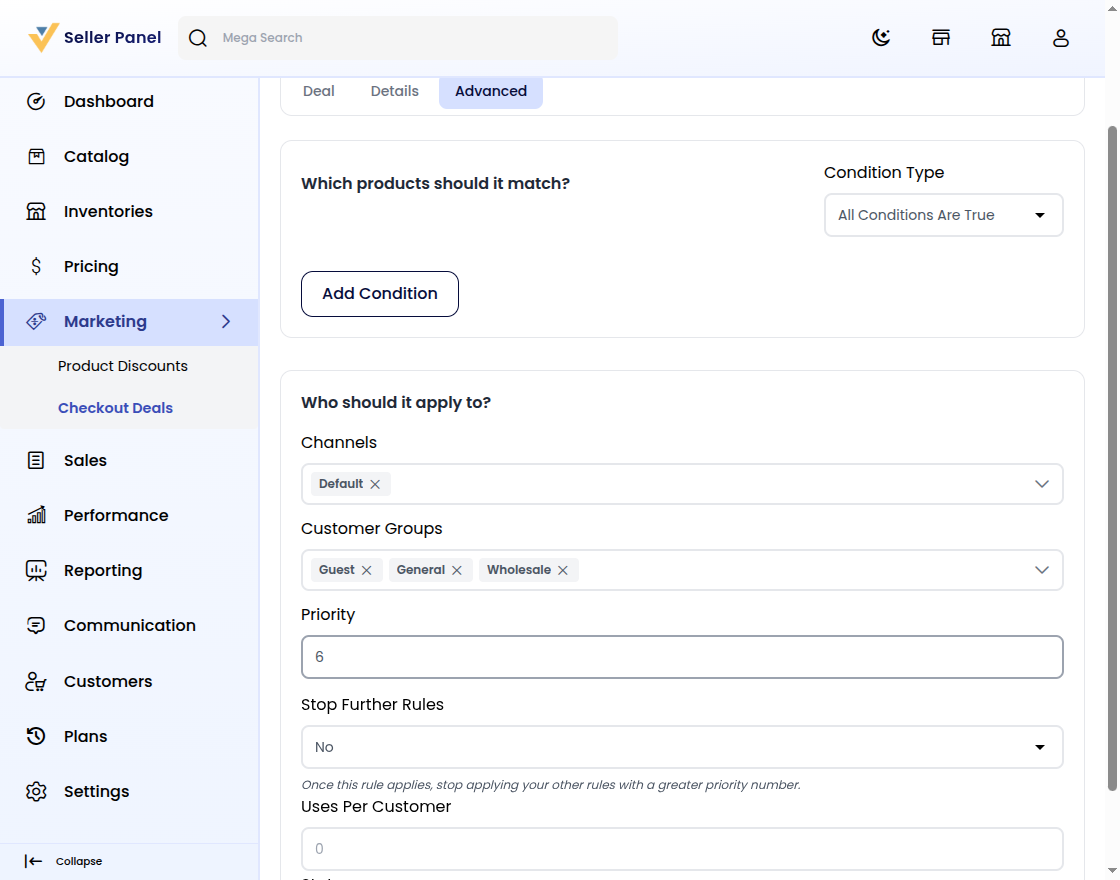
Add Conditions under All Conditions Are True or Any Condition Is True.
Choose Channels and Customer Groups for who sees the deal.
Set Priority; Stop Further Rules and Uses Per Customer finish setup.
Flip the Status toggle to activate the deal.
Step 6: Manage Deals in Checkout Deals
Saving returns you to the deals list with the new rule.
Admins review the same deals and toggle Active or Inactive.
Shared rules stay consistent on the Bagisto Marketplace.
Conclusion
Checkout Deals helps sellers lift carts faster with less manual effort.
You build each rule, save once, and keep discounts consistent.
For Bagisto owners, cart deals mean a better seller experience.


Be the first to comment.