Bulk Upload in Bagisto Marketplace
Bulk Upload turns a spreadsheet into many new seller products.
The seller adds brand new products in one import from the panel.
Each row becomes a product with images, settings, and validation.
For sellers, it saves time and gets products live faster.
Bulk Upload
The seller opens the import wizard from the seller dashboard.
Source, Images, and Settings lead to validation and import.
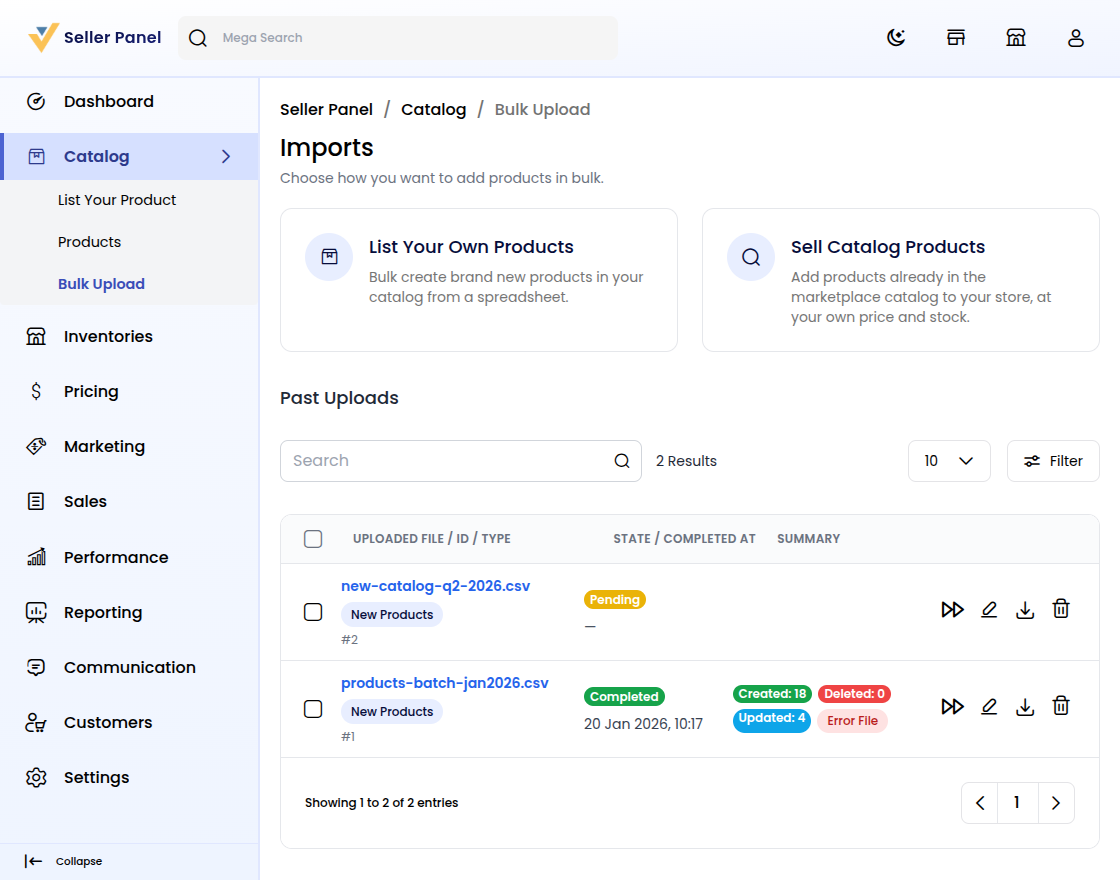
Step 1: List Products for Bulk Upload
First, choose List Your Own Products for brand new items.
Sell Catalog Products resells marketplace items at your price.
Past Uploads reviews previous imports and results.
Choosing List Your Own Products opens the three-step wizard.
Step 2: Choose the Source File
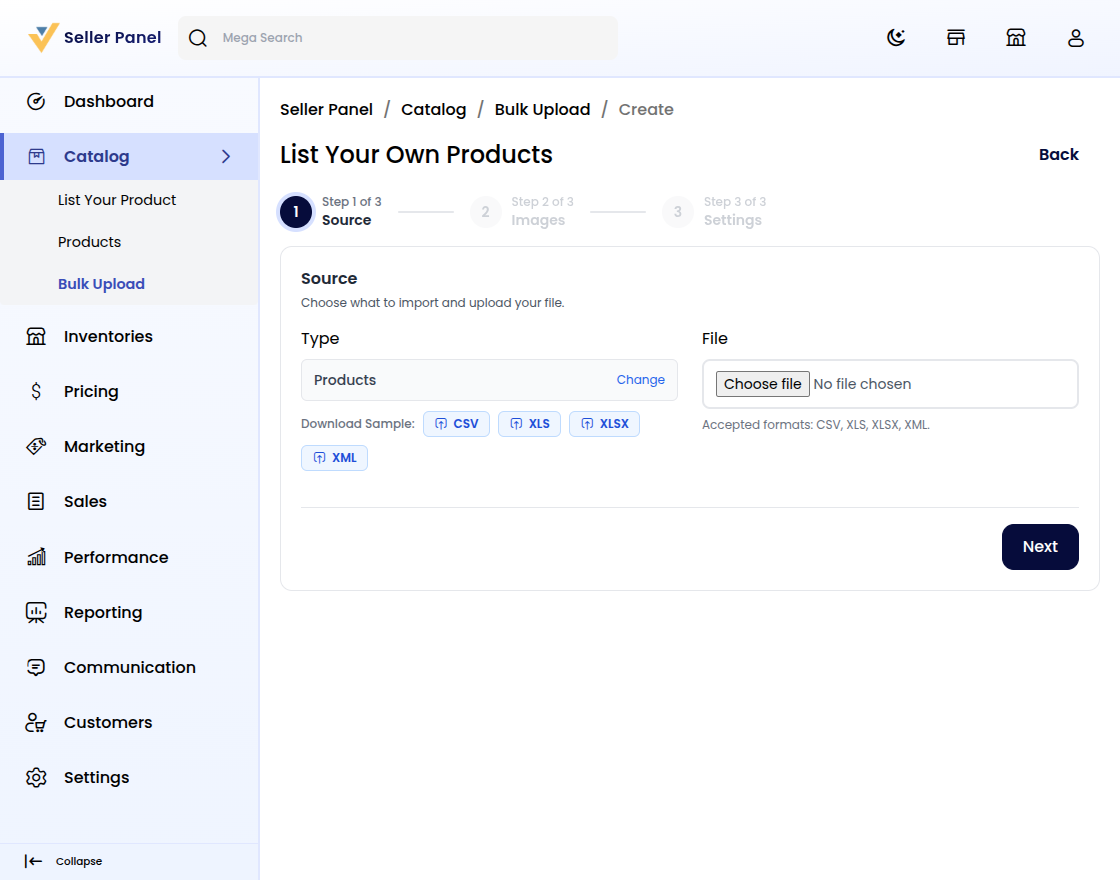
On Source, upload the sheet for the wizard to read.
Use CSV or XLS, then open Download Sample for columns.
Sheets must match the Bagisto Multi-Vendor Marketplace format.
Step 3: Describe Your Images
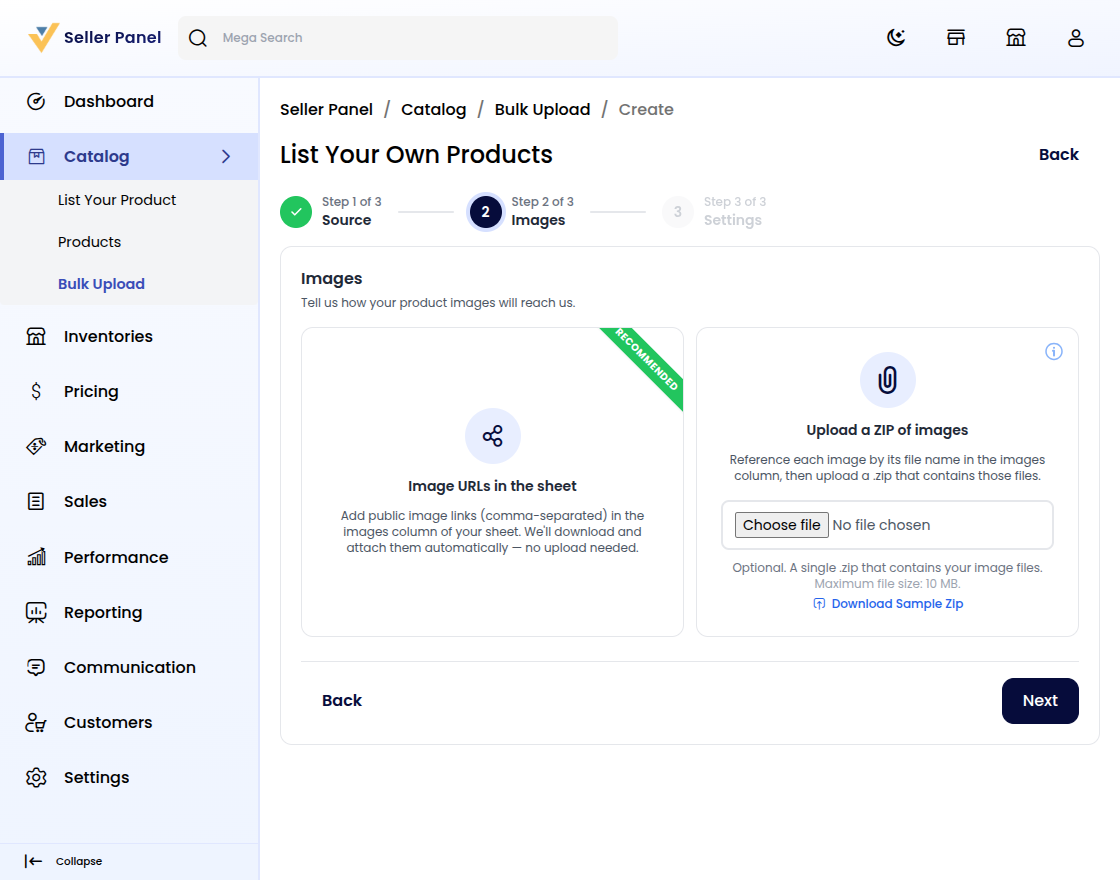
Next, tell the wizard how images will arrive.
Recommended: Image URLs in the Sheet with public links.
Or Upload a ZIP of Images and name files in the sheet.
Images land on the Bagisto storefront after import.
Step 4: Set Bulk Upload Settings
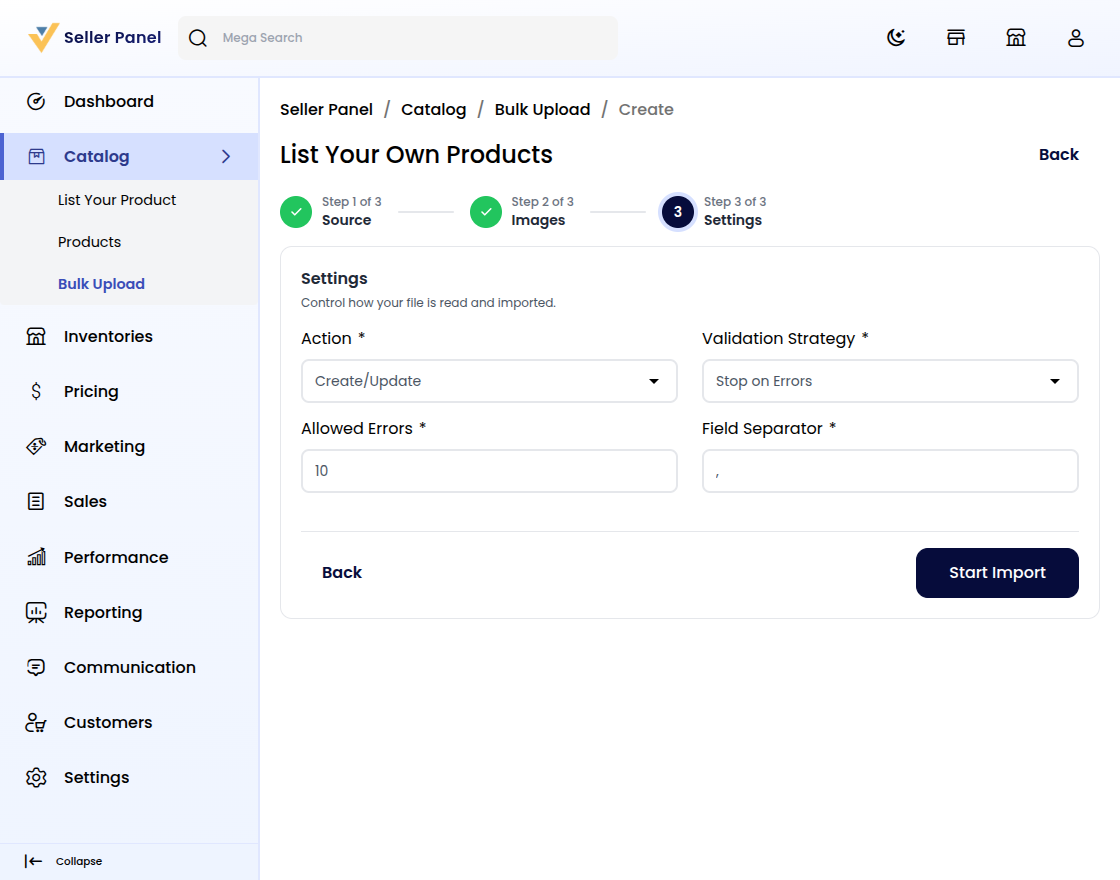
Pick Action of Create/Update or Delete for the file.
Choose Validation Strategy of Stop on Errors or Skip Errors.
Set Allowed Errors and Field Separator for CSV files.
See import rules in the Bagisto documentation.
Step 5: Validate the Upload
Click Validate so the wizard checks every row.
Then click Start Import and confirm the action.
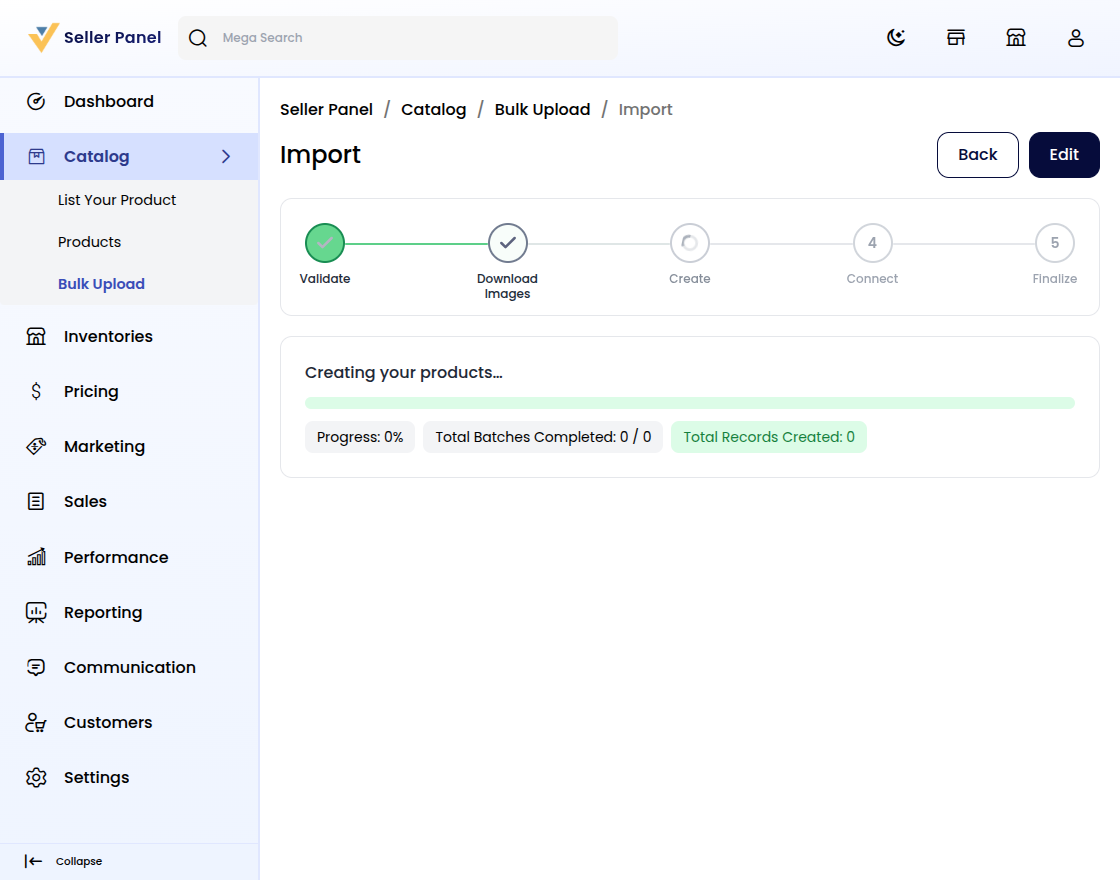
Watch Validate, Download Images, Create, Connect, and Finalize.
Follow the live Progress count as products build.
Step 6: Complete the Bulk Upload
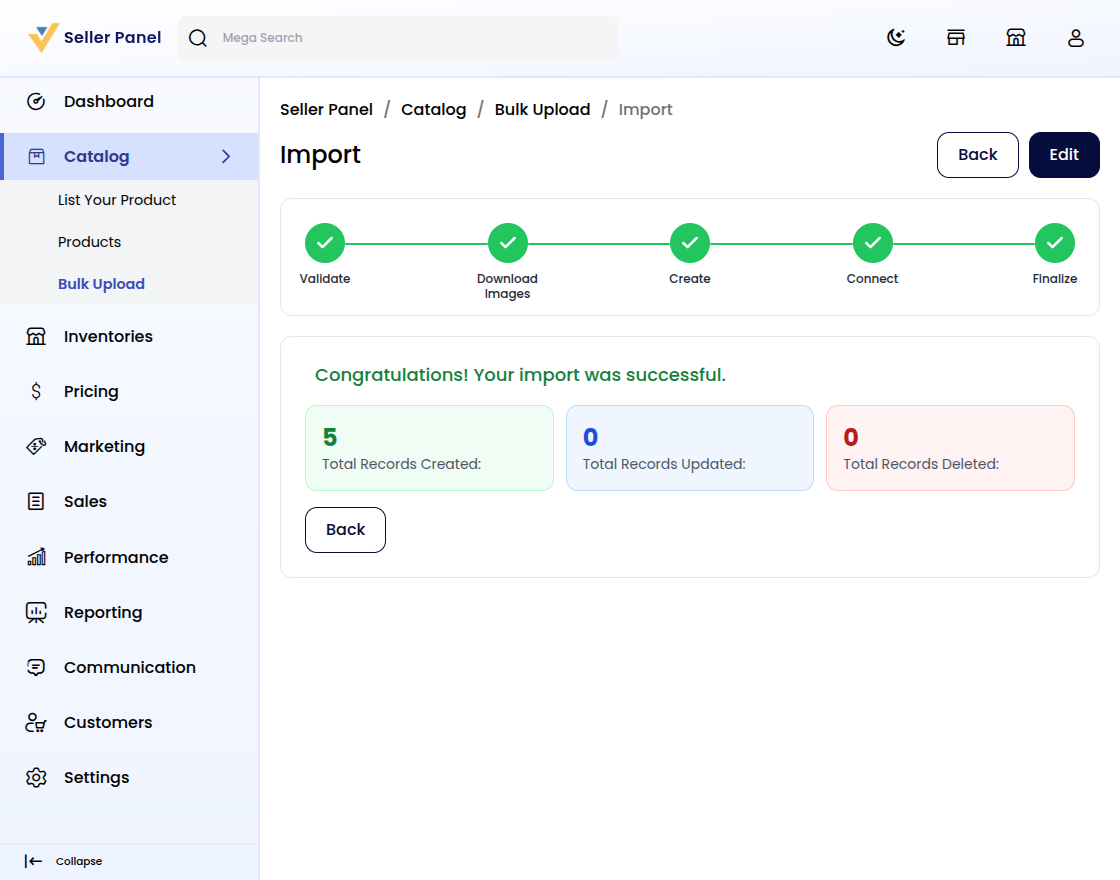
The wizard reports Congratulations! Your import was successful.
Totals show Total Records Created, Updated, and Deleted.
Find each finish under Past Uploads for later review.
New products await review; explore more marketplace features.
Conclusion
Bulk Upload helps sellers add products faster with less manual effort.
You upload sheets, set images, and import with confidence.
For Bagisto owners, faster imports mean a better seller experience.


Be the first to comment.