Building Queue-Based Email Notifications in Bagisto
Queue-Based Email Notifications in Bagisto help build scalable and high-performance eCommerce applications.
By leveraging Laravel’s queue system, developers can process emails asynchronously, reducing response times and ensuring reliable email delivery.
Whether you’re sending order confirmations, shipment notifications, invoices, or stock alerts, queues keep your Bagisto store responsive under heavy traffic.
This approach improves the experience for both customers and administrators.
Adopting queue-based email processing also creates a robust, maintainable, and production-ready eCommerce solution.
This approach improves performance, enhances scalability, and provides a smoother user experience.
Why Queue Email Notifications?
Consider the checkout process of an online store. When a customer places an order, several tasks need to be performed:
- Save the order details.
- Send an order confirmation email.
- Notify the administrator about the new order.
- Generate an invoice.
- Update inventory.
- Trigger integrations with third-party services.
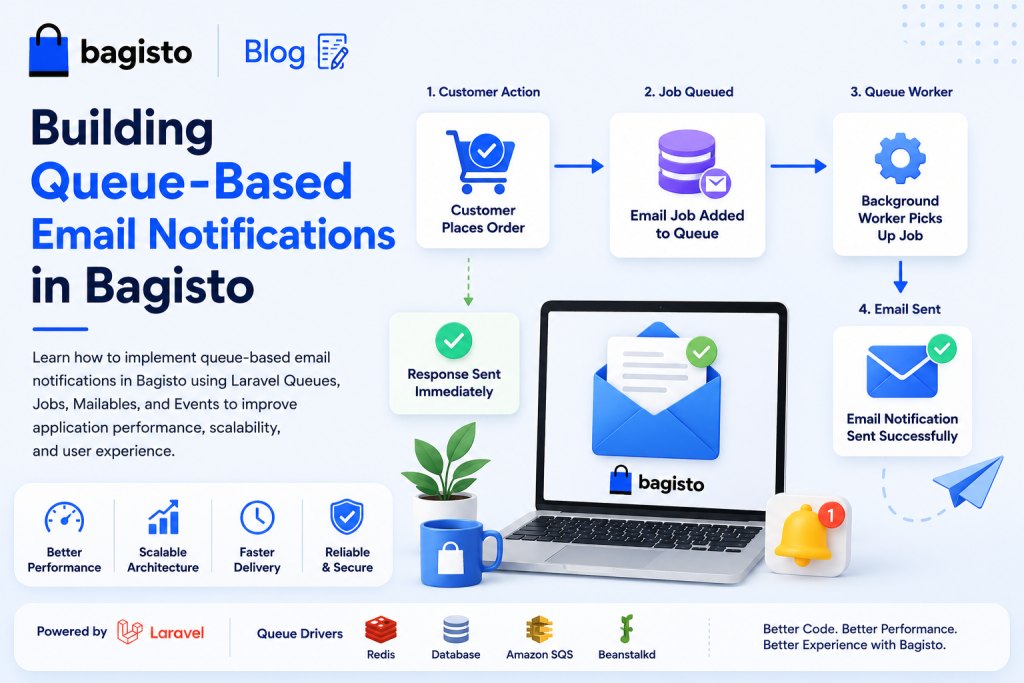
If all these operations execute during the same request, the customer must wait until every task is completed before receiving a response.
As traffic increases, this can noticeably slow down the application.With queues, Bagisto saves the order and dispatches the email job to the queue.
The application immediately returns a response, while a background worker processes queued jobs independently for faster page loads and reliable email delivery.
Queue Drivers Supported by Bagisto
Bagisto supports all queue drivers provided by Laravel, including:
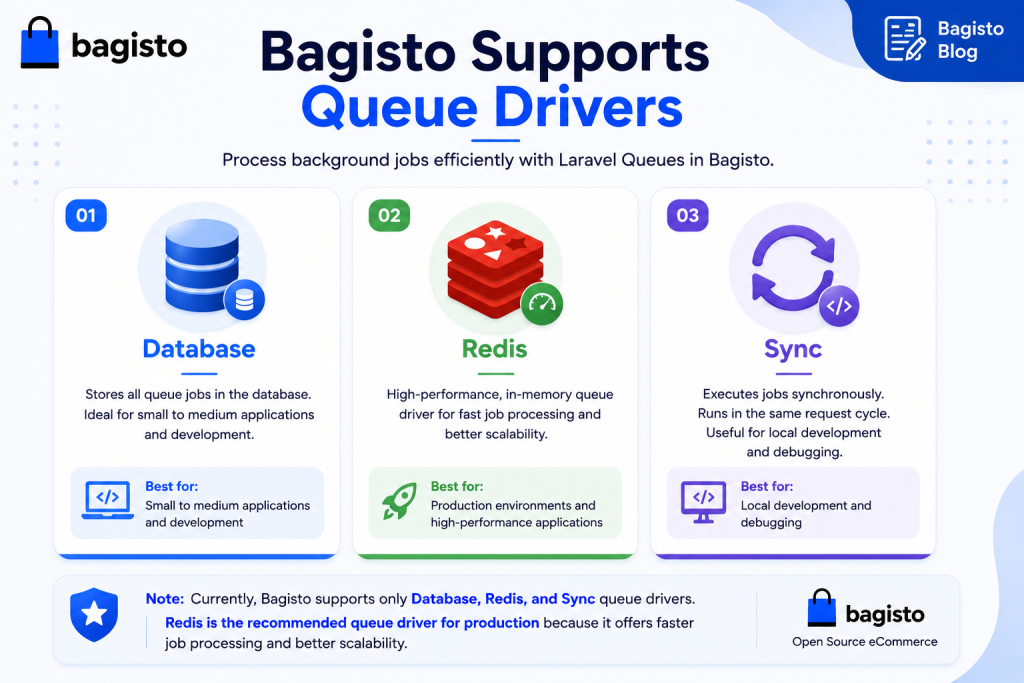
For production environments, Redis is the recommended queue driver.
It offers excellent performance and efficiently handles a large number of background jobs.
Configuring the Queue
To enable queues, update the queue connection in your .env file.
|
1 2 |
QUEUE_CONNECTION=redis |
If you prefer the database driver during development:
|
1 2 |
QUEUE_CONNECTION=database |
For the database queue driver, generate the required table:
|
1 2 3 |
php artisan queue:table php artisan migrate |
Laravel creates a jobs table where pending queue jobs are stored until processed.
Creating a Queueable Email
Laravel’s Mailables integrate seamlessly with queues. Generate a new mail class:
|
1 2 |
php artisan make:mail OrderConfirmationMail |
The Mailable class defines the email subject and the Blade view sent to the customer.
Since Mailables support queues by default, emails can be processed asynchronously without additional configuration.
Creating a Queue Job
Next, create a job responsible for sending the email:
|
1 2 |
php artisan make:job SendOrderConfirmationEmail |
Implement the ShouldQueue interface so Laravel knows the job should be processed in the background.
|
1 2 3 4 5 6 7 8 |
class SendOrderConfirmationEmail implements ShouldQueue { public function handle() { Mail::to($this->order->customer_email) ->send(new OrderConfirmationMail($this->order)); } } |
This keeps email logic separate from controllers and makes it easier to maintain.
Dispatching the Job
After an order is successfully placed, simply dispatch the job:
|
1 2 |
SendOrderConfirmationEmail::dispatch($order); |
The job is added to the queue immediately, allowing the checkout process to complete without waiting for the email to be delivered.
Running the Queue Worker
To process queued jobs, start a queue worker:
|
1 2 |
php artisan queue:work |
During development, you can also use:
|
1 2 |
php artisan queue:listen |
The worker continuously monitors the queue and executes pending jobs as they become available.
Using Events for Better Architecture
Bagisto follows Laravel’s event-driven architecture, making Events and Listeners an excellent choice for email notifications.
Instead of dispatching queue jobs directly from controllers, fire an OrderPlaced event after an order is created.
A listener can then dispatch the email job, keeping your business logic clean and decoupled.
This event-driven approach also makes the application easier to extend.
You can add additional listeners later for inventory updates, loyalty points, analytics, or third-party integrations without modifying existing code.
Monitoring Failed Jobs
Occasionally, email delivery may fail due to SMTP issues or temporary network problems. Laravel provides built-in support for tracking failed jobs.
Create the failed jobs table:
|
1 2 3 |
php artisan queue:failed-table php artisan migrate |
Useful commands include:
|
1 2 3 4 |
php artisan queue:failed php artisan queue:retry all php artisan queue:flush |
These commands help administrators monitor, retry, or remove failed jobs as needed.
Running Queues in Production
For production deployments, run queue workers continuously using Supervisor or another process manager.
This ensures background jobs continue processing automatically, even after server restarts.
Supervisor also restarts queue workers if they stop unexpectedly, ensuring reliable email processing for production stores.
Best Practices
When implementing queue-based email notifications in Bagisto, consider the following recommendations:
- Use Redis as the queue driver for production environments.
- Keep each job focused on a single responsibility.
- Use Events and Listeners to separate business logic.
- Monitor failed jobs regularly.
- Configure Supervisor to keep queue workers running.
- Create dedicated queues for emails, notifications, imports, and exports to improve scalability.
Conclusion
Queue-Based Email Notifications in Bagisto help build scalable and high-performance eCommerce applications.
By leveraging Laravel’s queue system, developers can process emails asynchronously, reducing response times and ensuring reliable email delivery.
Whether you’re sending order confirmations, shipment notifications, invoices, or stock alerts, queues keep your Bagisto store responsive under heavy traffic.
This approach improves the experience for both customers and administrators.
Adopting queue-based email processing also creates a robust, maintainable, and production-ready eCommerce solution.
You can also hire laravel developers to build your custom solutions on laravel.
For exploring the available extensions for Bagisto, you can check out the bagisto extension marketplace.

Be the first to comment.