Bagisto v2.4.11 Release Note
Bagisto latest version 2.4.11 hands themes control of their own sections and image sizes. It also sharpens the admin and clears a long list of fixes.
- First, Bagisto v2.4.11 lets a theme declare its own section types, image sizes and placeholders.
- A theme now reshapes the storefront without any change to the core.
- It also adds a Parent Category column to the admin category listing. Footer links now run to as many columns as you need.
- In addition, numeric datagrid filters now compare a value exactly, and every storefront password field gains a reveal icon.
- Finally, Bagisto v2.4.11 fixes stale caching after a price change.
- It also repairs configuration screens, theme previews, images on remote disks, and checkout addresses.
Overall, these changes in Bagisto v2.4.11 make a theme far more self-contained. They also make the admin more precise to work in.
You can read the full release changelog on GitHub.
New Features in Bagisto Version 2.4.11
Themes Declare Their Own Section Types
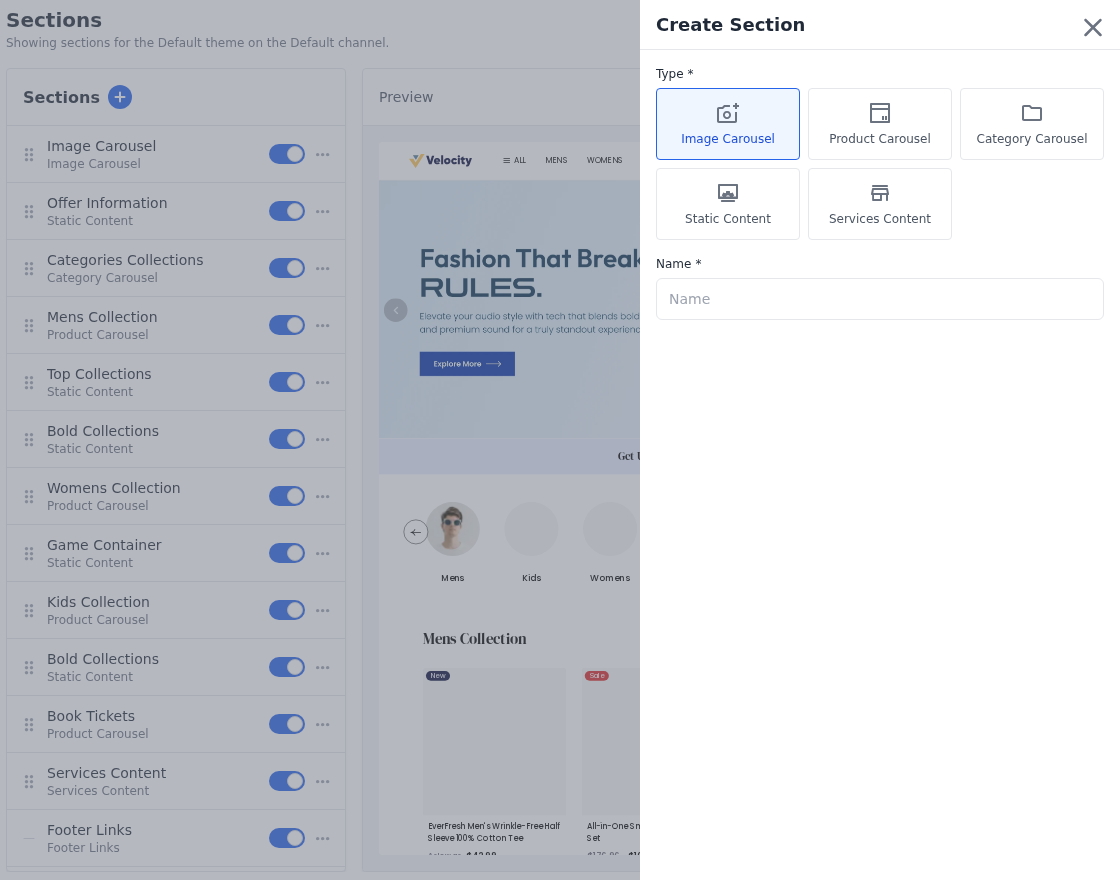
- Each theme now declares its own section types.
- They appear as tiles in Add Section, in the order the theme lists them.
- Consequently, a theme can offer section types of its own without any change to Bagisto’s core.
Themes Bring Their Own Image Sizes and Placeholders
- A theme now brings its own set of image sizes.
- These either override the core sizes or add to them.
- The theme then picks which of those sizes the product, category and swatch pictures use.
- In addition, it can ship product placeholders of its own, rather than falling back to Bagisto’s.
A Parent Category Column in the Admin
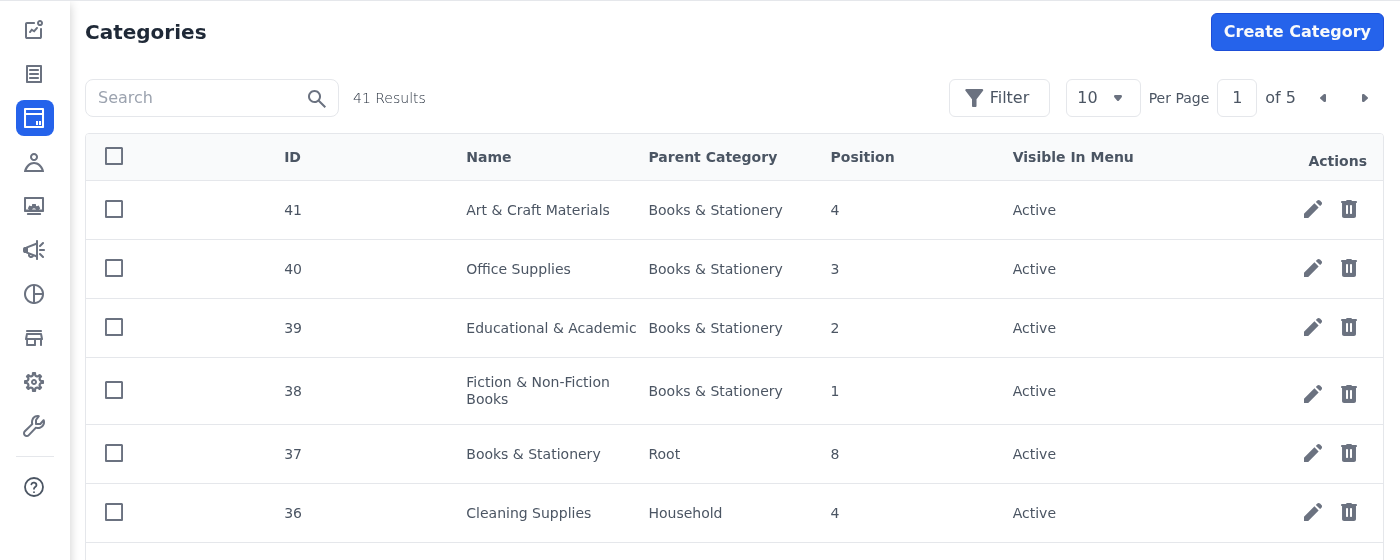
- #10762 The admin category listing now carries a Parent Category column. You see where a category sits in the tree at a glance.
- You sort and search it like any other column. A dropdown lists every category that has children, so you filter by any of them.
- A root category, which has no parent, shows an empty cell.
Footer Links in As Many Columns As You Need
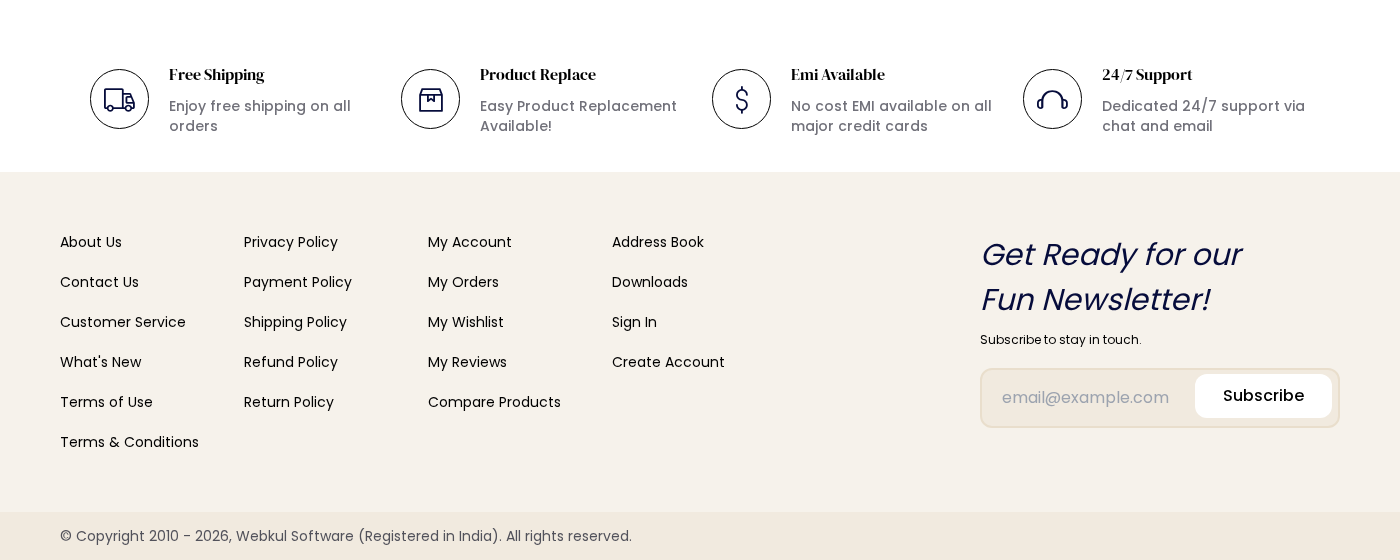
- Footer links now take any number of columns, rather than the fixed two of earlier releases.
- The columns wrap to fit the screen, and Bagisto drops an empty one rather than drawing it blank.
- Footers you already have keep working exactly as they did.
Improvements in Bagisto Version 2.4.11
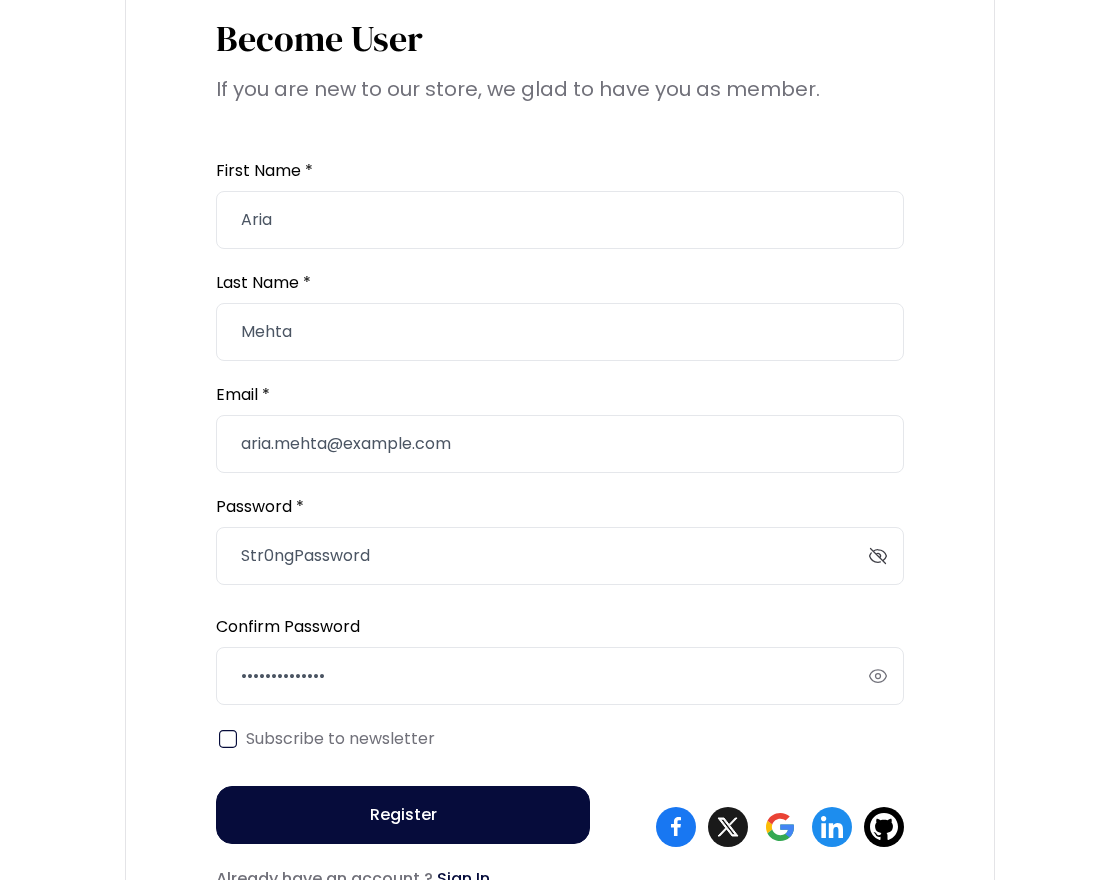
Show the Password on Every Storefront Field
- #11479 Every storefront password field now carries an eye icon inside it.
- Previously only sign in offered this, and it did so with a checkbox beside the field.
- The icon also stands in for Microsoft Edge’s own reveal button. A field now shows one control rather than two.
Numeric Datagrid Filters That Compare Exactly
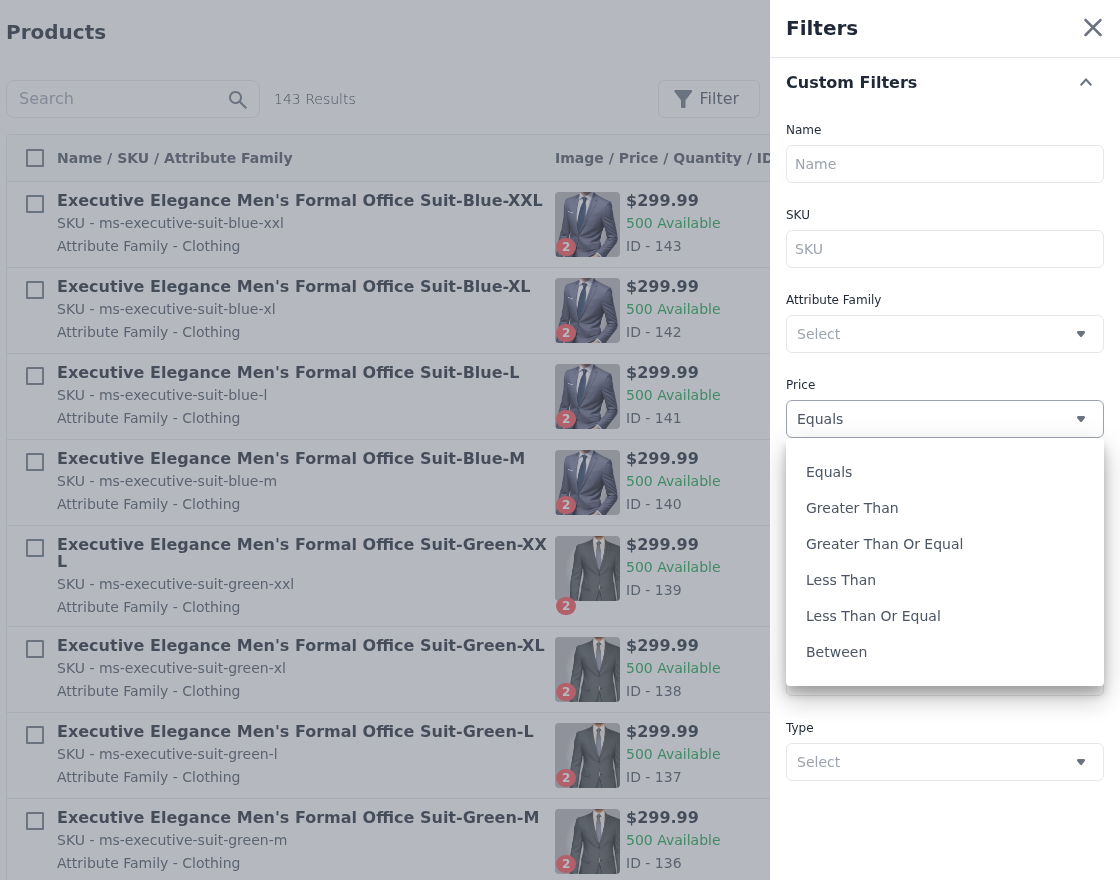
- #11441 Integer and decimal columns previously ignored everything after the decimal point. An order total filter of 50.20 therefore matched 50.
- Both now compare the value exactly.
- You also filter them by operator: equals, greater than, less than, or a range.
Clearer Configuration Screens
- Bagisto has corrected the titles and descriptions in Admin → Configuration across all 22 locales. Some of them named settings that no longer exist.
- Others explained the concept rather than the setting itself.
- Configuration pages no longer hold a two-column layout on a small screen, which squeezed the settings panel. The description and the panel now stack.
A Tax Category Form That Says What Is Missing
- #11461 A store with no tax rates saw an empty but required Tax Rates field. That left nothing to save, so the form no longer shows it.
- It now tells you to create a tax rate first. If your role allows it, the message links straight to that screen.
- Save stays disabled until a rate exists.
Bug Fixes in Bagisto Version 2.4.11
Appearance and Theme Fixes
- Fixed the paragraph and heading dropdown missing from the text editor toolbar, so you can style your wording again.
- Fixed the Customize action appearing for installed themes that no channel runs.
- Only a theme in use offers Customize now, and that holds even if you open the link directly.
- Fixed the appearance preview always rendering the channel’s own theme, rather than the theme you were editing.
Image and Media Fixes
- Fixed My Reviews and the RMA pages loading the full-size product picture where a smaller one would do. The product details search engines read did the same.
- All three now use the right size for the spot. They share the same stand-in pictures and theme styling as the rest of the store.
- Fixed category logos and banners, and colour swatches, not showing at all.
- Stores that keep their pictures on cloud storage, rather than on the server itself, hit this.
- Fixed the image carousel showing broken slides, and drawing empty slides where nobody had added a picture.
- Fixed colour and pattern swatches not pointing at the picture you actually uploaded for them. They now behave like every other picture in Bagisto.
Configuration Fixes
- Fixed the LinkedIn sign-in button never appearing on the storefront. Its setting used one name while the installer saved another.
- Fixed the tax worked out from your store’s dispatch address ignoring that address’s post code.
- #11445 Fixed the Full Page Cache settings refusing to save. The browser tripped over a rule on the cache lifetime box that only the server should check.
- The page now saves as it should.
- Fixed a settings page for a section that does not exist showing a server error.
- It now shows a plain page not found, whether the group or the section within it is wrong.
- Fixed a settings file download showing a server error when nobody ever uploaded the file. The same happened once a file went missing.
- It now shows a plain page not found.
Caching and Indexing Fixes
- #11481 Fixed editing or deleting a CMS page leaving the old version on show. It lingered for other locales, currencies, channel domains and signed-in customers.
- Signed-in customers never see a cached page now.
- Fixed adding, changing or removing a catalog rule leaving product pages and listings on the old price. The nightly price update did the same.
- Bagisto now refreshes those pages as soon as it works out the new prices.
- #11473 Fixed a configurable product disappearing from search when you deleted one of its variants.
- Only the variant you removed goes now, and the main product stays searchable.
Checkout and Customer Fixes
- #10842 Fixed checkout and address forms accepting a state that does not belong to the country you chose. California survived a switch to India, for example.
- Fixed checkout and admin order creation rejecting the address of a virtual or downloadable-only cart.
- Both still asked for a shipping address unless the customer used the billing address for shipping too.
- #11450 Fixed a guest landing on the home or account page after checkout sent them to sign in. They lost the product they had chosen with Buy Now.
- Signing in, registering or using a social provider now returns them to the checkout.
- #11477 Fixed logging in as a customer from the admin landing on the default channel, not the customer’s own.
- Bagisto now takes a signed-in customer to their assigned channel. They cannot open the account area on a channel they never registered on.
- #11440 Fixed the checkout payment option button overlapping the method’s logo and name on a phone.
- The card now leaves room for the button, so its wording stays clear.
Catalogue and Storefront Fixes
- #11458 Fixed a category still filtering by an attribute after you switched Use Layered Navigation off for it.
- The filter stayed on the storefront with no way to untick it. A category now filters only by attributes that still appear in layered navigation.
- Switching one back on restores the categories it belonged to.
- Fixed products going missing from the admin product listing when their channel does not offer the admin locale.
- Bagisto also saved their edits in a locale the channel cannot show.
- #11446 Fixed the loading placeholders on the storefront account pages. My Reviews showed a broken image in place of the product thumbnail.
- It also stood in for a heading the page had already drawn. The cards therefore jumped about as the reviews arrived.
- Orders, Downloadable Products, GDPR and RMA showed a table row while loading. Each of them lists cards on a phone.
- Every placeholder now matches the shape and height of what replaces it.
This release also includes security fixes.
In short, the fixes in Bagisto v2.4.11 keep cached pages current and configuration screens usable. They also keep checkout addresses correct.
Conclusion
- Overall, Bagisto v2.4.11 makes a theme far more self-contained, and the admin more precise to work in.
- It lets a theme declare its own section types, image sizes and placeholders.
- It adds a Parent Category column to the admin category listing. Footer links now take as many columns as you need.
- Bagisto v2.4.11 also gives every storefront password field a reveal icon, and numeric datagrid filters that compare exactly.
- In addition, it fixes stale caching after a price change, theme previews, images on remote disks, and checkout addresses.
- Above all, this release helps store owners run their business smoothly on the open-source platform.
Thanks for reading this Bagisto v2.4.11 release note. If you have any questions, please feel free to comment below.
Also you can hire laravel developers for your custom laravel projects. Kindly explore our extensions.
. . .

Be the first to comment.