Extending Bagisto with Laravel Service Providers
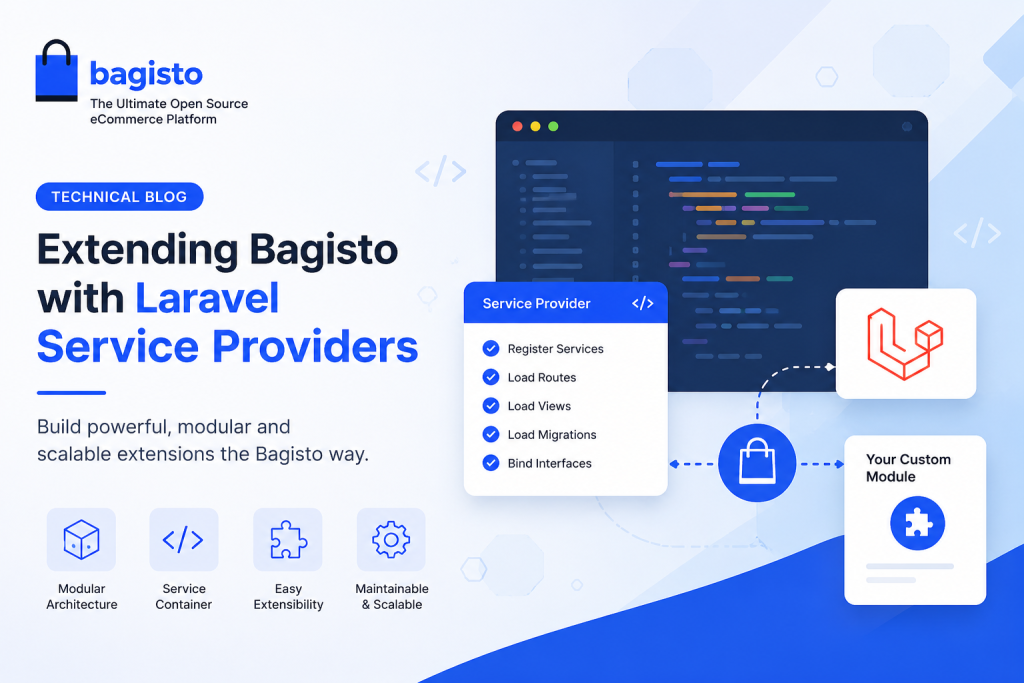
Extending Bagisto with Laravel Service Providers is the recommended approach for building modular and upgrade-safe custom packages.
Bagisto is a powerful open-source eCommerce platform built on Laravel. Its modular architecture makes customization simple, scalable, and easy to maintain.
A Bagisto Service Provider is the foundation of Bagisto’s modular architecture.It registers services and bootstraps package resources, making extensions easier to manage.
Whether you’re building a custom payment gateway, shipping method, CRM integration, or a new feature, Extending Bagisto with Laravel Service Providers lets you register routes, views, migrations, services, and event listeners while keeping your module independent of the core application.
In this guide, you’ll learn how a Bagisto Service Provider works, why it is essential, and how to use it to build clean, reusable, and scalable packages.
What is a Bagisto Service Provider?
A Service Provider is Laravel’s central place for registering and bootstrapping application services.
In Bagisto, every package includes its own Service Provider to register dependencies and load resources such as routes, views, migrations, and translations.
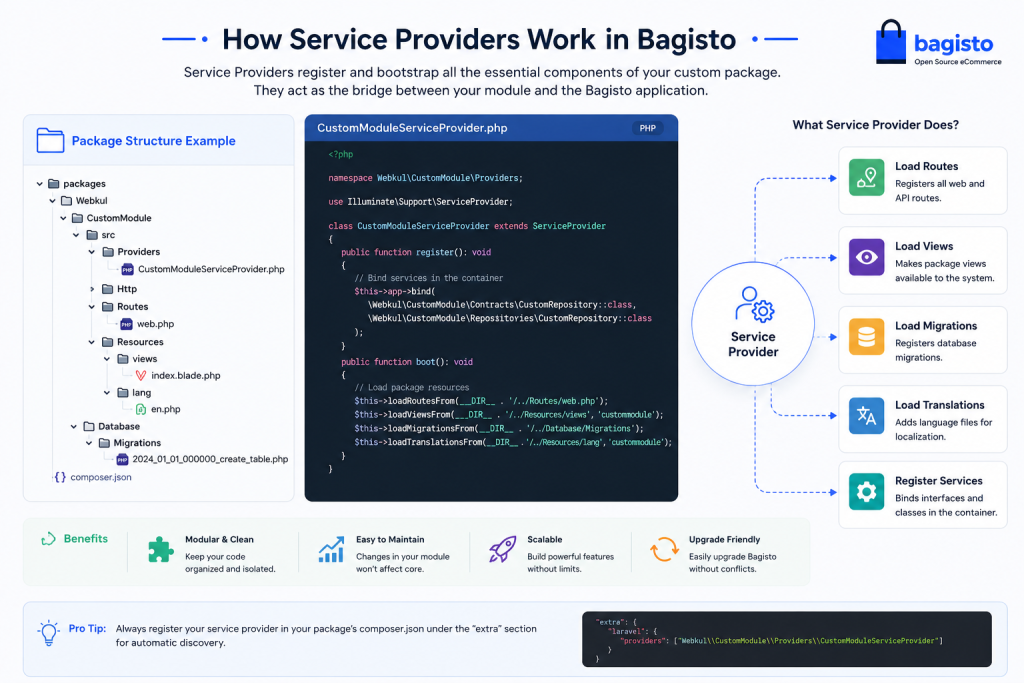
A typical Bagisto package structure looks like this:
This modular structure allows developers to extend Bagisto without modifying its core files, making upgrades much easier.
Creating a Bagisto Service Provider
Generate a Service Provider using Laravel Artisan:
|
1 2 |
php artisan make:provider BlogServiceProvider |
The generated class contains two important methods:
|
1 2 3 4 5 6 7 8 9 10 11 12 13 14 15 16 17 |
namespace Webkul\Blog\Providers; use Illuminate\Support\ServiceProvider; class BlogServiceProvider extends ServiceProvider { public function register() { // Register services } public function boot() { // Bootstrap package resources } } |
Understanding the Methods
register()
Use this method to bind services, repositories, and interfaces into Laravel’s Service Container.
boot()
Use this method to load routes, views, translations, migrations, and event listeners after all services have been registered.
Loading Package Resources with a Bagisto Service Provider
One of the biggest advantages of a Service Provider is automatic resource registration.
|
1 2 3 4 5 6 |
public function boot() { $this->loadRoutesFrom(__DIR__.'/../Routes/web.php'); $this->loadViewsFrom( __DIR__.'/../Resources/views', 'blog' ); $this->loadMigrationsFrom( __DIR__.'/../Database/Migrations' ); } |
With just a few lines of code, Bagisto automatically loads your package resources without requiring any changes to the core application.
Registering Services
Suppose you’re building a custom recommendation engine. Instead of creating new instances throughout the application, register it as a singleton.
|
1 2 3 4 5 6 7 8 9 |
public function register() { $this->app->singleton( \Webkul\Blog\Services\RecommendationService::class, function () { return new \Webkul\Blog\Services\RecommendationService(); } ); } |
You can then inject the service wherever it’s needed.
|
1 2 3 4 5 |
public function index( RecommendationService $service ) { return $service->recommendedProducts(); } |
This approach improves code readability, testability, and maintainability.
Registering Events
Bagisto provides numerous events that allow developers to customize application behavior without overriding core functionality.
|
1 2 3 4 5 6 7 8 9 10 11 |
use Illuminate\Support\Facades\Event; public function boot() { Event::listen( 'checkout.order.save.after', function ($order) { logger("New Order: {$order->id}"); } ); } |
This technique is useful for sending notifications, syncing CRM systems, updating inventory, or triggering custom business workflows.
Why Use a Bagisto Service Provider?
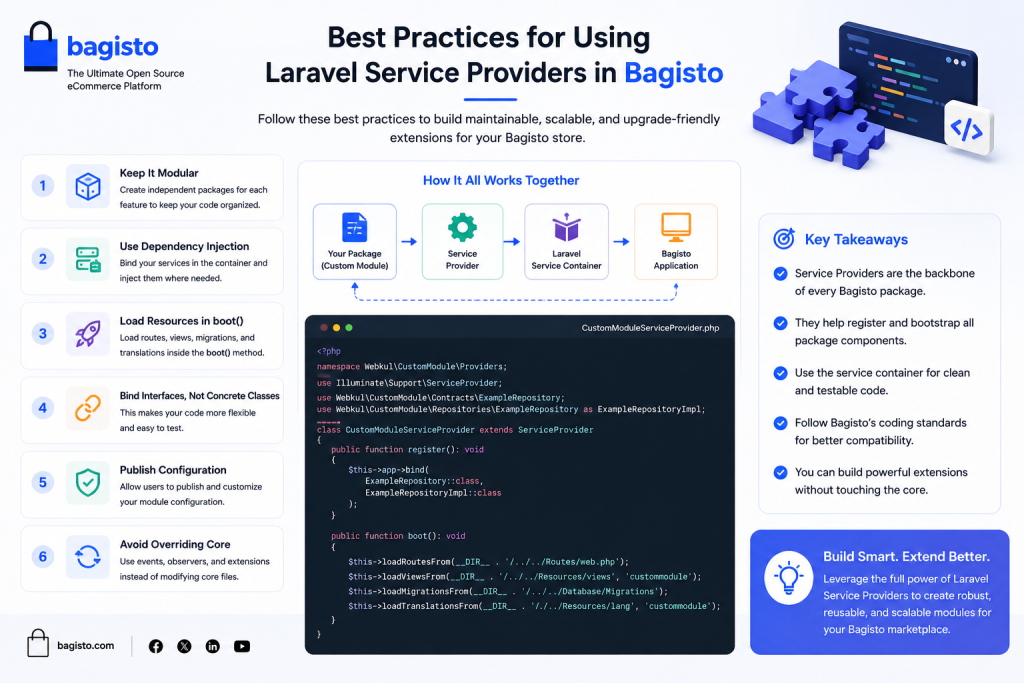
Using a Service Provider provides several benefits:
- Modular and reusable package architecture
- Cleaner separation of concerns
- Simplified dependency management
- Easy integration with Laravel’s Service Container
- Better maintainability during Bagisto upgrades
- Improved scalability for enterprise applications
By following this architecture, developers can create extensions that are easier to maintain and distribute.
Best Practices for Using a Bagisto Service Provider
- Keep business logic outside the Service Provider.
- Use dependency injection instead of creating objects manually.
- Register only services inside the
register()method. - Load package resources in the
boot()method. - Organize features into independent packages to improve maintainability.
- Avoid modifying Bagisto core files whenever possible.
Conclusion
A well-structured Bagisto Service Provider is the backbone of Bagisto’s extensible architecture. It registers services and loads package resources in a centralized way.
By following Laravel best practices and Bagisto’s modular package structure, you can build scalable, maintainable, and upgrade-friendly extensions.
Whether you’re building a payment integration, custom admin module, shipping solution, or third-party API connector, the Bagisto Service Provider pattern simplifies development.
It helps you build scalable, maintainable, and upgrade-friendly Bagisto extensions.
You can also hire laravel developers to build your custom solutions on laravel.
For exploring the available extensions for Bagisto, you can check out the bagisto extension marketplace.


Be the first to comment.