Hello, world, today we are releasing Bagisto 1.3.2, and now I am introducing you to what’s new in Bagisto v1.3.2.
Bagisto Open Source 1.3.2 introduces support for PHP 8, Laravel 8, and Datagrid Improvement & Multiple Datagrids Ability.
Substantial security changes include the Google CAPTCHA integration for login.
Also, I want to thank all our Laravel Community, Developers, beginners, and our respective customers for their support and love for Bagisto.
Undoubtedly, continuous improvement is necessary for processes to remove inefficiencies and achieve good results.
Here Are The Wonderful Feature That We Are Introducing In Bagisto v1.3.2
At this time, the latest features are security and performance enhancements.
Merchants are encouraged to upgrade to efficiently manage and secure their online stores.
For the continuous increment in eCommerce traffic in these uncertain times.
- Google captcha integration
- Laravel 8 support
- PHP 8 support
- Configurable product Default Variant Option Added
- Automatically create invoices while order generate (COD & Money Transfer)
- Google Core Web Vitals
- Tax-inclusive/exclusive feature added
- Admin multilocale feature
- Automatically invoice while the order is generated. (enhancement in payment methods only for COD & Money Transfer as required)
- Custom invoice prefix/suffix generator/settings added
- Add an image in a product review
- Multiple DataGrids on a single page
- A configurable multi-image option has been added to the parent product
Now we will see a detailed explanation of all features of “What’s new in Bagisto v1.3.2”. How merchants can easily configure those features to their stores.
What’s New in Bagisto v1.3.2?
Google Captcha Integration
Google Captcha helps protect your eCommerce store from spam and password decryption by asking your customer/visitors to complete a simple test.
This proves that they are human and not a computer that is trying to break into a password-protected account.
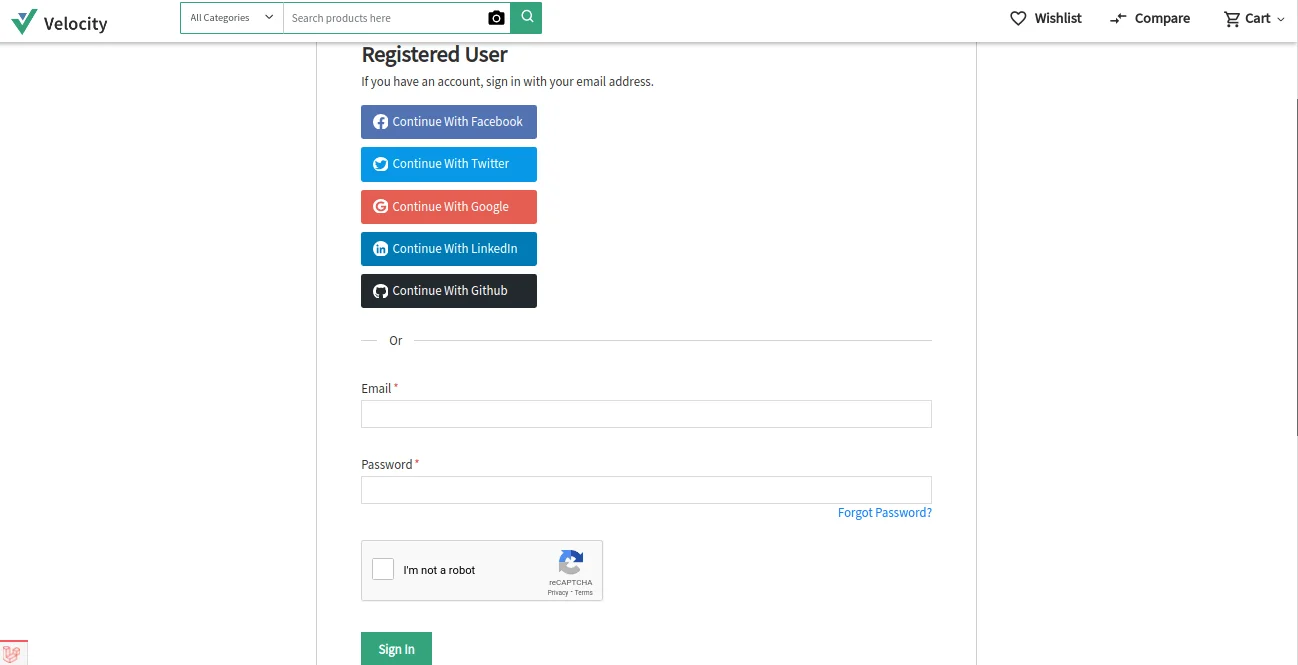
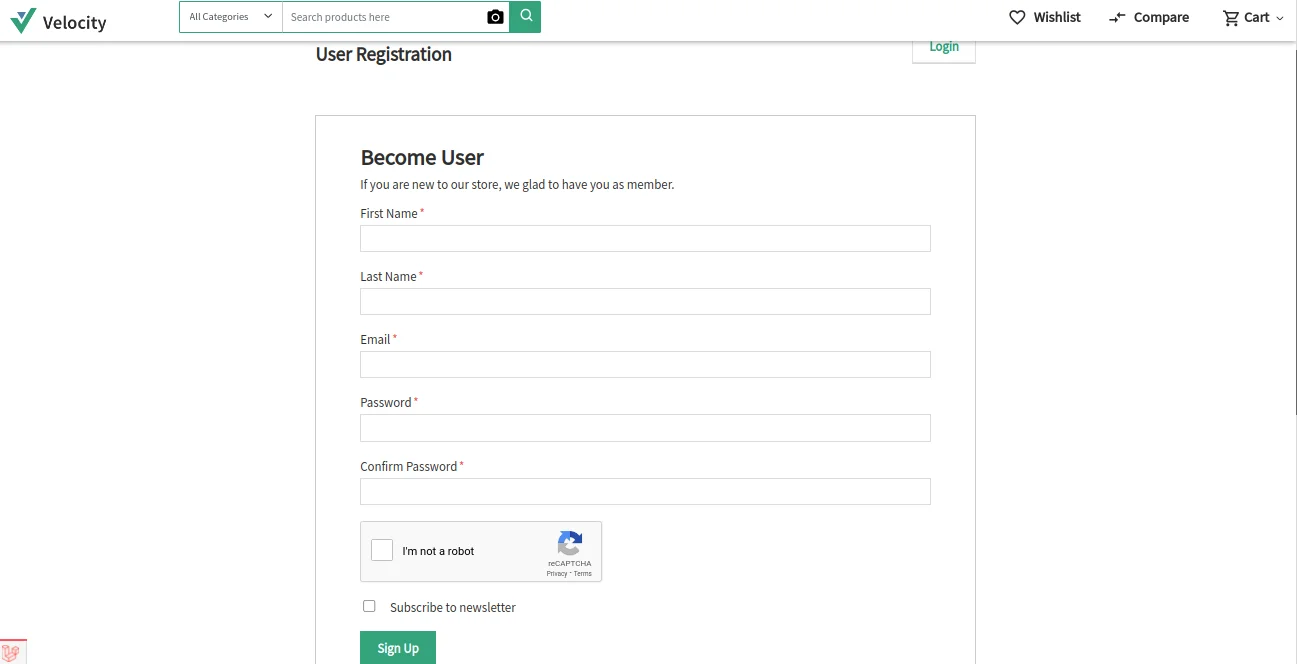
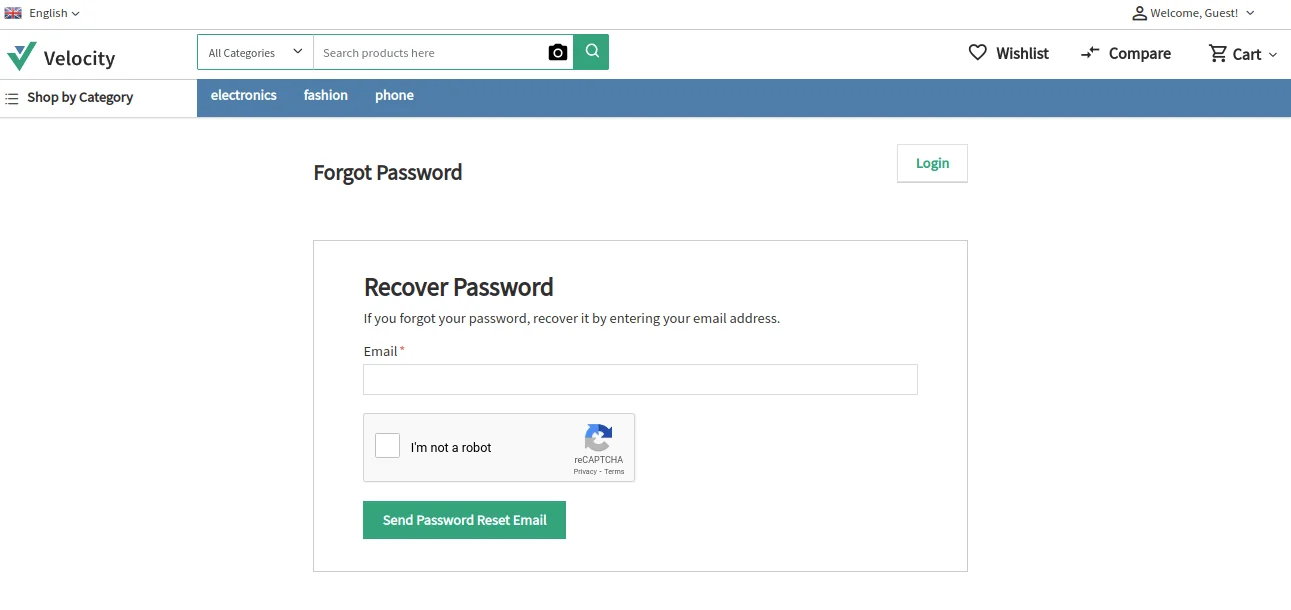
Moreover, the customer will find the Google Captcha on the three screens below:
Customer Login Page

Screen 2: Customer Sign-up Page

Screen 3: Forgot Password Page

Also, the merchant can go to Configure>>Customer>>Captcha to successfully use Captcha Integration for your store.
Immediately, here you need to enter the Site Key and Secret Key to successfully use this feature.
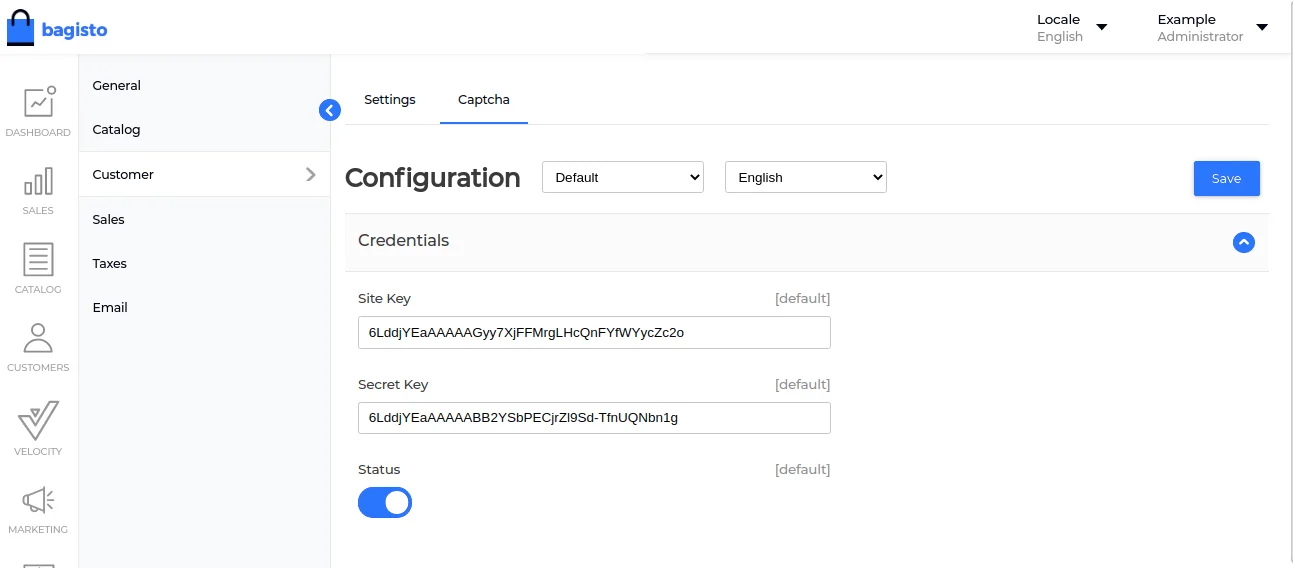

Also, to get these keys, firstly, you need to register your website with Google reCAPTCHA.
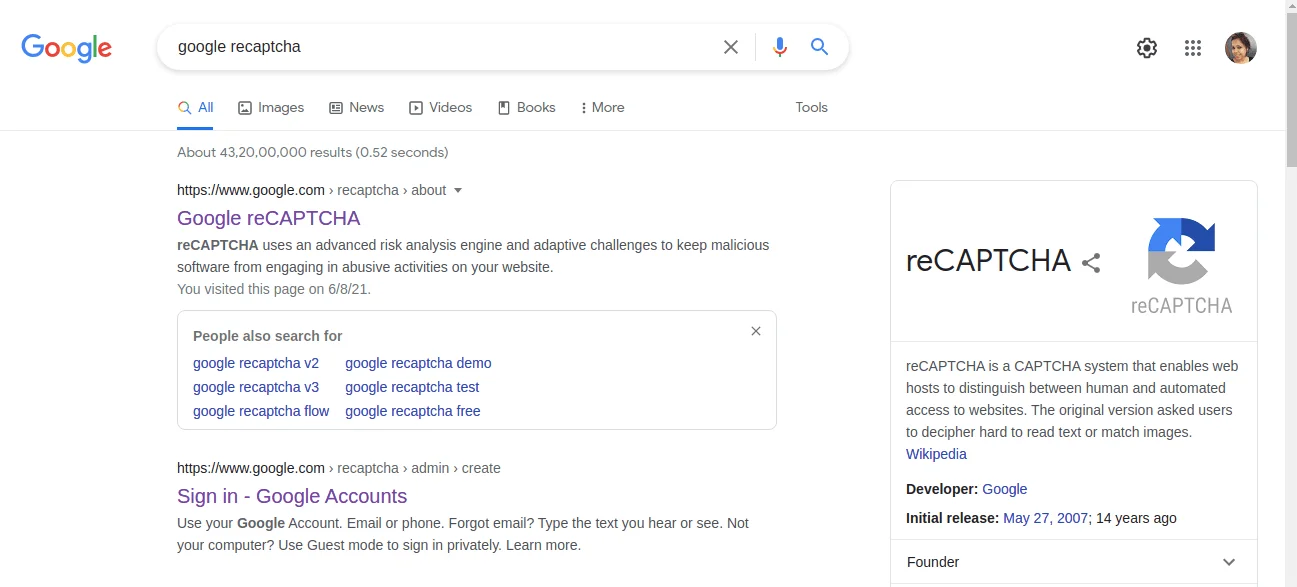

After that, click on the v3 Admin Console to go further.
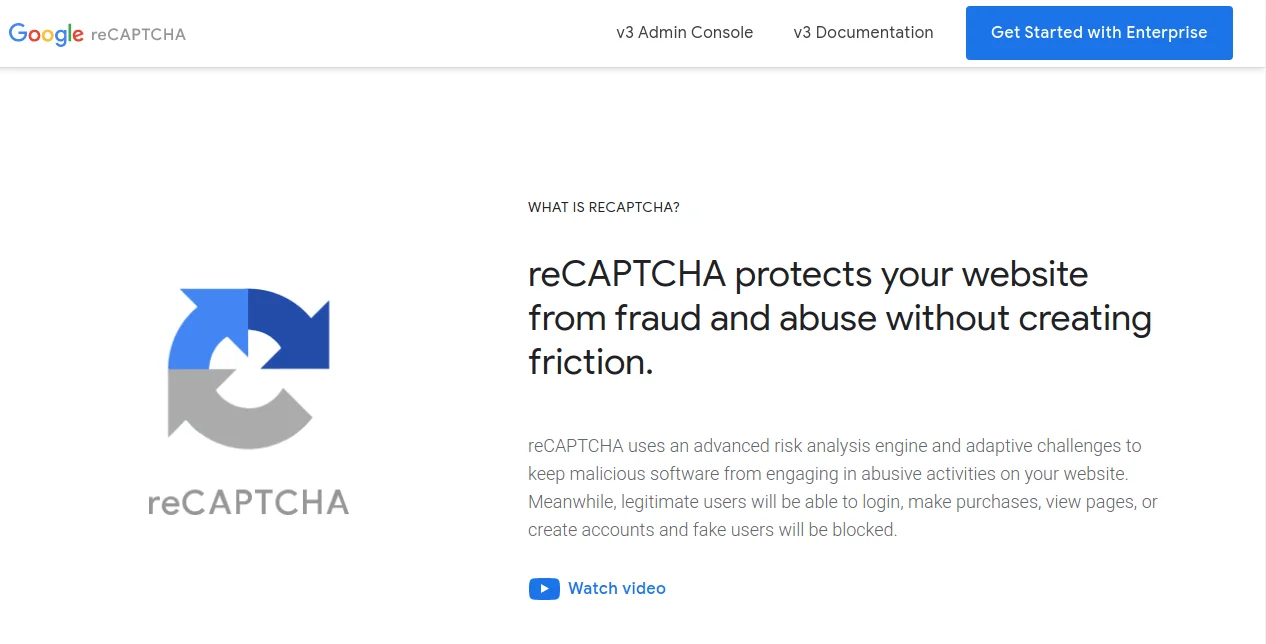

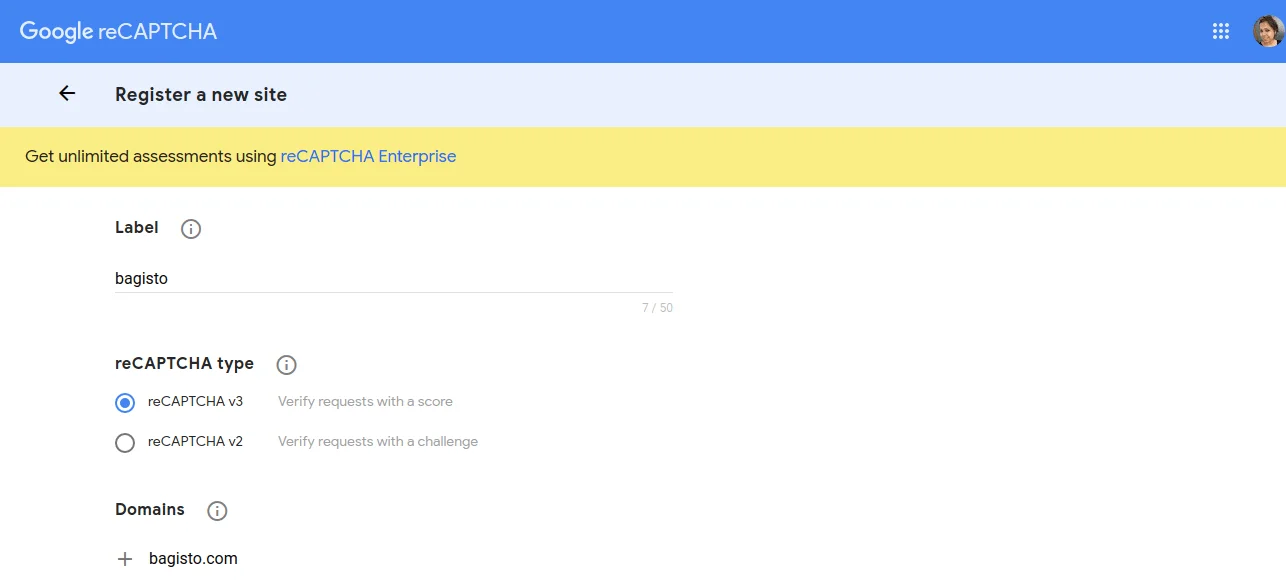
At this time, you will find the page below, where you have to register your new site.
Also, here you need to enter the site Label and select the reCAPTCHA type as shown in the image below.

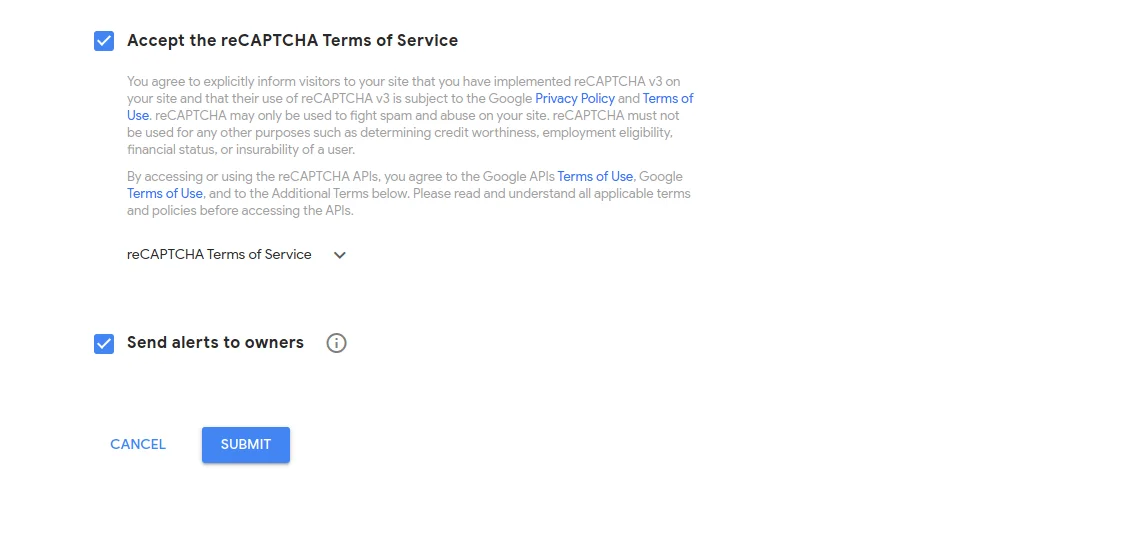
Then click on accept the reCAPTCHA terms of service. Also, select send alerts to owners.

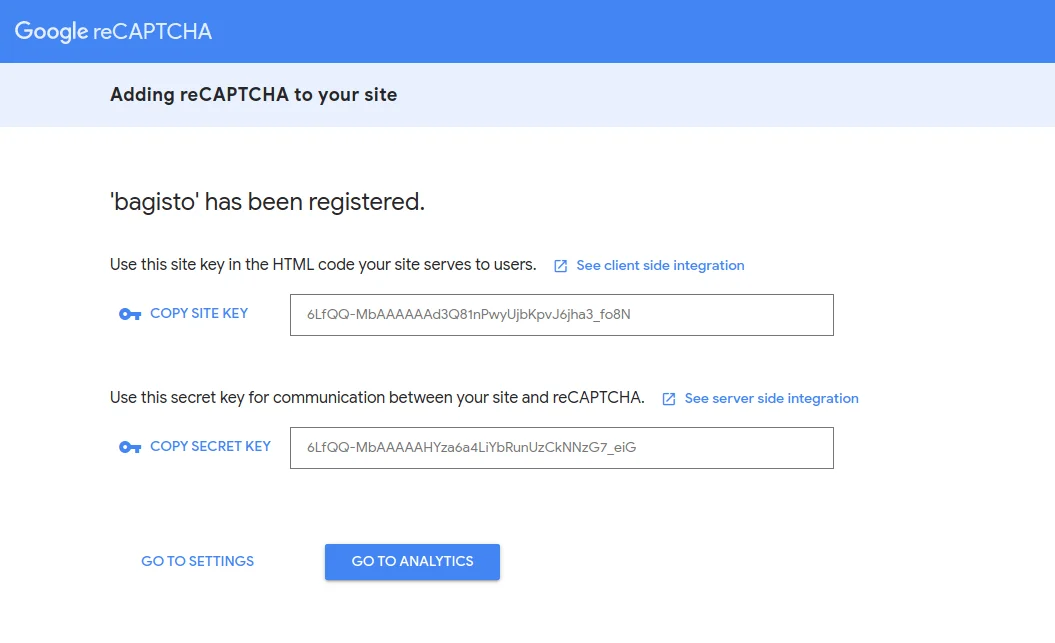
After that, finally, you got both Site Key and Secret Key for your website.

Multi-Locale Admin Panel
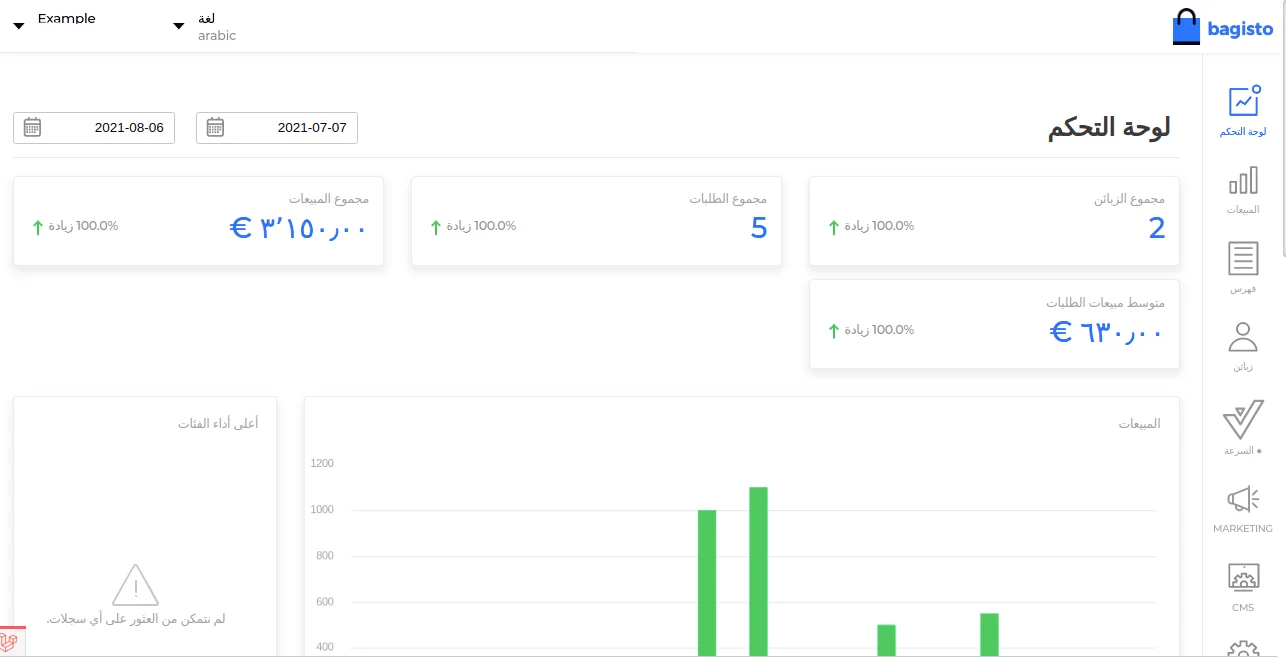
Multi-locale admin panel feature added in Bagisto v1.3.2.
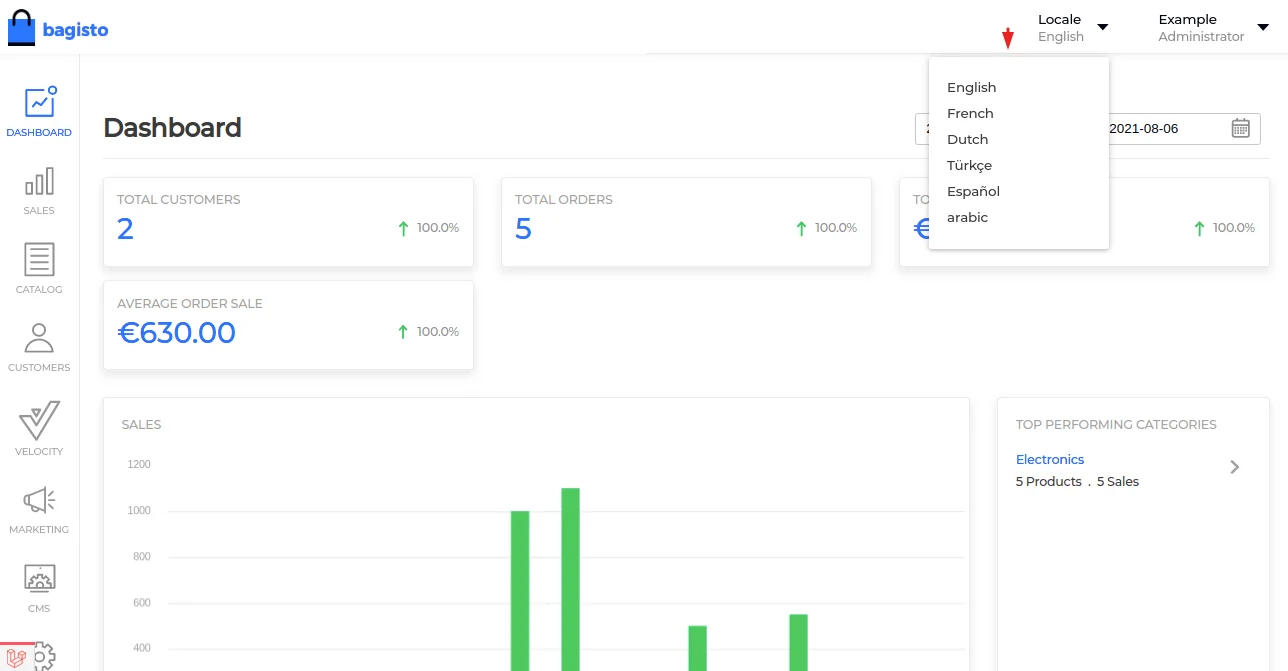
This feature allows the merchant to add multiple locales for the dedicated admin panel.

Also, here the admin can choose a locale for the admin panel based on their preferences (those are already added in Bagisto default locale section).
As well as to add multiple locales in Bagisto, check out the link below:
https://bagisto.com/en/how-to-set-locale-in-bagisto/

Laravel 8
Updated Laravel Version From 7 To 8 Now
Laravel version 8 requires PHP version 7.3+ or above, so you need to install this version or the latest version of PHP installed on your system.
Also, please check the links below for more details :
https://bagist.com/en/laravel-8/
https://github.com/bagisto/bagisto/pull/4684
PHP 8 support
Now Bagisto supports 7.3 to 8 PHP versions
Also, please check the link below for more details:
https://github.com/bagisto/bagisto/pull/4767
Configurable Product Default Variant Option Added
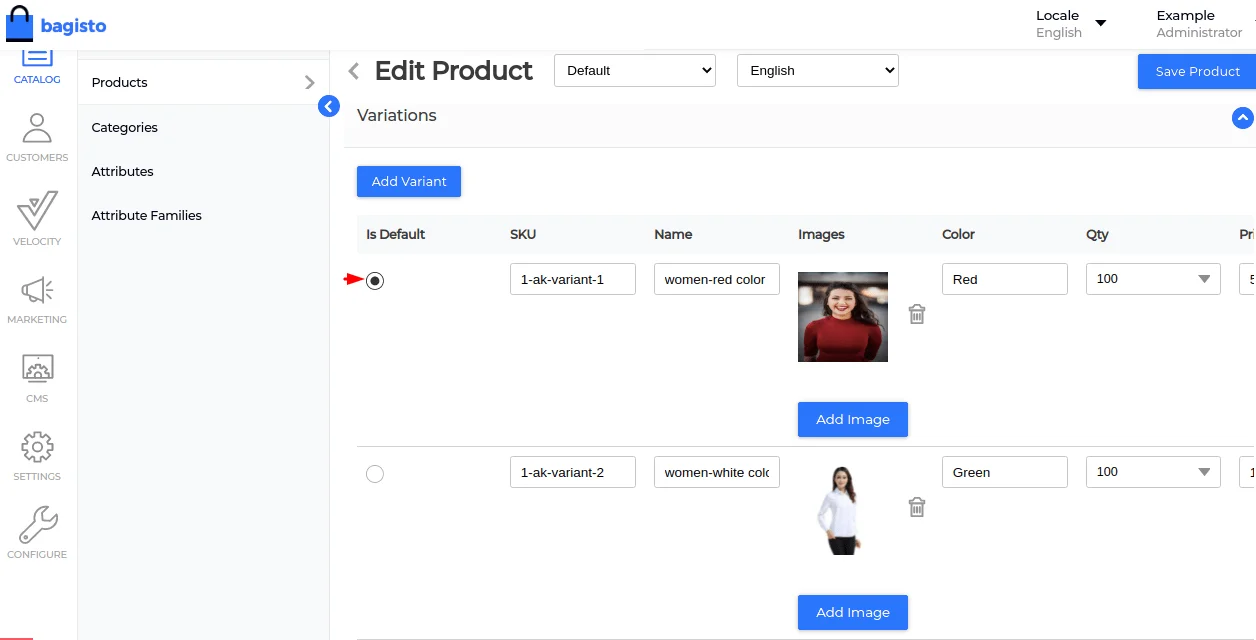
Into the configurable product, now a merchant can set the default variant for their customers on a product page.
After that, the customer can easily add the default product to the cart or can choose the variant as well.
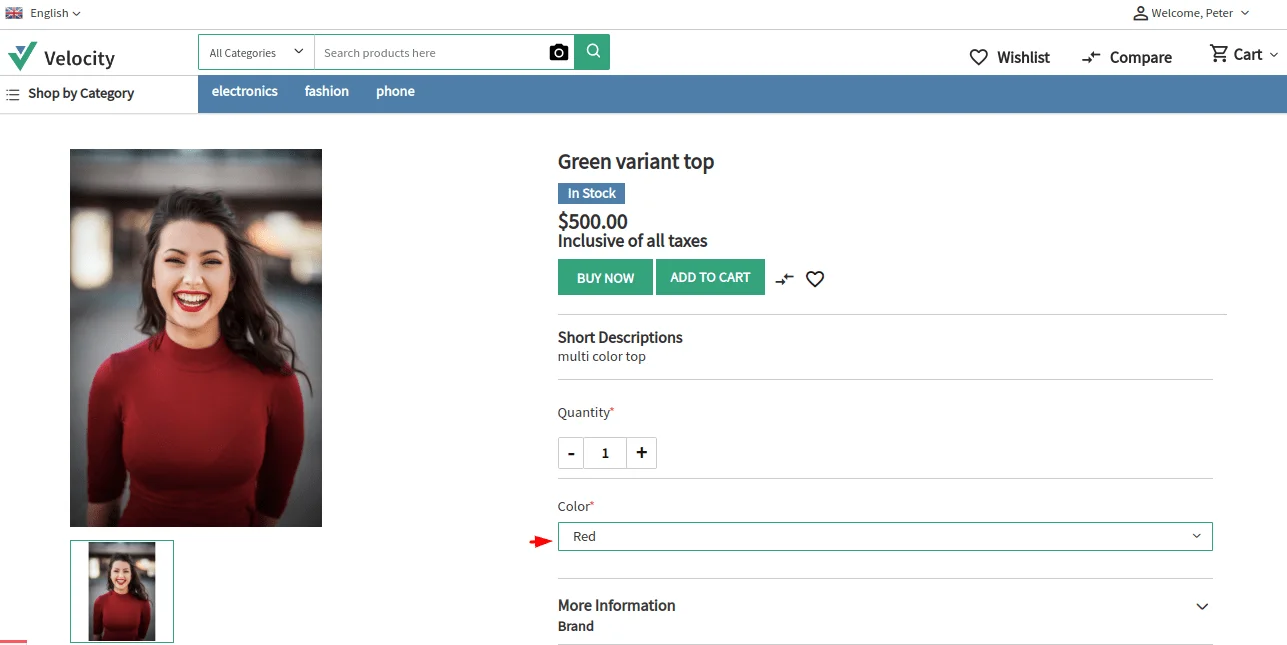

Now the merchant can select the default variant of a configurable product from the dedicated admin panel, as shown in the image below.

Automatically Invoice Creation (For COD & Money Transfer)
In this release, merchants can now easily manage the Invoice for both COD & Money Transfer Payment Methods based on their business requirements.
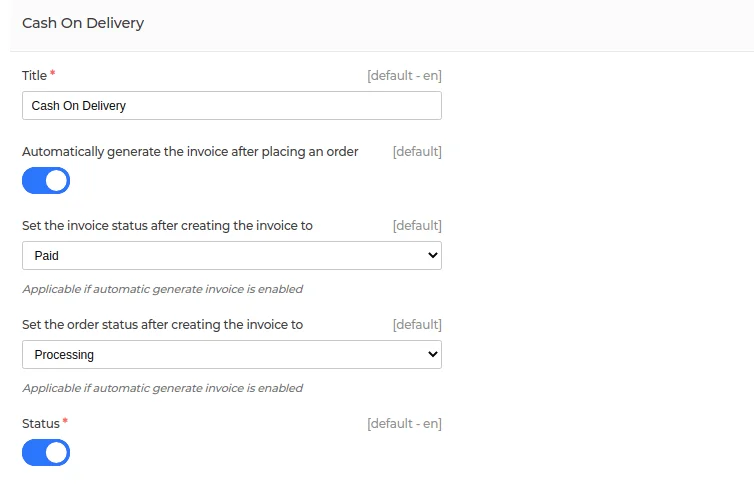

To successfully use this feature, you need to enable the toggle button to automatically generate an invoice after placing the order.
Also, the merchant can set the invoice status, such as Paid or Pending Payment.
Similarly, you can set the order status after creating the invoice, such as Pending, Pending Payment, and Processing.
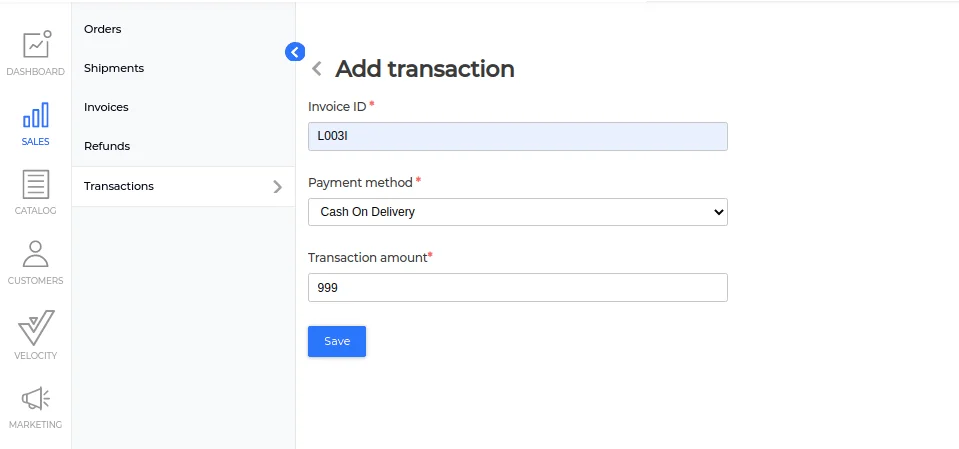

Once the payment is done, the merchant can add the transaction for the COD & Money Transfer Payment Method as shown in the above image.
Similarly, merchants can manage automatic invoices created through the Money Transfer Payment Method, as shown in the image below.
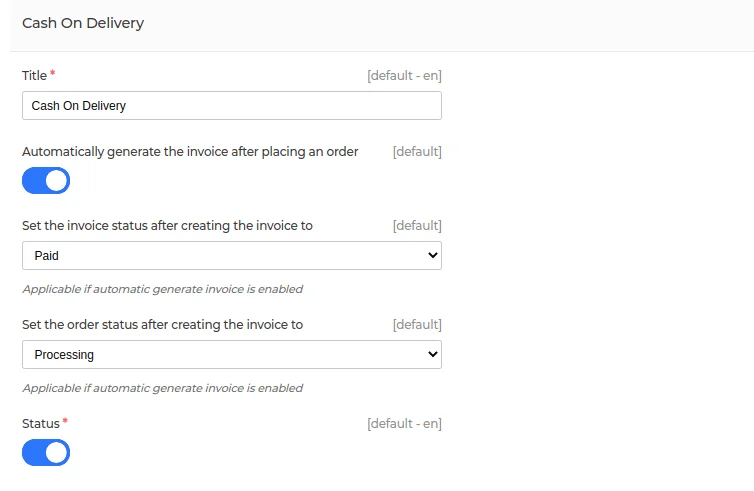
Most importantly, now merchants can see both the invoice and the order for each customer separately in their admin panel.
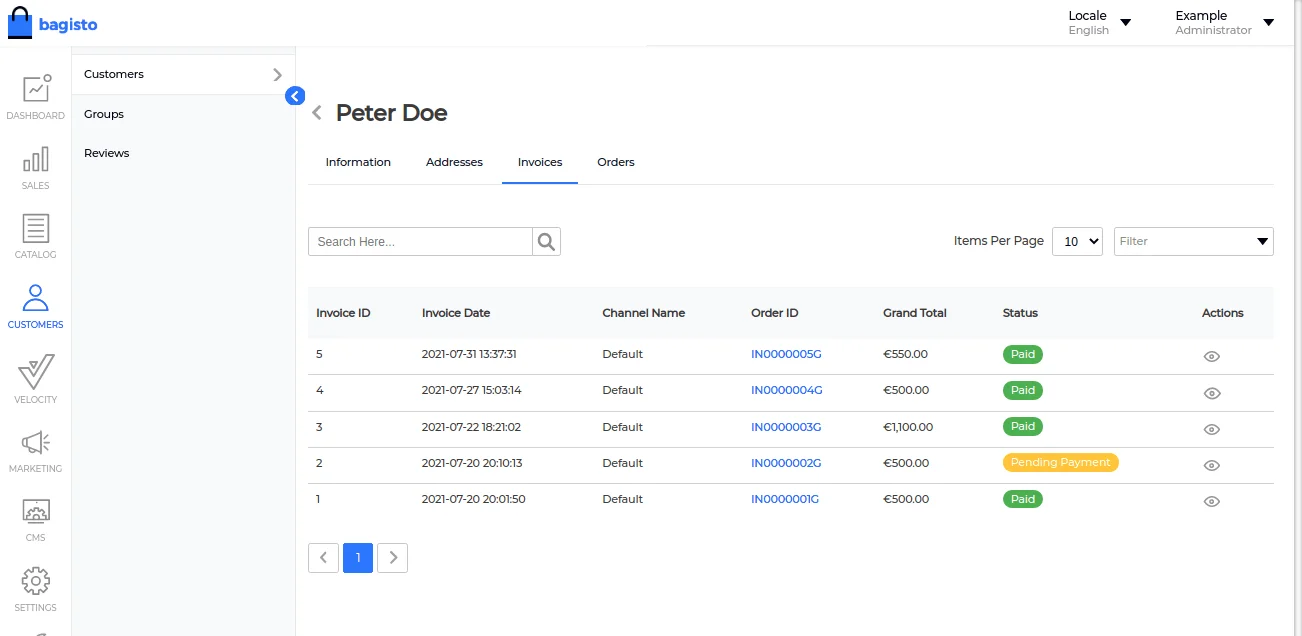

Individual Customer Orders
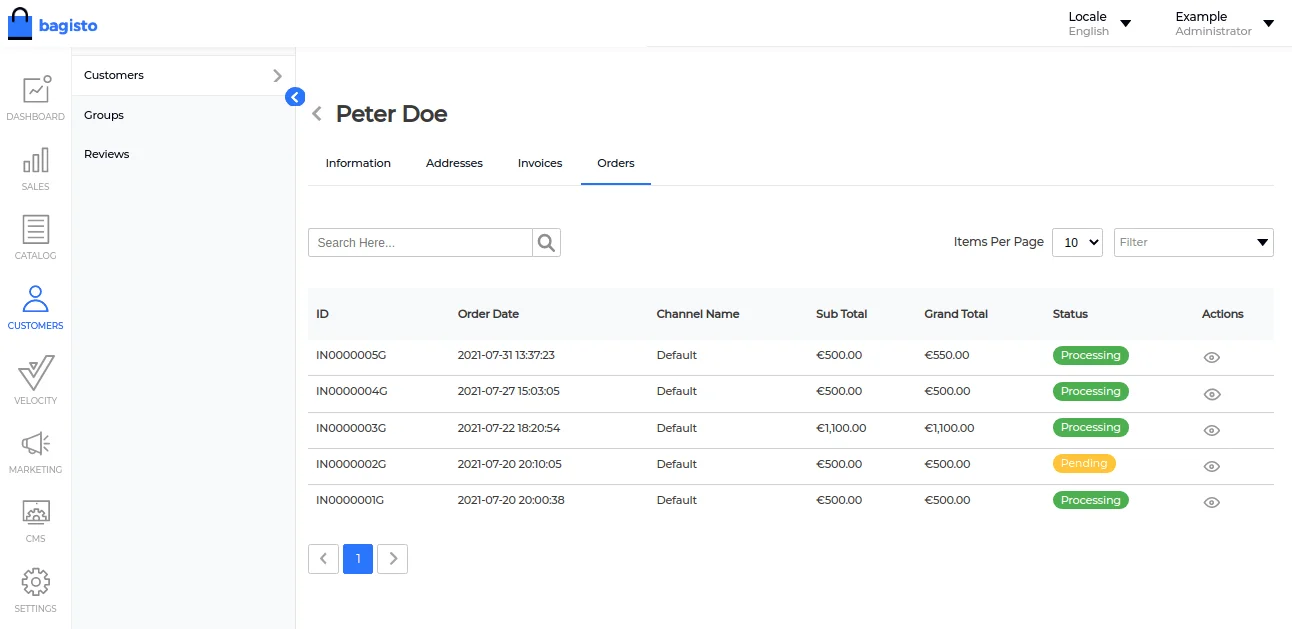

And for sure, this will not only help the merchant to analyze their loyal customers but also help them to make offers/discounts for those.
Google Core Web Vitals
Your website’s core web vital score is based on 3 factors as Larger Contentful Paint, First Input Delay, and Cumulative Layout Shift.


- Added Text Compressions
- Added Cache Policy
- Removed duplicated variables from SCSS and arranged them in proper orderings
Also, for more details, check the respective blog: https://bagisto.com/en/how-to-optimize-core-web-vitals-for-bagisto/
Tax Inclusive Pricing
This feature is one of the most wonderful and awaited features of Bagisto 1.3.2.
With the help of this feature, now merchants can show the price to their customers inclusive of all taxes.
This will not only help the customer to see the all-inclusive pricing but also help the merchant to create trust with their prospects.
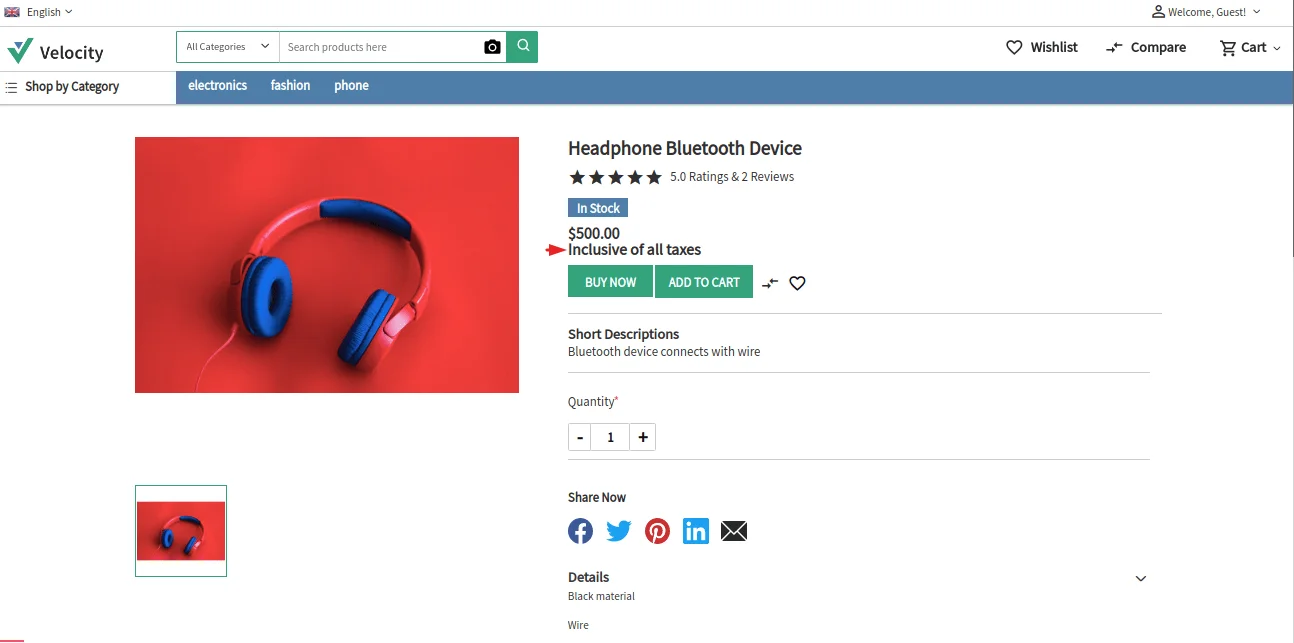

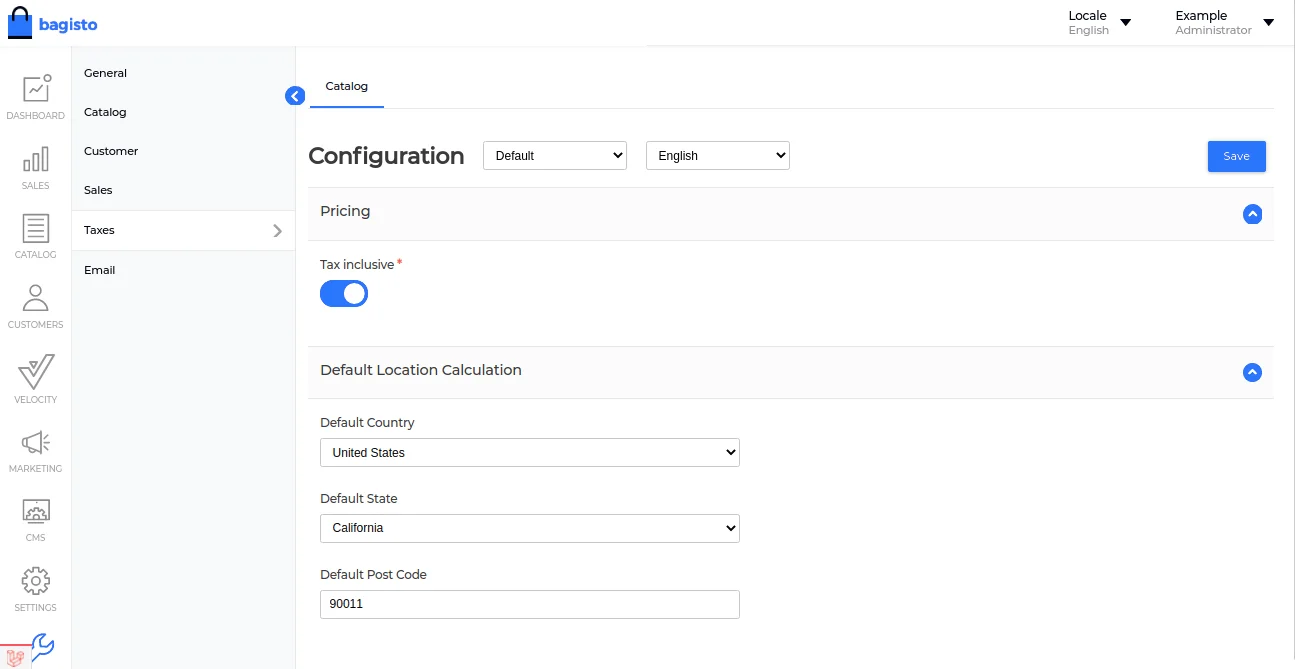
To successfully use the feature, the merchant can go to Settings>>Taxes>>Catalog>>Enable Pricing

Add Custom Invoice Prefix/Suffix Generator
The feature will allow merchants to add a custom prefix/suffix to the invoice of the order.
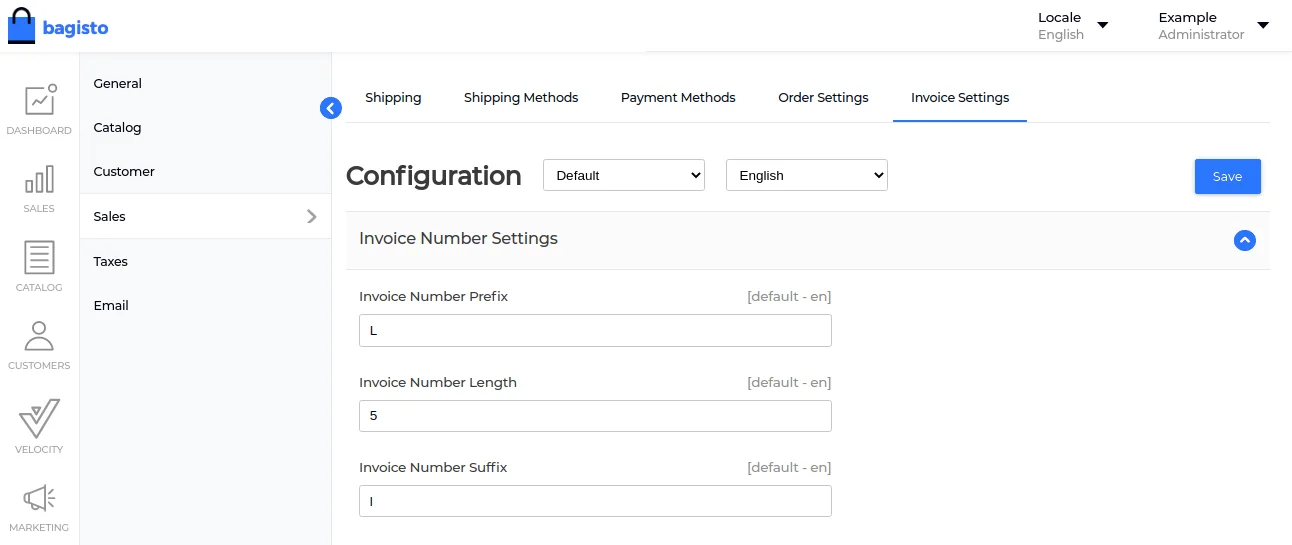

After that, the result will be reflected as shown in the image below.
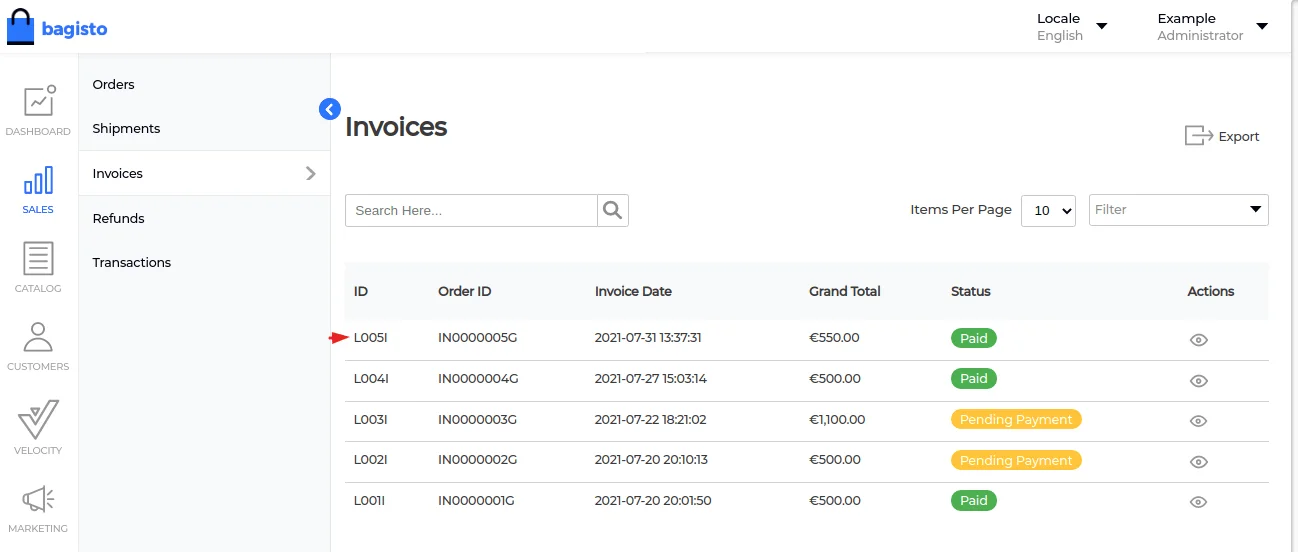

Add Image Option Added in Product Review
For the store’s merchant, customer reviews are something that is very crucial for grabbing new consumers’ attention and increasing sales.
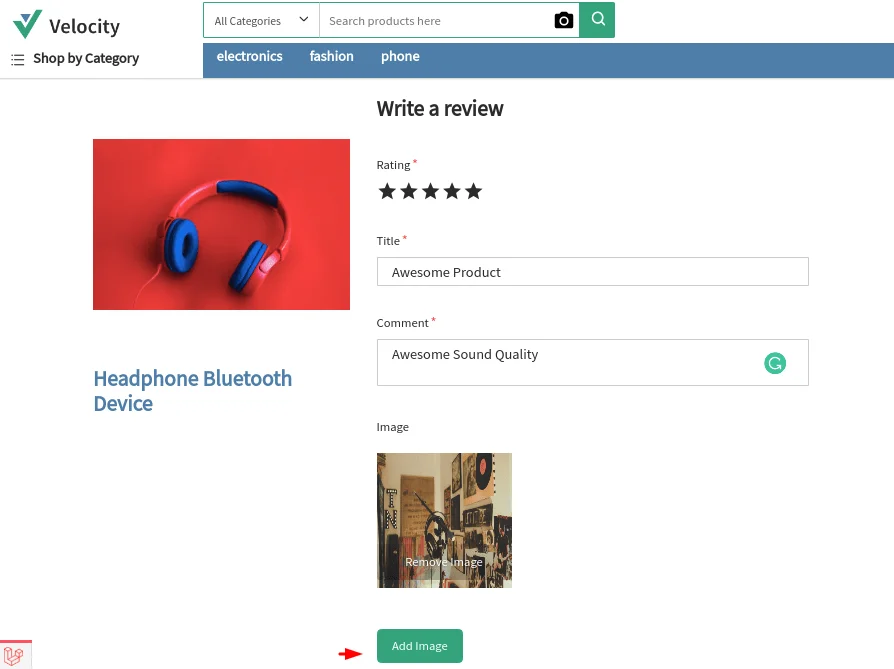
Finally, now the store’s customers can add the image of the product while they are giving their valuable feedback/review to the product.
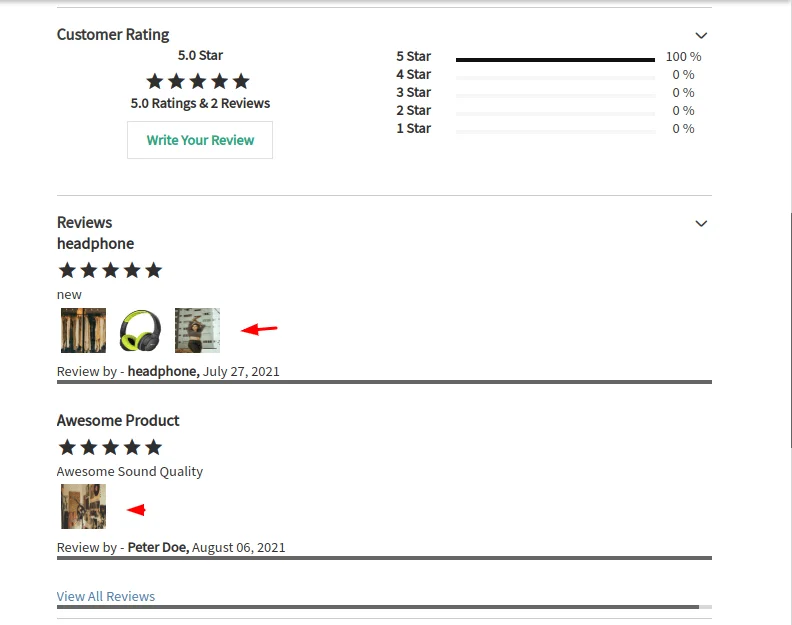

Also, the customer can easily do that from the storefront.

Multiple Datagrids on a Single Page
Current Improvements
- Multiple data grids can be implemented now
- Datagrid improved
- Removed duplicated codes
- Removed the .gitkeep file as the folder is not empty. So not needed
- Some commented codes were removed
- Updated .gitignore file
Also, for more, have a look here: https://github.com/bagisto/bagisto/pull/4796
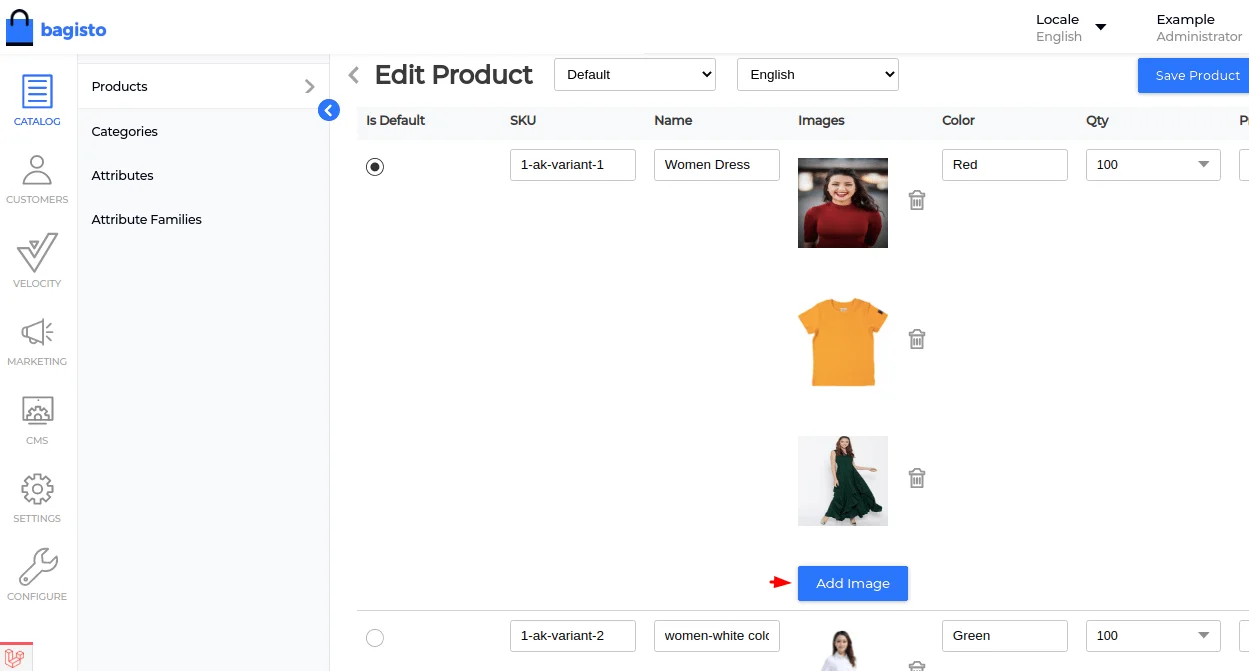
Configurable Multi-image Option Added in Parent Product
Last but not least, now the merchant can add multiple images in a configurable parent product, as shown in the image below:

Thanks for reading the article about “What’s new in Bagisto v1.3.2”.
Also, if still you have any issues also feel free to add a ticket at https://bagisto.uvdesk.com/en/