
Today with the help of this article, I will explain to you “How Bagisto Achieved 90+ Score in Google Core Web Vitals”.
Nowadays, the web is booming with eCommerce stores.
As the number of eCommerce stores increases, this leads to an increase in competition for Google ranking.
Yes, you heard right, as the Google algorithm is the main reason.
In the latest update, Google is prioritizing user experience through core web vitals, which measure a site’s performance.
Now I will talk about the journey of how Bagisto achieved that milestone. But before diving into this let’s talk of the core web vitals first.
What Are Core Web Vitals?
The Three Signals Google Measures
Well, when I first started this thing, the performance confused me.
Not just me, it seems to confuse everyone at first.
When I dived deeper, I learned that it is all about user experience: what users see when they land on the homepage.
Three factors decide your website’s core web vitals score: Largest Contentful Paint, First Input Delay, and Cumulative Layout Shift.
As per this thread from Google, they added three new page experience signals.
These are Largest Contentful Paint (LCP), First Input Delay (FID), and Cumulative Layout Shift (CLS).
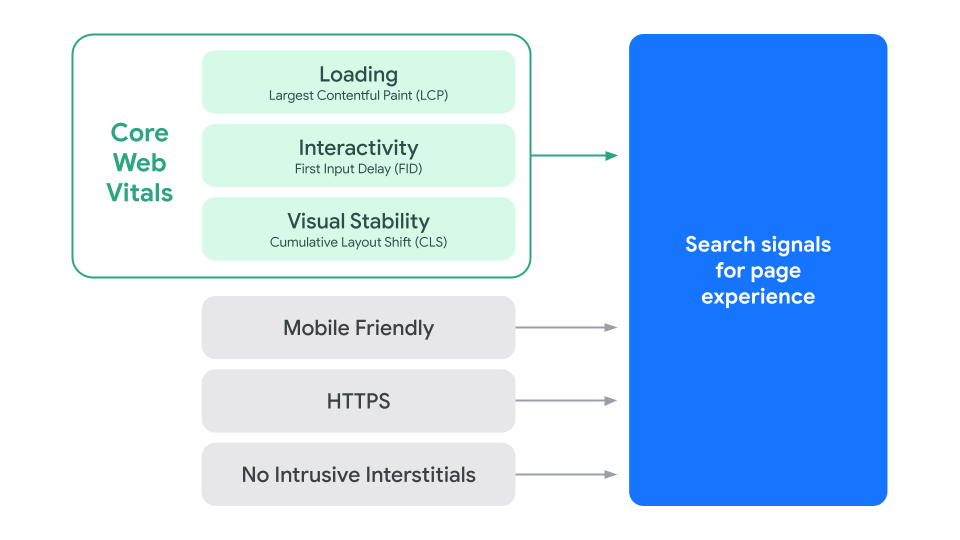

- Largest Contentful Paint (LCP): It measures the performance of the largest content like text, image, etc. on a web page.
- First Input Delay (FID): It measures the user’s first interaction with the server response
- Cumulative Layout Shift (CLS): It measures how much blocks shift, which would otherwise surprise the user.
Now you have some basic understanding. Let’s see how Bagisto achieved this.
How Bagisto Improved Its Core Web Vitals
First Challenge: Cumulative Layout Shift
The first challenge was CLS (Cumulative Layout Shift).
Let’s talk about the Velocity theme in Bagisto. Here is the first look when users land on this page.


If you see the homepage, everything looks fine, but in reality, it’s not.
Now let’s load the page again with the network speed set to Mobile Slow 3G. Here is the first look which appears:


As you got an idea, how much amount of layout shifting is present. This is because the material icons are taking huge space before loading.
As you notice in the image there are keys i.e., perm_identity, shopping_cart, campare_arrows, etc which turn into icons later.
To tackle this situation, I just reserved the space for icons and hid the remaining overflow content.
Now let’s see the page again after reserving the space and hiding the overflow content.


As you can see, this removed most of the layout shifting.
The rest is some div blocks shifting, and giving them an explicit width and height fixes that easily.
That way, the page keeps space for the content before it loads. Below is the full timeline of how the page loads.

Second Challenge: Largest Contentful Paint
Now, the second challenge is the LCP (Largest Contentful Paint), basically, this is the largest block in the viewport which needs to be load faster.
By block, I mean an image, a video, or text.
Most of the time, the largest content detected by Google is an image. Still, a few tricks can change the LCP:
- Like placing the text in such a way that its looks bigger than the image
- Or by preloading the large image
In an earlier version of Bagisto, as you see in the screenshot, our largest content is the banner, which the carousel bootstraps.
And the carousel has to wait for the JavaScript to load, which increases the load time.
To handle this situation, we have preloaded the first image of the banner, so that at least the content area fills up.
This is how the desktop viewport looks without the main JavaScript loaded.
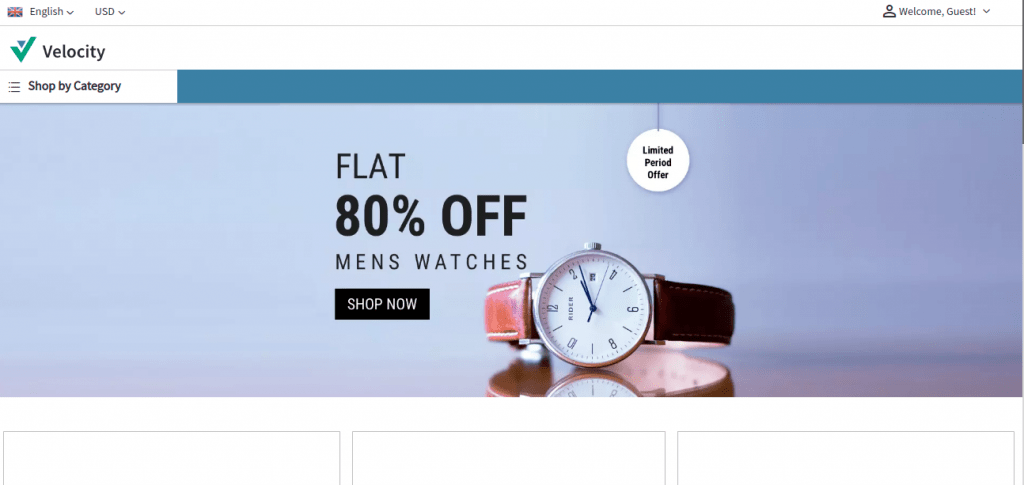

As you see, we preload the banner image first and then add the JavaScript portions.
Now on desktop, your LCP drops, but on mobile, it will be more painful because of Google’s network throttling.
No matter what you try, heavy JS in the footer will increase your LCP.
The same was happening with the Velocity theme as well, as our JS is very large.
Splitting the JavaScript into Two Files
- The first one is the main core JavaScript, which the page needs to bootstrap
- The second one holds all the components and plugins, which can load later
Now, we just filled the mobile viewport with static content and the main core JavaScript file.
The second file loads when the user interacts with the page. This is how it looks on mobile.
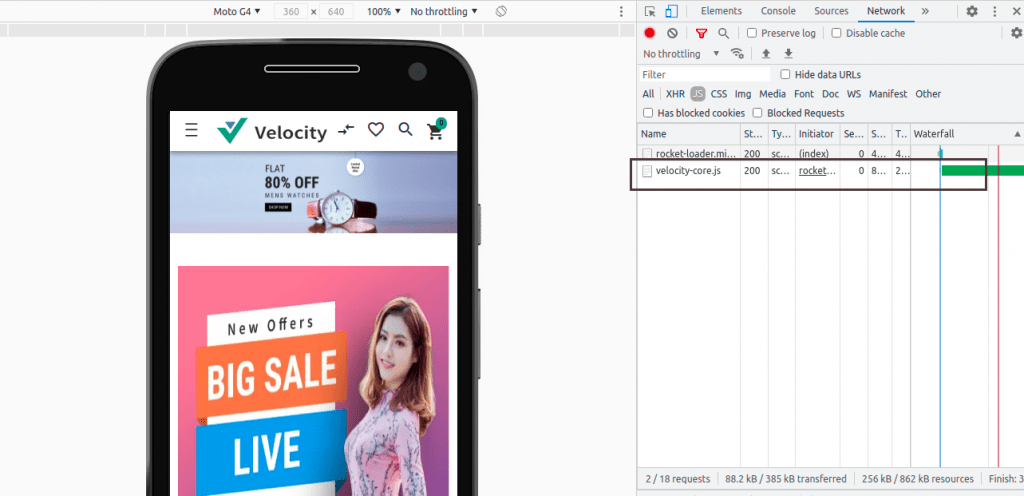

All the content which you see in the mobile view is static. Now let’s interact with the mobile and see how it reacts.


As you see, the page avoids the enormous load at the start. But the user needs to pay its cost later.
Third Challenge: Lazy Loading Images
Paying that cost later brings us to our third challenge: lots of images.
To handle this, we added an intersection observer that lazy loads the images.
So the user will cost data when the user interacts or pass through the image block.
Fourth Challenge: Too Many JavaScript Files
The fourth challenge was the many JS files that the footer loads. Look at the homepage of the Velocity theme.
There you will see the image search component, which uses a TensorFlow library that the page loads up front.
We have loaded that library on the interaction so that user don’t need to load the library if they are not using.
Similarly, we moved each JS file to the page that needs it. This will impact your score.
Fifth Challenge: Minification and Server Caching
The fifth challenge is the unminified components on the homepage.
Honestly speaking, minification will help you most. Try to minify your components wherever possible.
After going through all the phases, we reached a point where our score stopped increasing, whatever we tried.
And we can’t do anything on that because it’s an existing product so needs to consider the compatibility portion as well.
So here is our last challenge: insufficient cache policies on the server end.
So we improved the server cache policies, and after that our score increased slightly.
Bagisto’s Core Web Vitals Scores
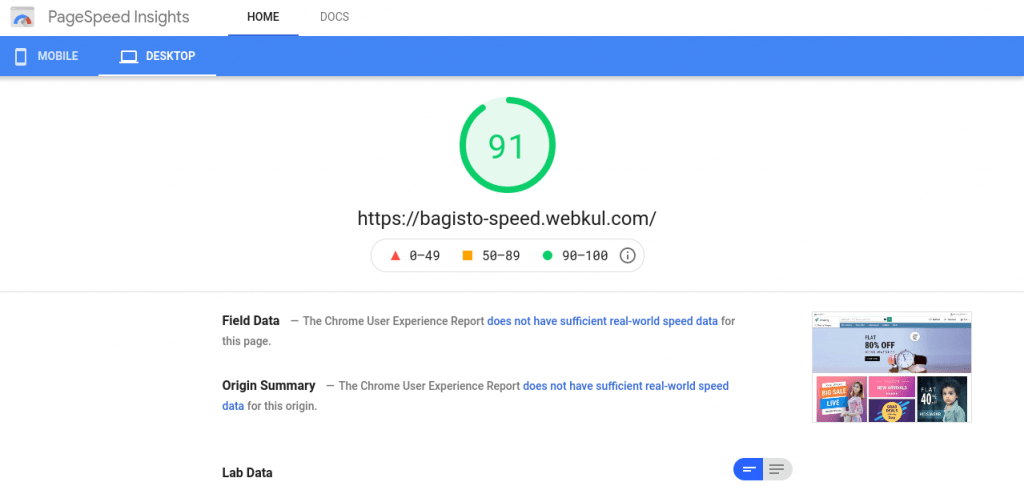
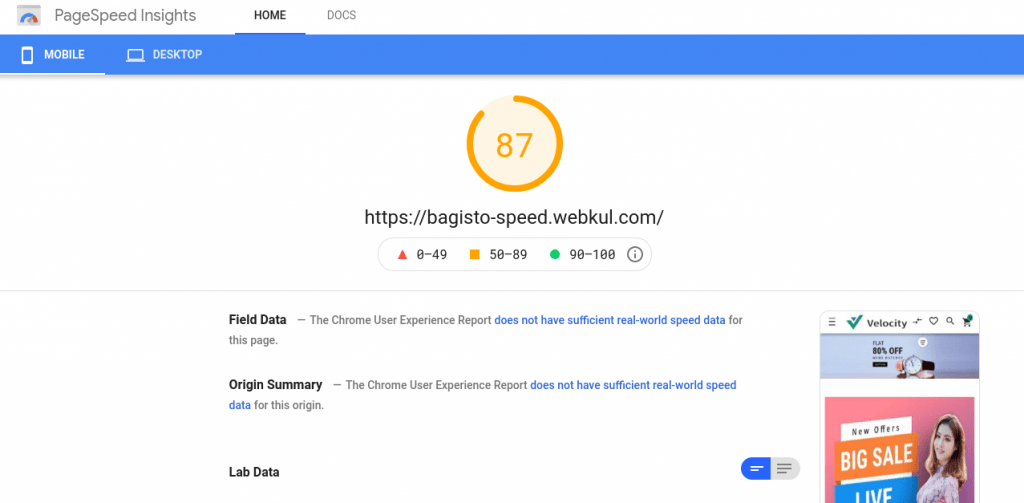
Below are the scores which we have achieved:
-
On Desktop

-
On Mobile

Thanks for giving your time and reading my article “How Bagisto Achieved 90+ Score in Google Core Web Vitals”.
Also for any further query please feel free to reach us at https://bagisto.uvdesk.com/en/customer/create-ticket/