
The LiteSpeed Cache for Bagisto plugin solves a problem every growing store eventually meets.
Bagisto runs on Laravel, so it is quick to build with and fast day to day until real traffic arrives.
Every visitor to a public page makes the server build it from scratch. During a busy sale, repeated work is what slows a store down.
The fix is full-page caching, and on Bagisto, the LiteSpeed Cache plugin adds it for free.
Instead of rebuilding a page each time, the server keeps a finished copy and hands it back.
This is a short, practical primer. We will cover why rendering becomes the bottleneck, what caching does, how it stays accurate, and how to switch it on.
Why dynamic rendering becomes the bottleneck
A single-page view is more work than it looks. Bagisto boots Laravel, queries the database, and renders the template before the first byte reaches the browser.
For one shopper that takes a fraction of a second and no one notices.
For fifty at once, every request repeats the pipeline, the PHP workers fill up, and response times climb.
This is not something you can index your way out of, as our guide to scaling Bagisto to millions of products shows.
The waste is re-rendering the same public page over and over.
How LiteSpeed Cache for Bagisto works
Full-page caching breaks that loop. The first request renders normally, and the server then stores the finished HTML.
Every visitor after that gets the saved copy, without running any PHP at all.
Where that copy lives matters. The LiteSpeed Cache for Bagisto plugin stores it inside the web server itself, through the LSCache engine built into LiteSpeed.
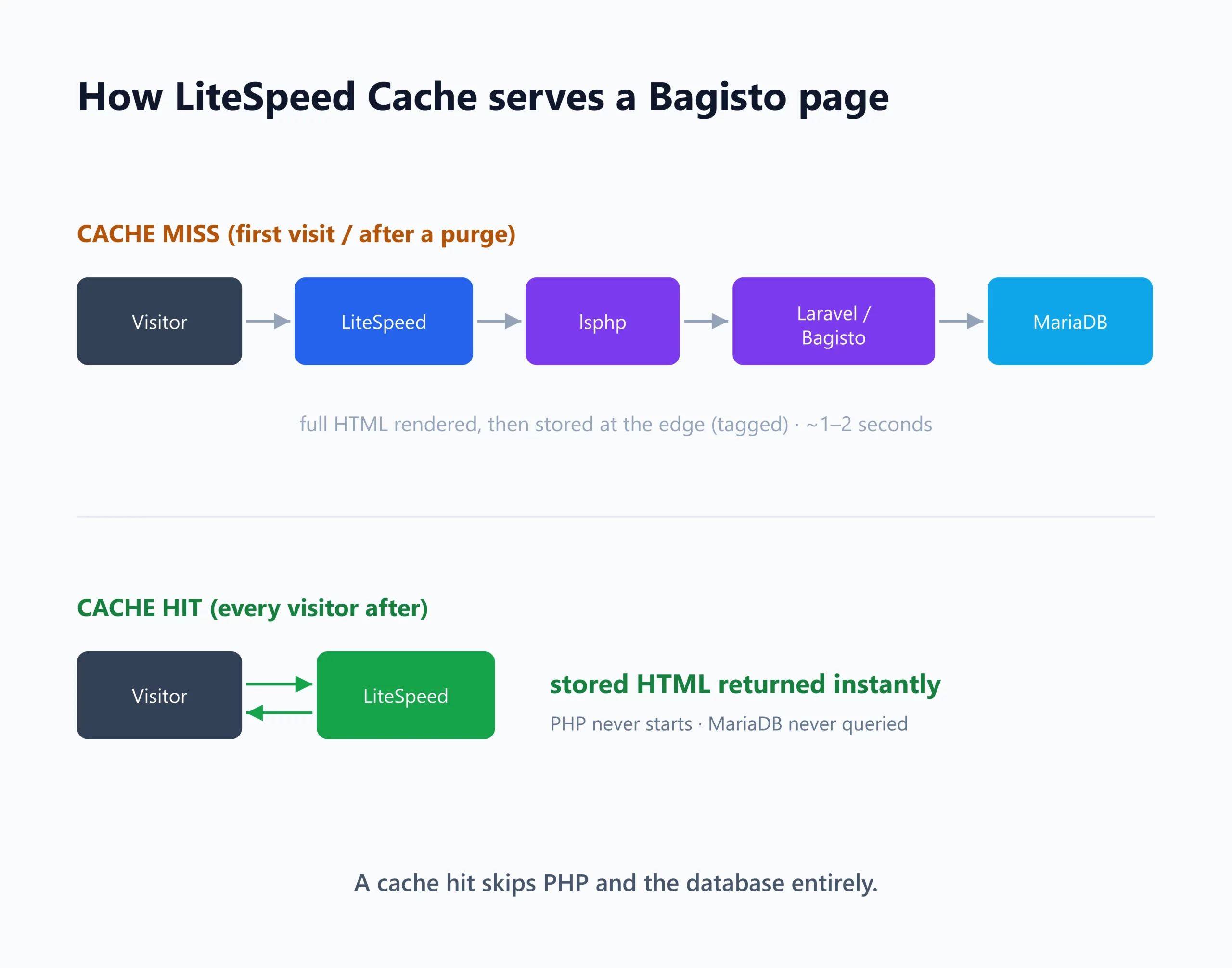
A cache that still has to boot the framework has already lost most of the benefit. Serving straight from the server keeps the response almost free.
In practice, it covers the busiest pages anyway: the homepage, product and category pages, CMS pages, and search results.
Keeping the cache accurate
The hard part of caching is not speed but correctness. A cache is only useful if it never shows a price that has changed or a product that has sold out.
The plugin handles this with tag-based smart purging.
When you edit a product or a price, it clears only the pages featuring that item and leaves everything else cached.
The plugin never publicly caches private pages such as cart, wishlist, and checkout. Every shopper always sees their own data.
What the difference looks like in practice
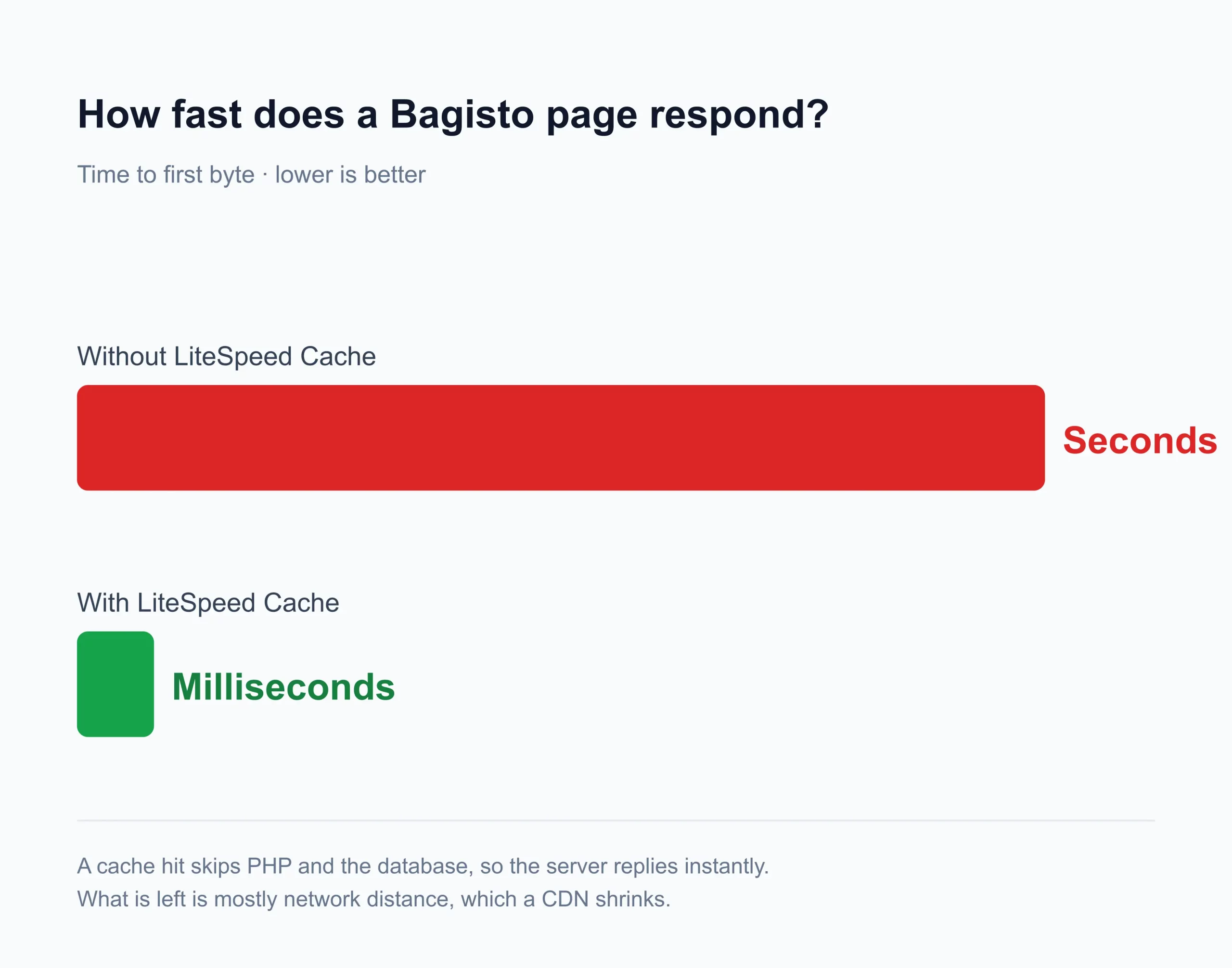
The effect is easy to feel. In a controlled test on a 1,000-product catalog, an uncached page took a couple of seconds to build.
Once cached, the same page came back in a few milliseconds, down to near-instant.
A single server also handled dramatically more traffic, many times what it managed uncached, simply because it had stopped rebuilding every page.
One detail is worth dwelling on. Even uncached, LiteSpeed was already faster than Nginx on the same pages a couple of times the throughput.
But that head start is small next to caching: switching it on multiplied throughput many times beyond it.
So while the web server does make a difference, caching is where the real win comes from.
Numbers vary with hardware and distance, but a stored page always costs a fraction of a rendered one.
Staying responsive under a traffic spike
Caching matters most when a store can least afford to stumble.
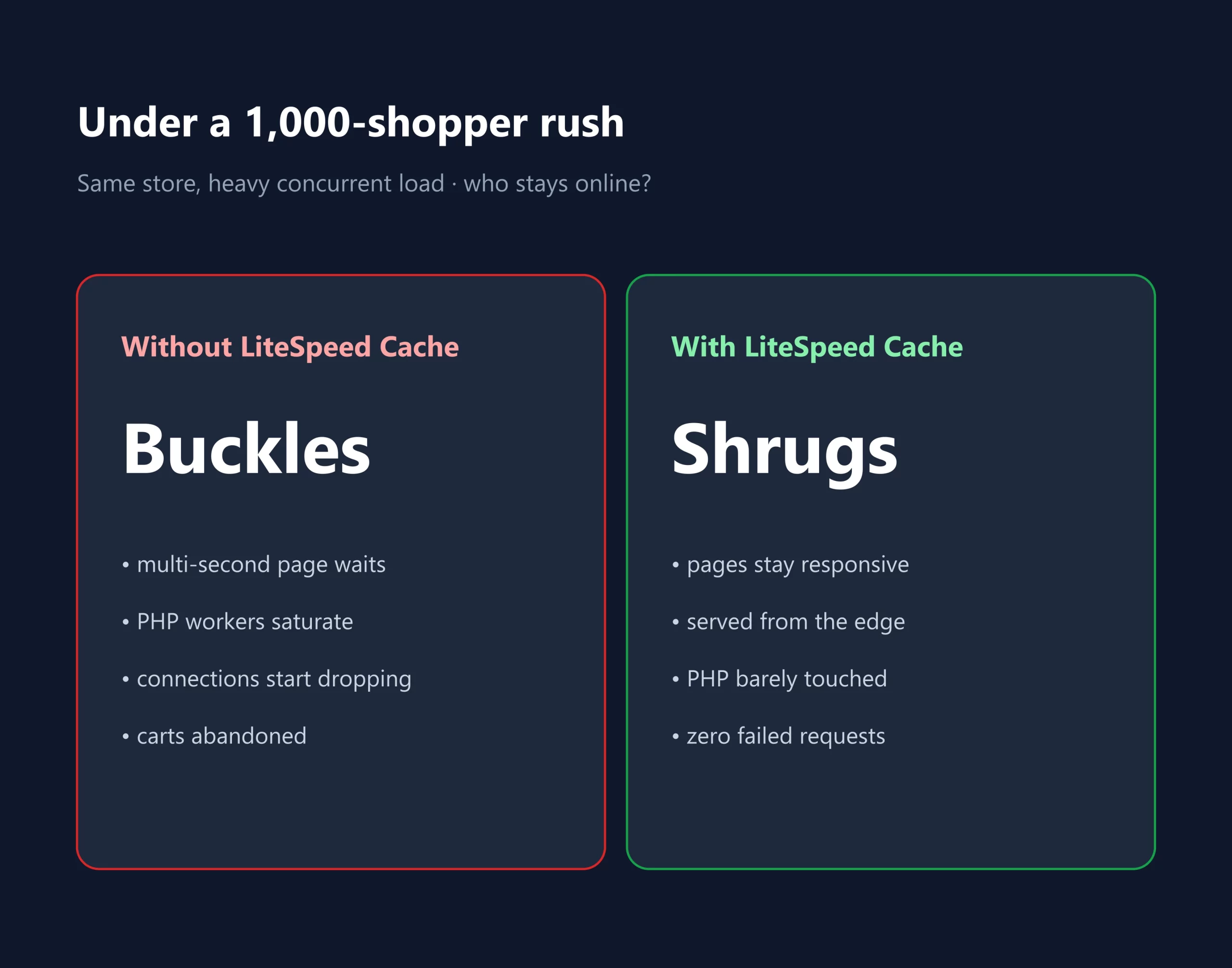
When a thousand shoppers arrive together, an uncached store saturates its workers’ pages, stalls, and connections drop.
A cached store meets the same surge from its stored copies and keeps serving. For a business, that is often the difference between a record day and an outage.
It works on OpenLiteSpeed and LiteSpeed Web Server
Because caching happens at the server layer, the same plugin runs on either a LiteSpeed server with no code changes.
OpenLiteSpeed is the free, self-hosted option; LiteSpeed Web Server is the enterprise build. The plugin behaves identically on both.
Setting up the LiteSpeed Cache plugin for Bagisto
The plugin targets Bagisto v2.4.6 with LSCache enabled on your server. From there, setup is a short sequence of commands.
|
1 2 3 4 5 |
composer require litespeed/lscache-laravel php artisan vendor:publish --provider="Litespeed\LSCache\LSCacheServiceProvider" # enable CacheLookup in your vhost, then: composer dump-autoload php artisan litespeed:install |
The full configuration guide lives in the project repository, and the plugin is officially listed among LiteSpeed’s cache plugins.
Final thoughts
Full-page caching rewards understanding, not just enabling.
Once you see that the goal is to stop repeating work rather than add hardware, it gets far easier to reason about how your store will scale.
For most stores, it is the single highest-impact performance change available, and the LiteSpeed Cache for Bagisto plugin makes it approachable.
Would you rather have that foundation set up and looked after for you?
The Bagisto team builds and supports commerce platforms with this kind of scaling in mind.
Frequently asked questions
Is LiteSpeed Cache faster than Nginx for Bagisto?
Yes. Uncached, LiteSpeed already out-served Nginx, and full-page caching multiplied that many times over. Caching, not the web server, decides it.
Does it serve stale prices or stock?
No. Tag-based smart purging clears only the pages affected by a change, so the next visitor gets a fresh page while everything else stays cached.
Does the cache break the cart or the login?
No. The cache only stores public, anonymous pages. Cart, wishlist, and checkout stay dynamic and private to each shopper.
Do I need OpenLiteSpeed or LiteSpeed Web Server?
Either one works. OpenLiteSpeed is free, and LiteSpeed Web Server is the enterprise build, and the plugin behaves the same on both.

