This document is all about the next generation in eCommerce search. The image search in Bagisto lets a shopper find a product by uploading a picture of it.
This feature lets all our Bagisto users upload a photo from their gallery. A quick shot of the product in front of them works just as well.
Bagisto reads that picture, turns it into search keywords, and lists the closest matching products from your own catalog.
It sits alongside the regular text search rather than replacing it.
Now let’s move on to the storefront, where we can see how this feature works.
Image Search In Bagisto
This is the default Bagisto storefront theme. The camera icon sits inside the search bar, at its right-hand edge.


The objective of developing this feature is a smoother search experience for customers. It needs no text at all, only a product image.
Two engines can read the picture. With Magic AI switched on, a vision model from Bagisto’s AI features returns the keywords.
With it off, the storefront falls back to a TensorFlow MobileNet model that runs in the browser.
Steps To Use Image Search In Bagisto
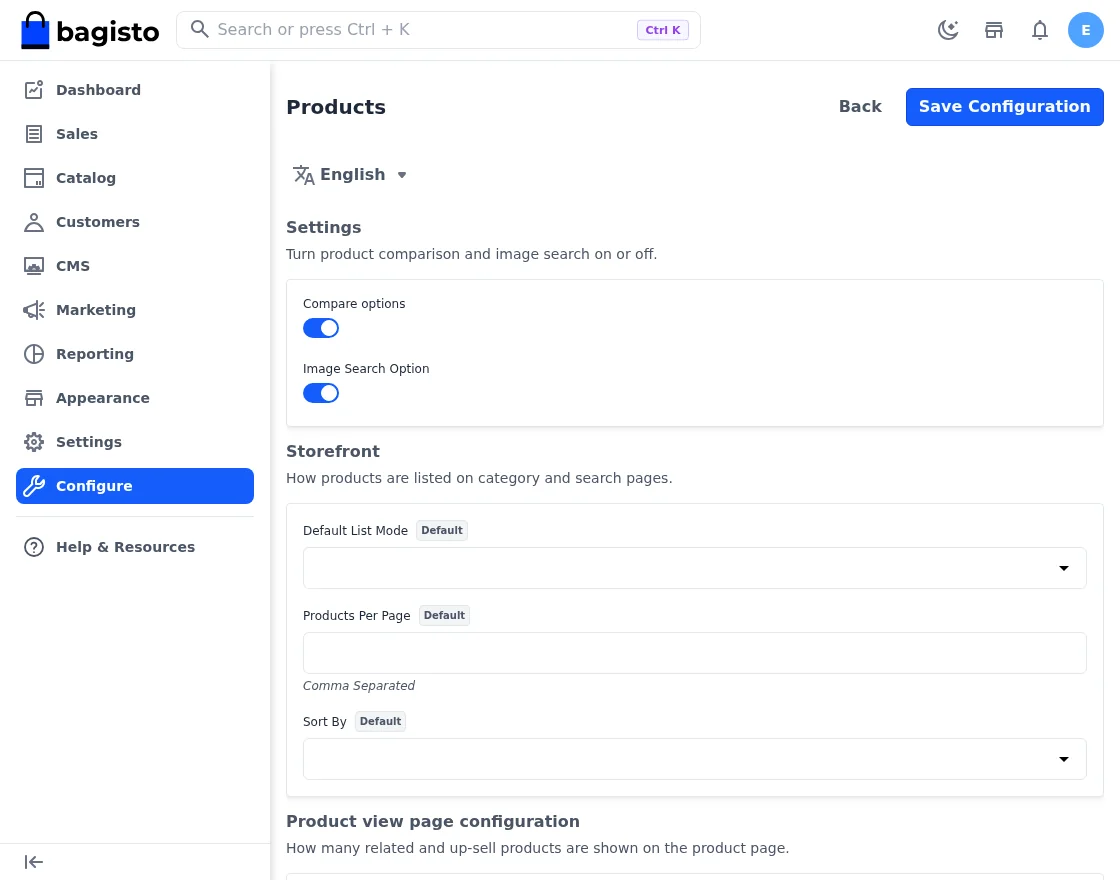
The feature ships switched on. You can turn it off from the admin panel.
Look under Configure > Catalog > Products > Settings for the Image Search Option toggle:
Back on the storefront, click the camera icon. Your browser opens its file picker, and on a phone that offers both the camera and the gallery.
Pick the image of the product you are looking for.
Bagisto accepts JPEG, PNG, GIF, SVG and WebP files up to 2 MB. Anything larger gets a polite refusal in the storefront.
So guys, here I have uploaded a T-shirt image. Bagisto stores the file, analyses it, and opens the results page for the strongest keyword it found:
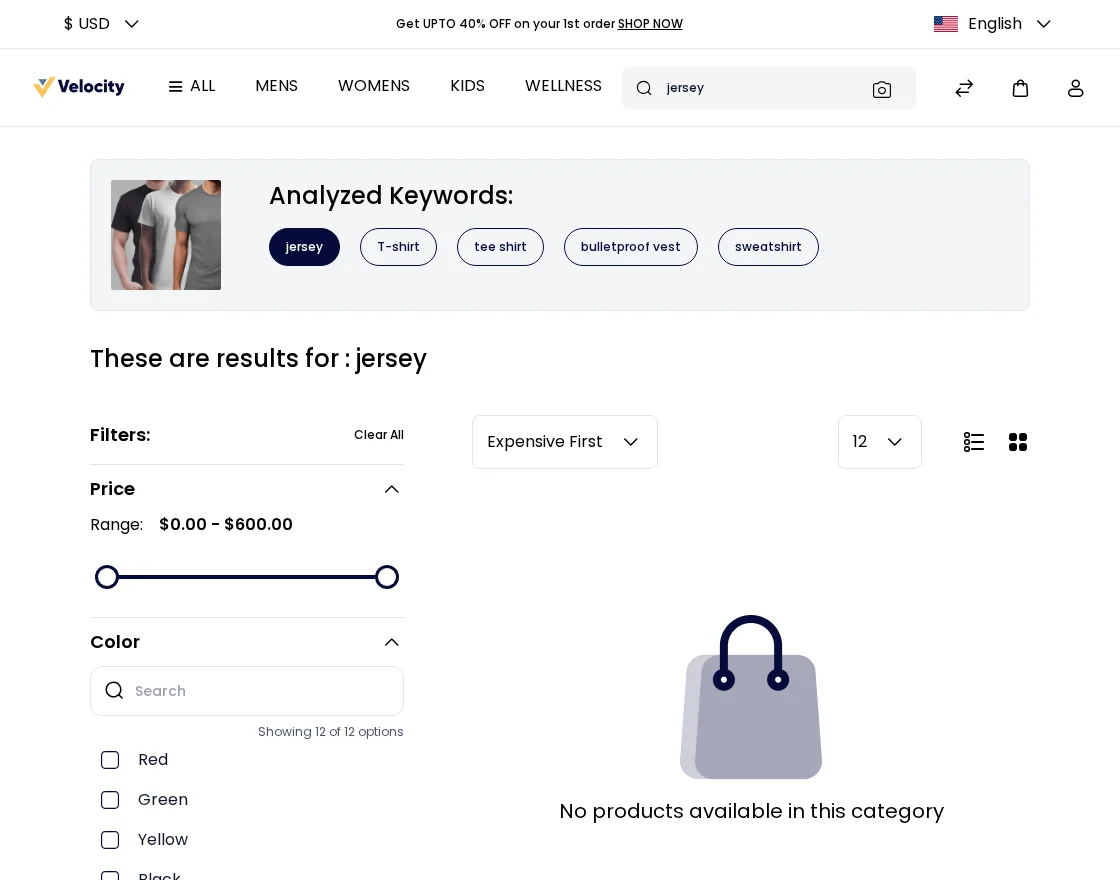
Above the products you will also find the Analyzed Keywords. Those are the terms the model pulled out of your picture.
A thumbnail of your upload sits beside them.
The keyword behind the current results is highlighted. Shoppers can always tell which term the page is answering.
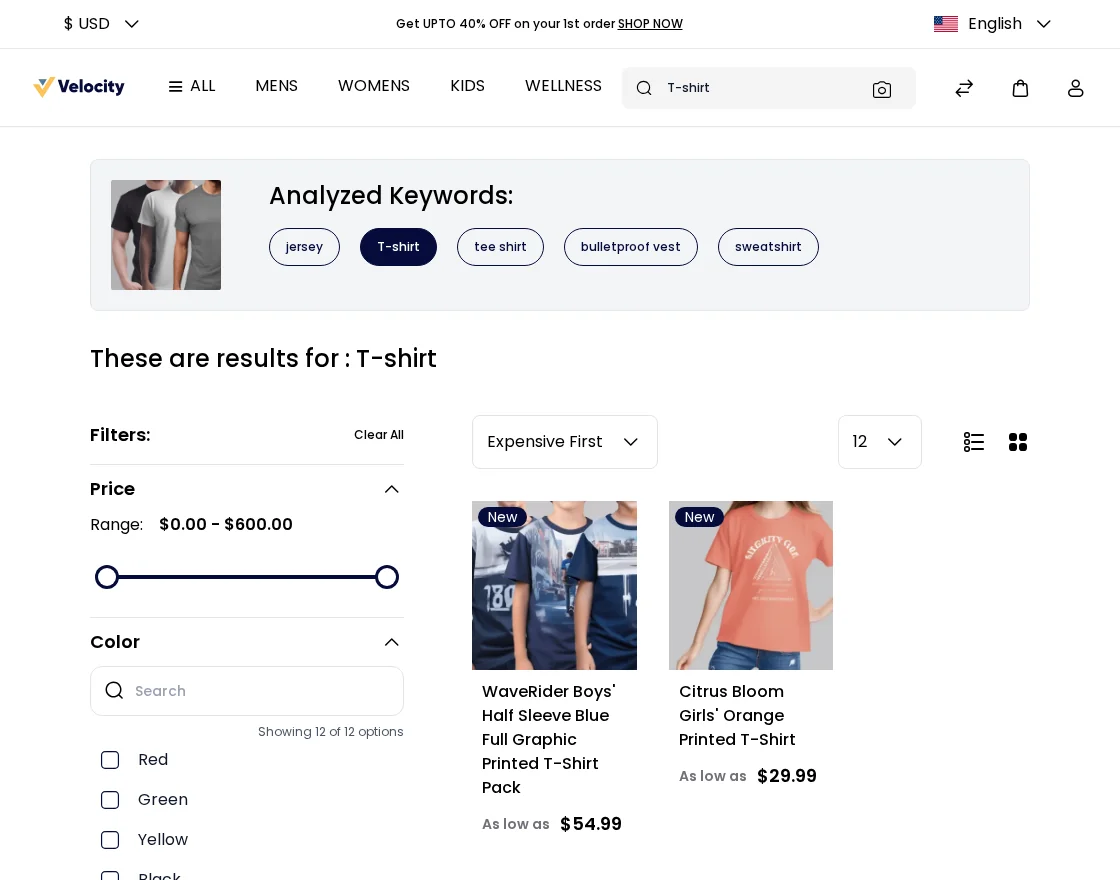
The top guess is sometimes a synonym your catalog does not use, which is exactly what the other keywords are for.
Click any other keyword and the search reruns on that term. That is the quickest route to a similar product, as you can see in the snapshot below.
I hope image search in Bagisto helps you win more conversions, and gives your storefront a sharper look along the way.
For any further query related to Bagisto please feel free to connect us here https://bagisto.uvdesk.com/en/.