Social Login allows customers to quickly sign up and log in to your Bagisto eCommerce store using their existing social media accounts.
Supported platforms include GitHub, Facebook, Google, LinkedIn, and Twitter, eliminating lengthy registration forms and enhancing the customer experience.
On the admin side, store owners can easily configure social login providers by adding credentials such as Client IDs, Secret Keys, and Callback URLs.
Admin Configuration
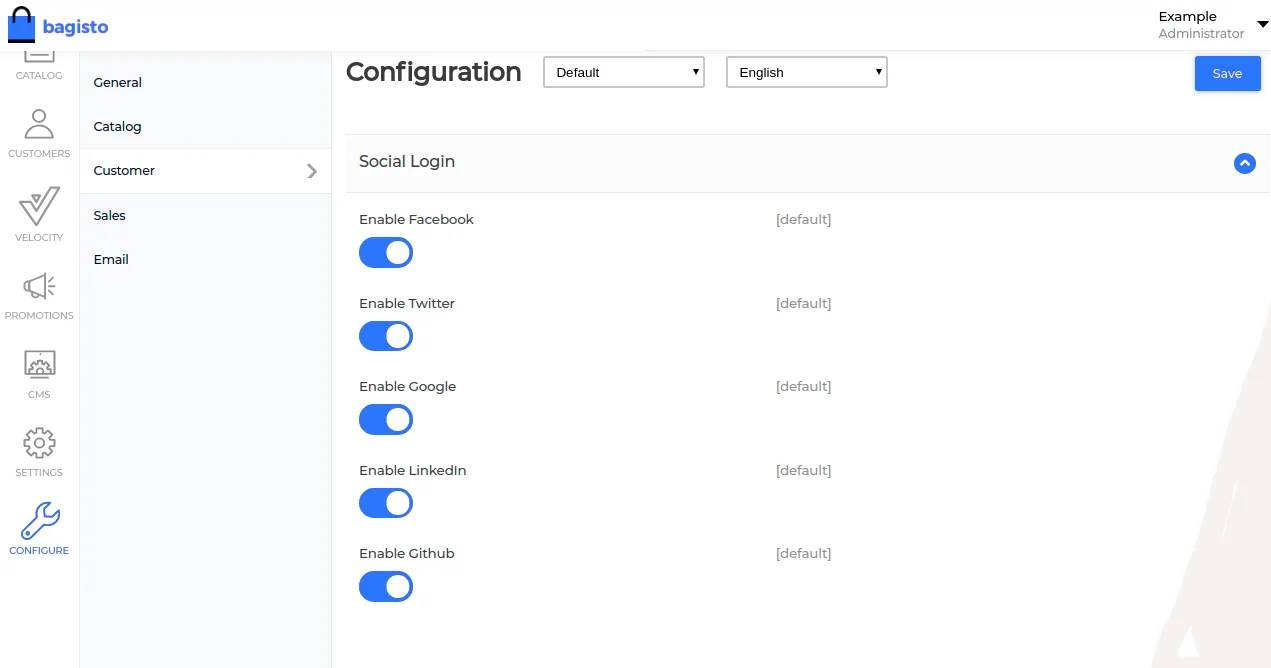
To enable Social Login in Bagisto:
- Navigate to Configure → Customer → Social Login.
- Enable the social login providers you want to offer.
- Enter the required credentials for each platform.
- Save the configuration.
Once enabled, customers will be able to use their social accounts to access your store.

Customer Sign-Up Experience
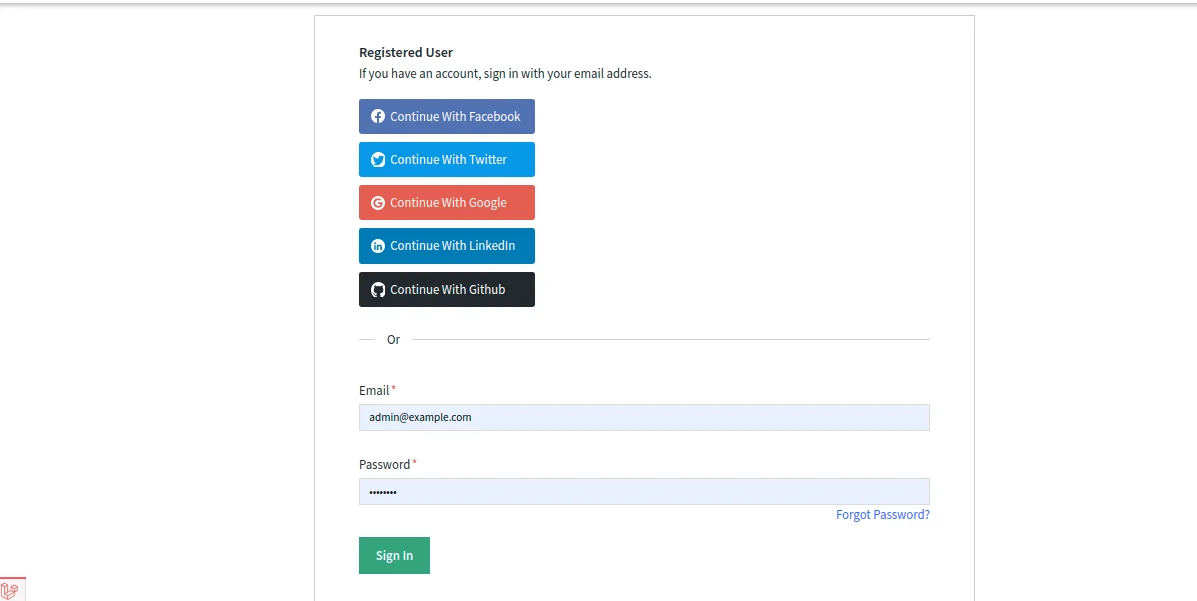
After completing the configuration, customers will see social login options on the login and registration pages.
They can sign up or log in using platforms such as:
- GitHub
This allows customers to access your store without manually entering registration details.

GitHub API Credentials
To enable GitHub Login, you must create a GitHub OAuth Application.
Step 1: Open GitHub Settings
Log in to your GitHub account and navigate to Settings.
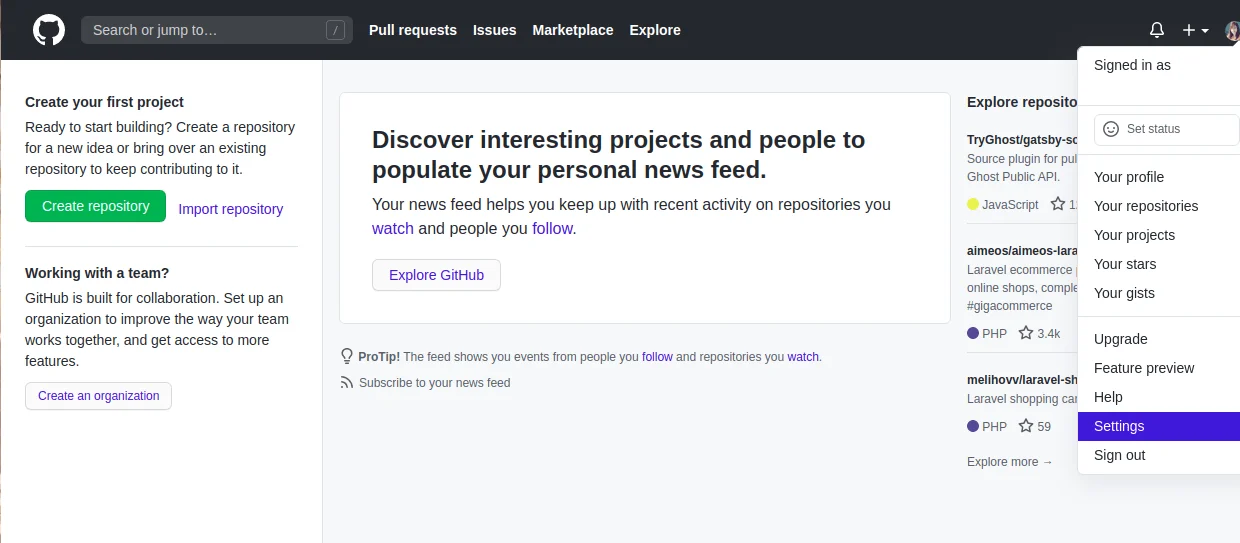

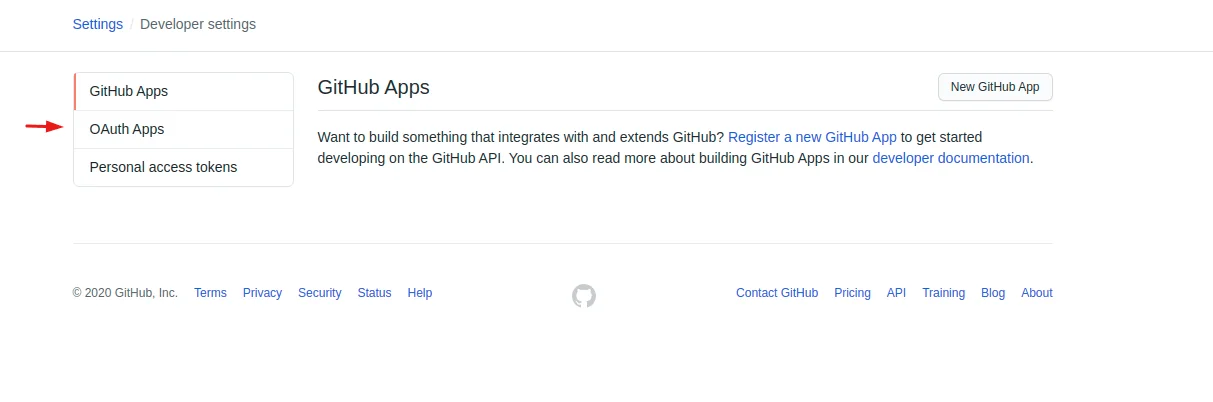
Step 2: Open OAuth Apps
Navigate to: Developer Settings → OAuth Apps

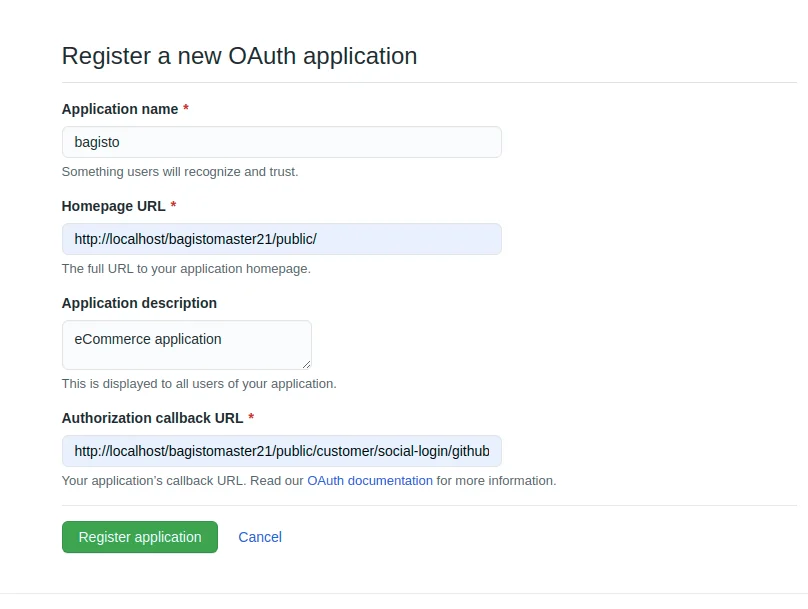
Step 3: Register a New OAuth Application
Click New OAuth App and enter the required details.
Note: The Callback URL can be found in your .env file.

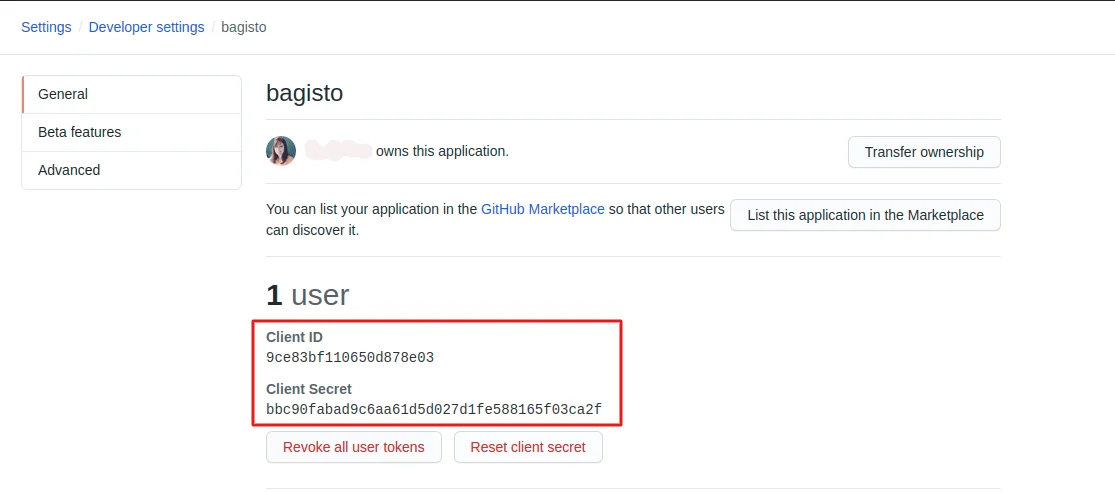
Step 4: Copy Client Credentials
After creating the application, open it and copy:
- Client ID
- Client Secret

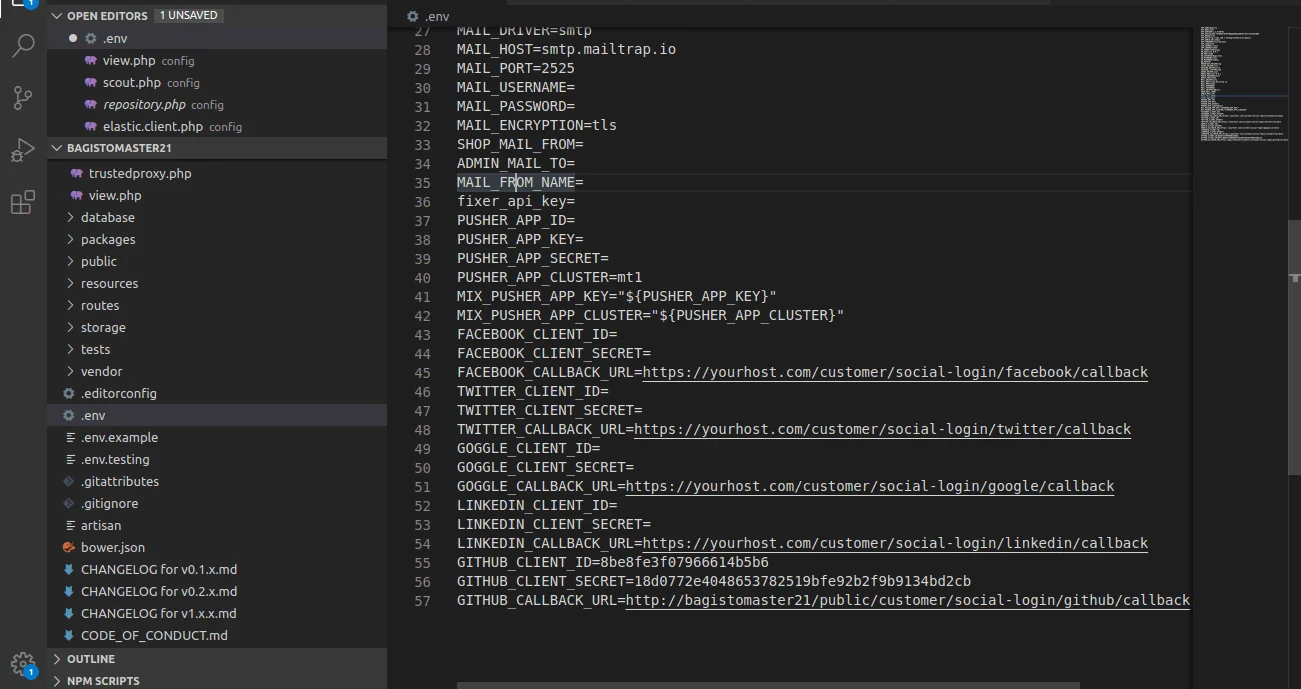
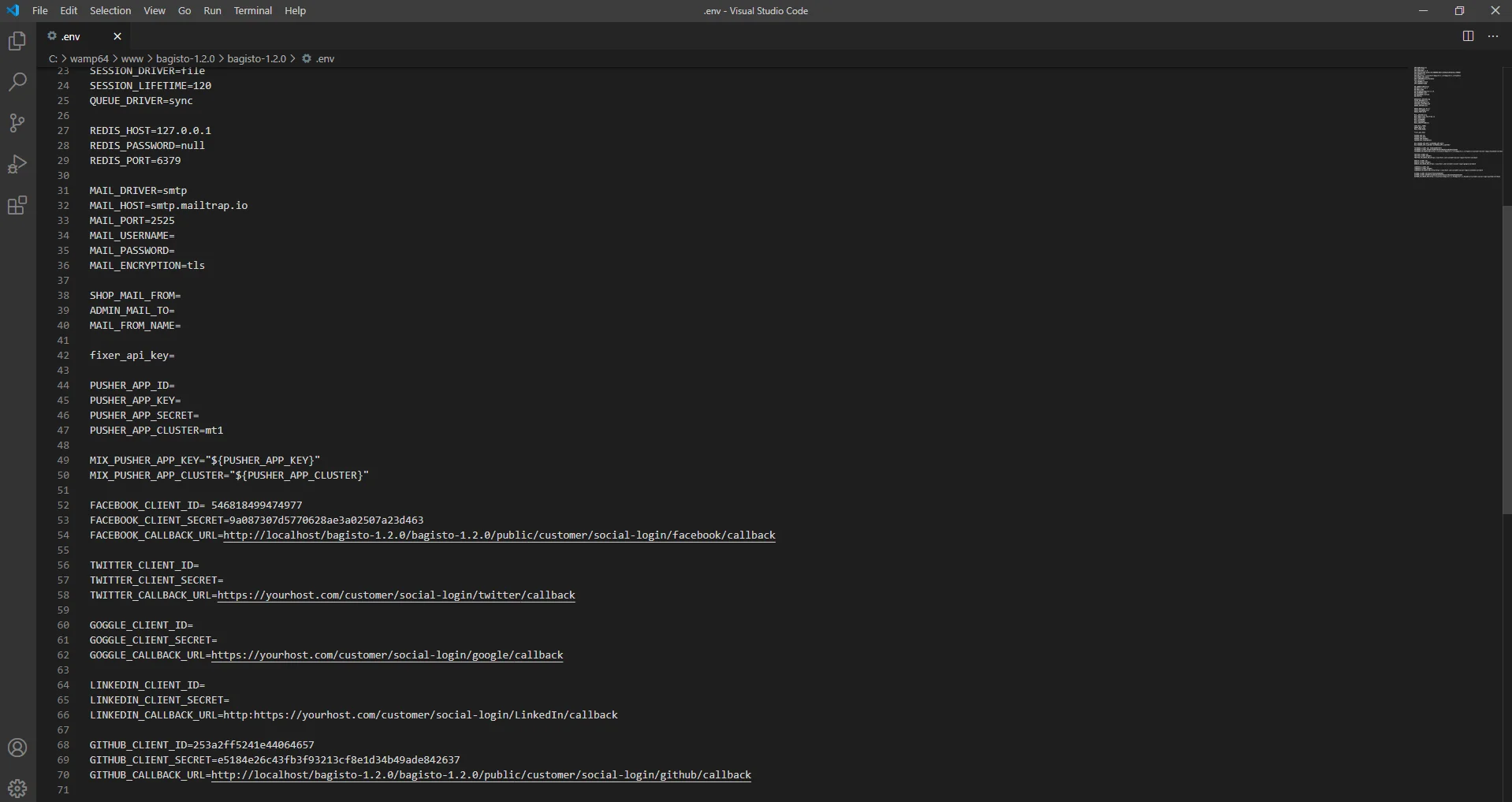
Step 5: Update the .env File
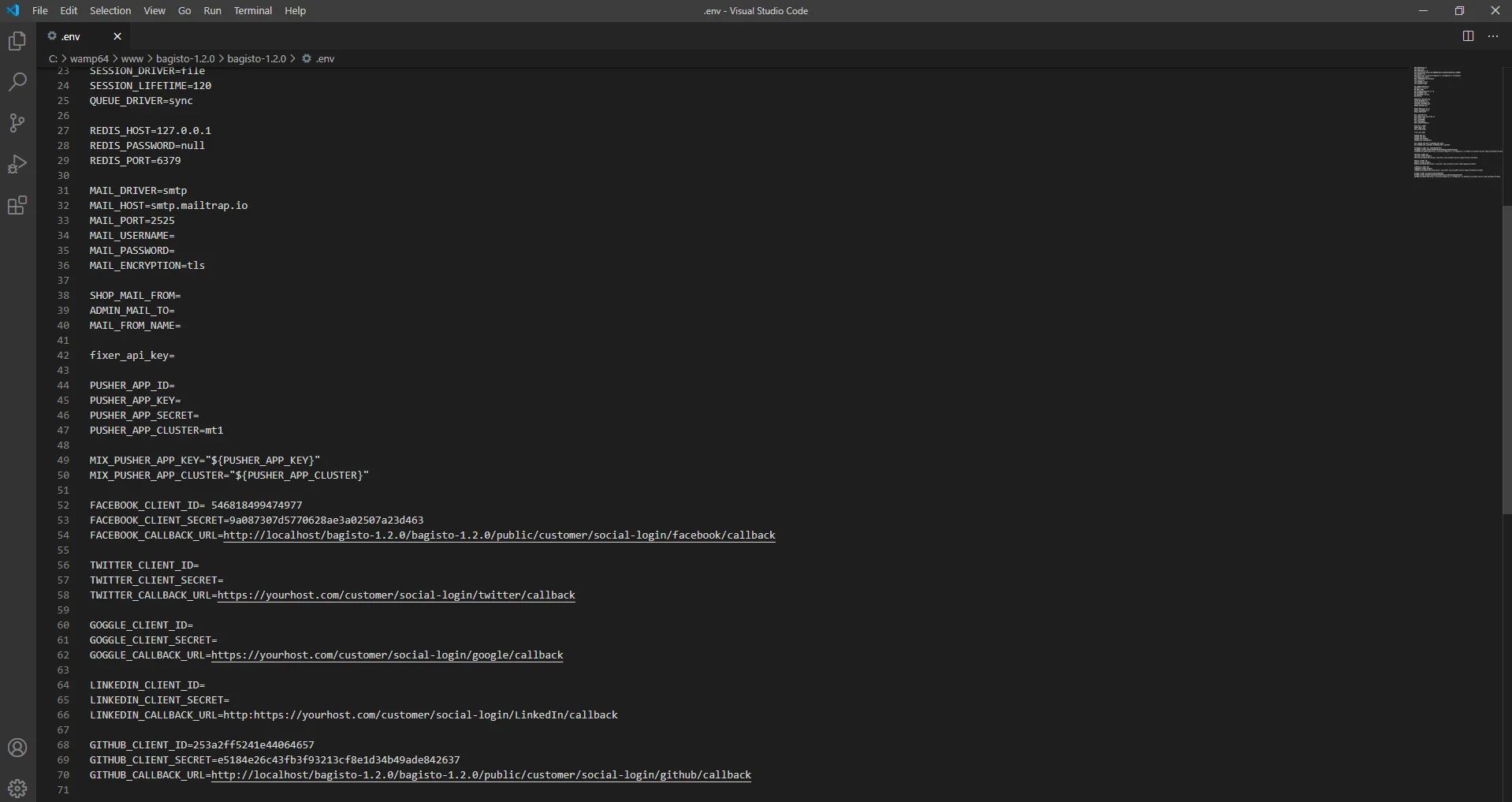
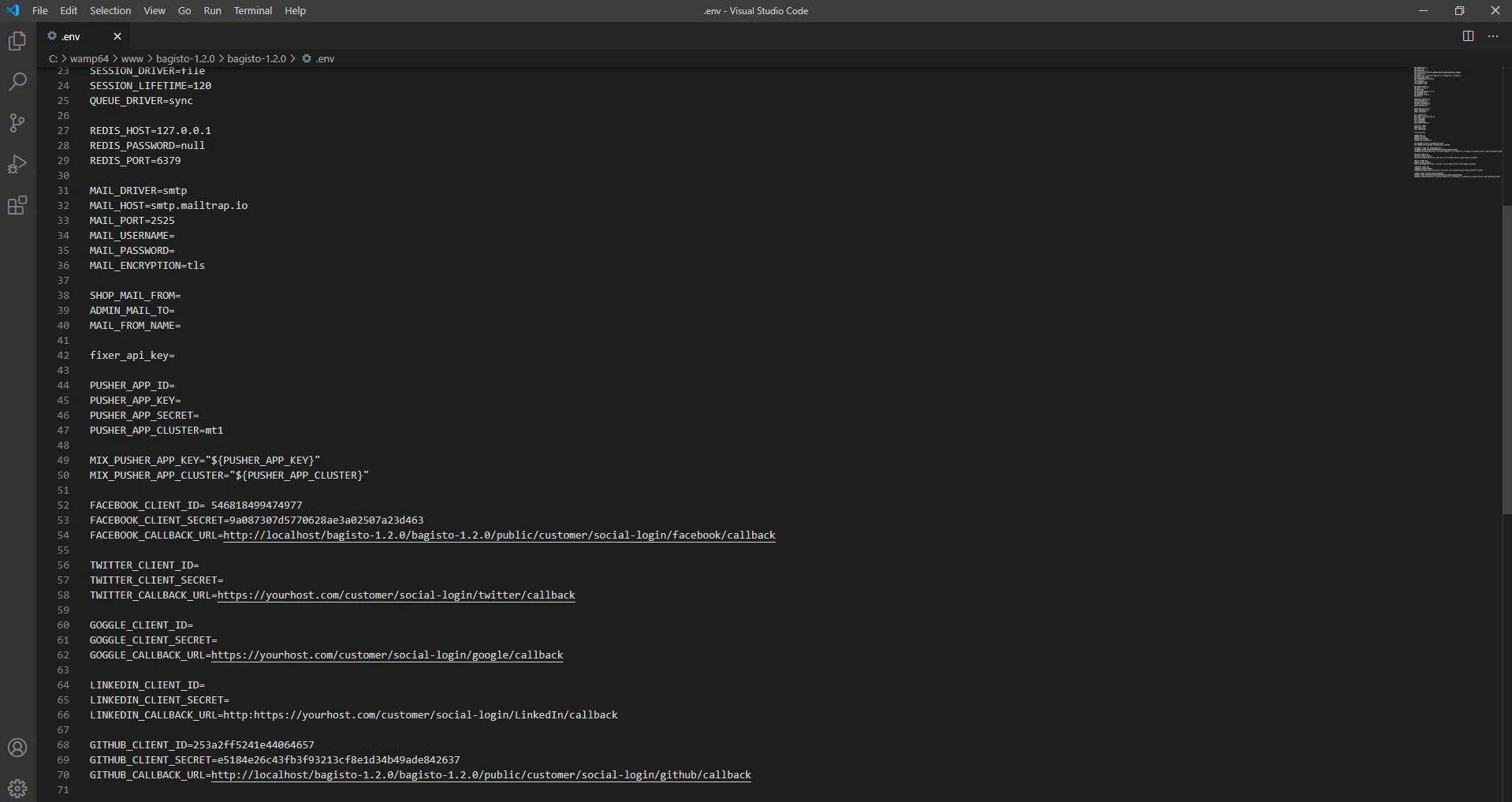
Paste the credentials into the GitHub section of your .env file.
Replace yourhost with your actual website URL while keeping the remaining path unchanged.

LinkedIn API Credentials
To enable LinkedIn Login, create a LinkedIn application.
Step 1: Create a LinkedIn App
Open the LinkedIn Developer Portal and click Create App.
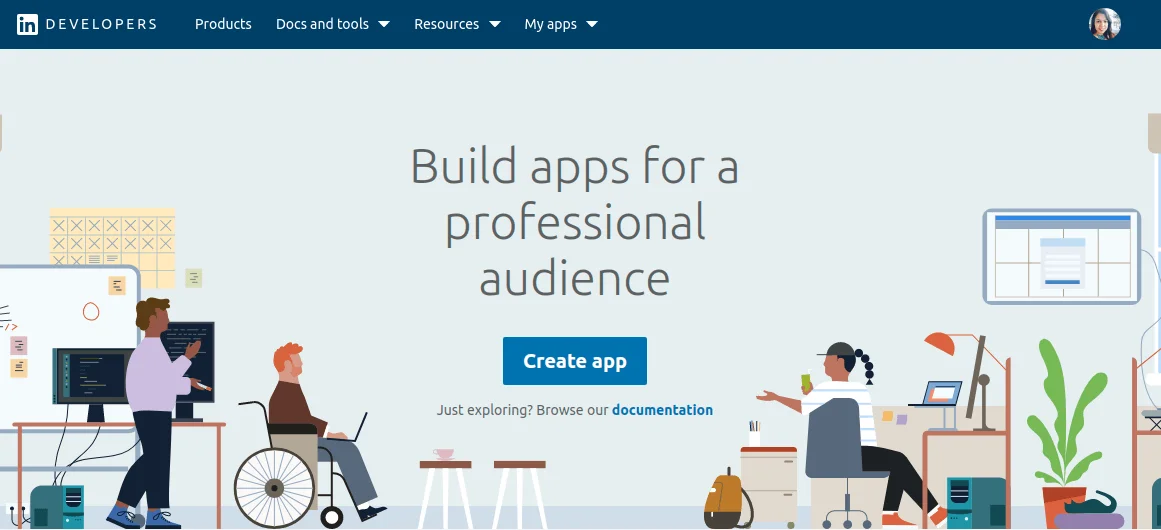

Step 2: Fill Application Details
Provide the required application information and create the app.
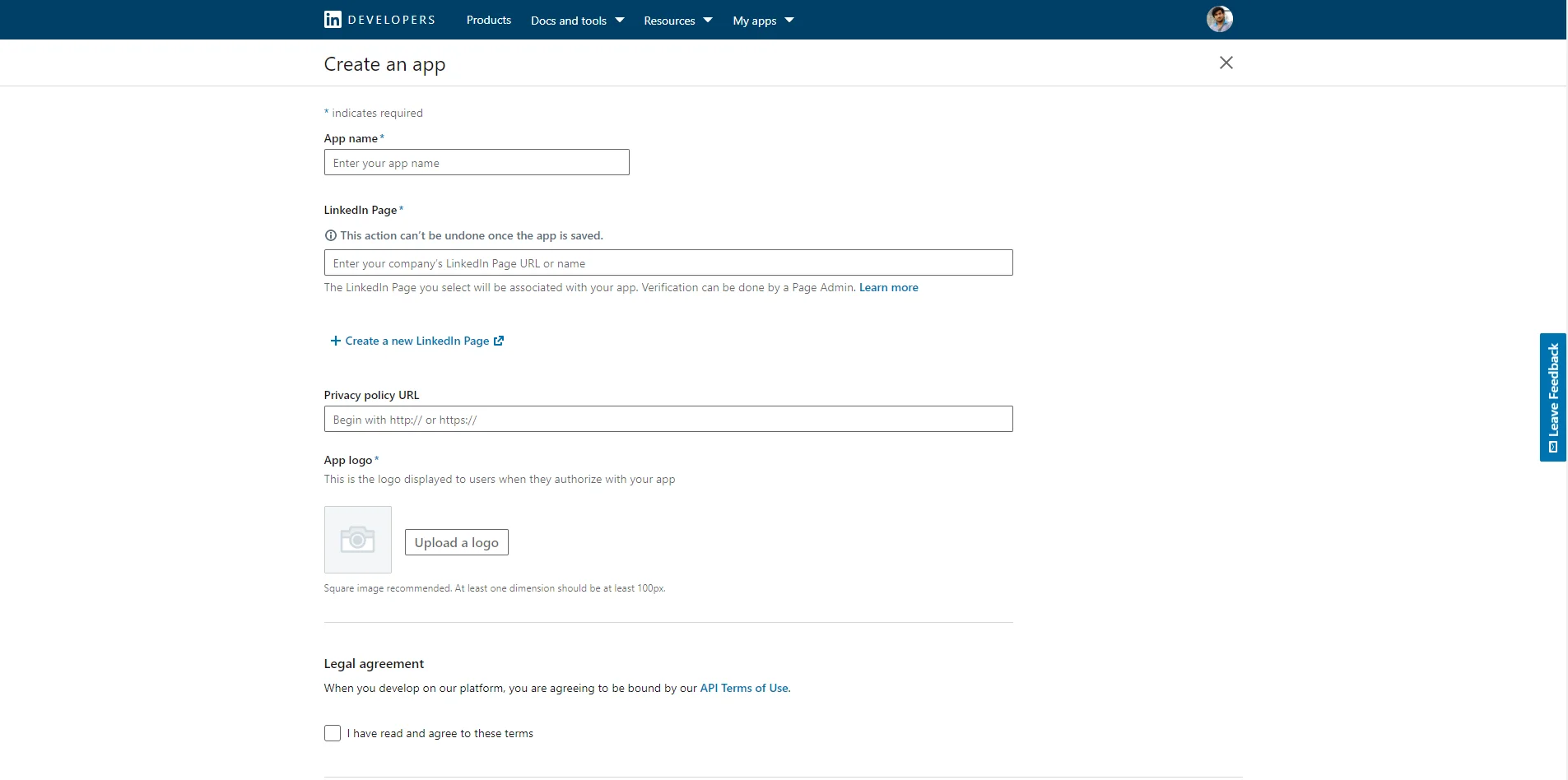

Step 3: Configure Authentication
You can see the settings and have to click on auth.
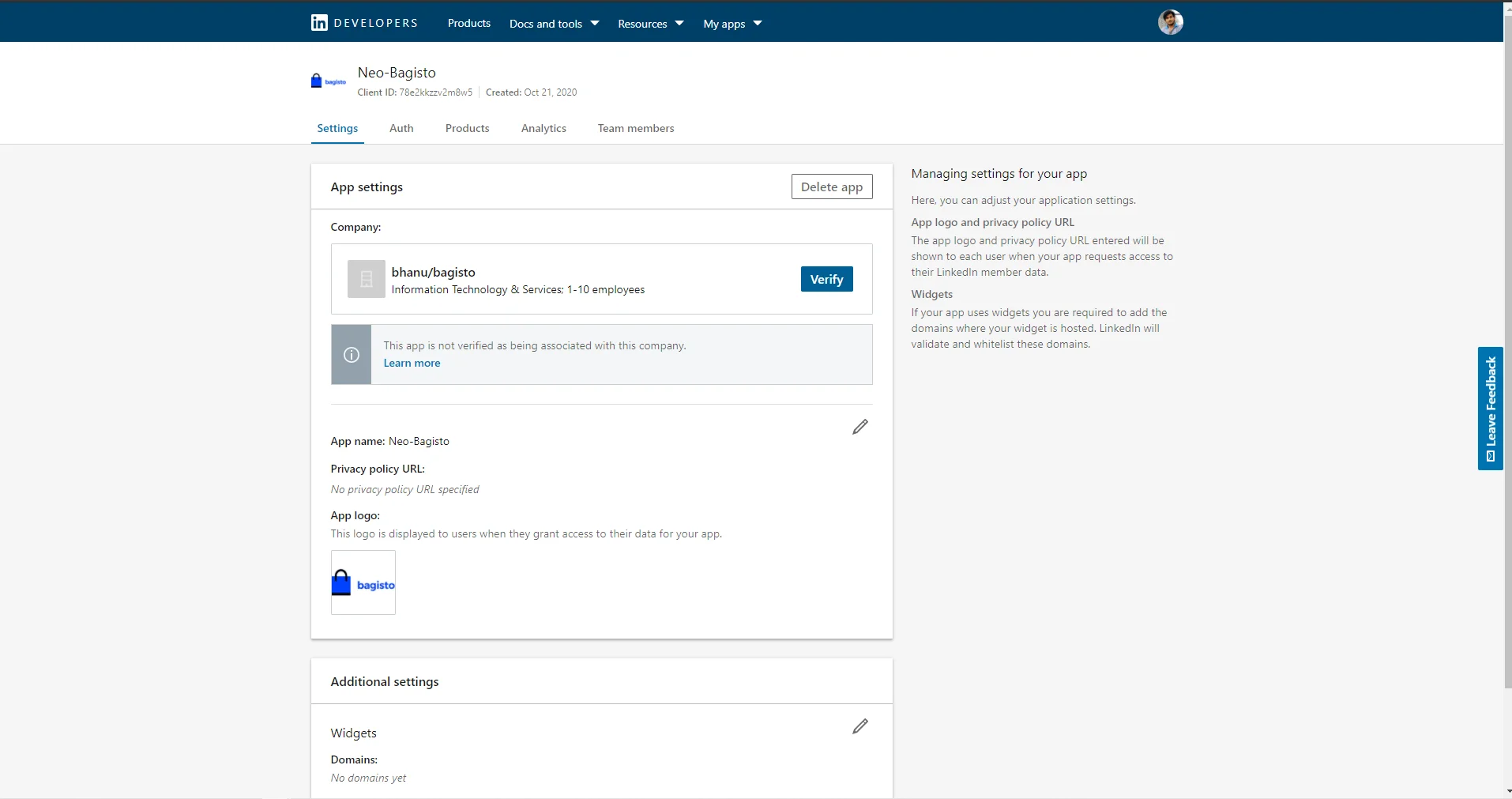

Step 4: Copy Client Credentials
Copy the generated:
- Client ID
- Client Secret
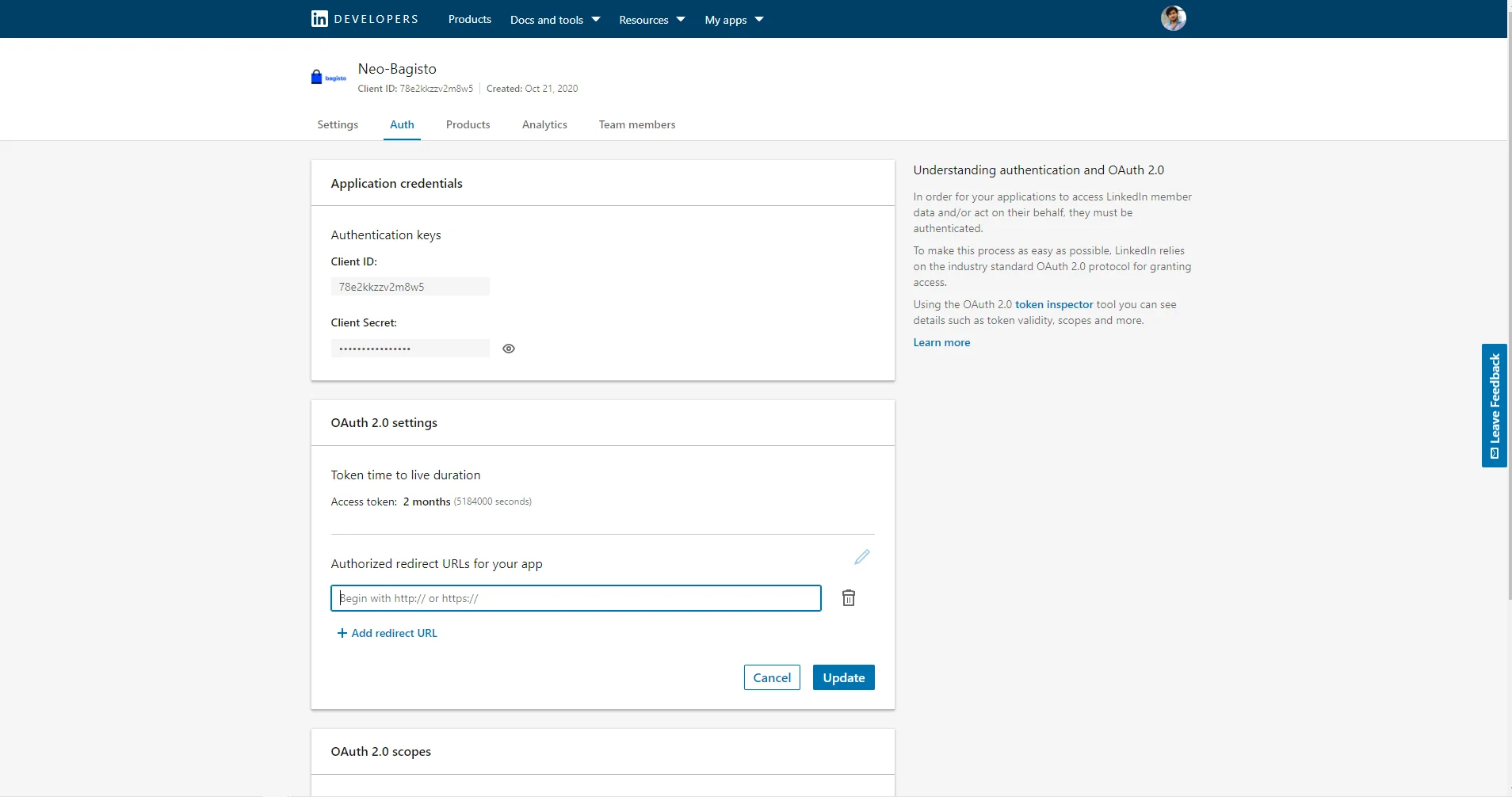

Step 5: Update the .env File
Add the credentials to the LinkedIn configuration section.

Google API Credentials
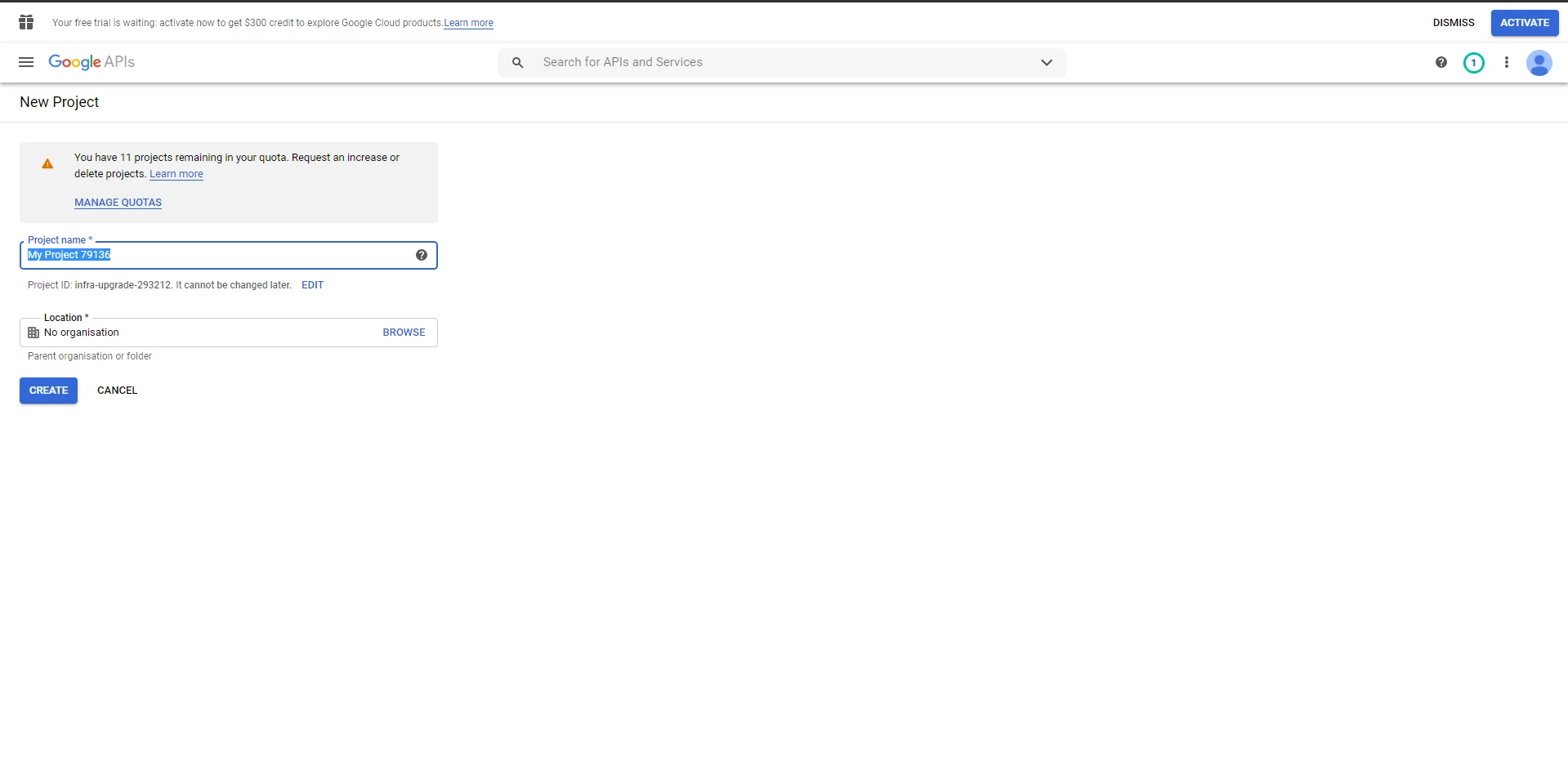
Step 1: Open Google Cloud Console
Navigate to Google Cloud Console and create a new project.

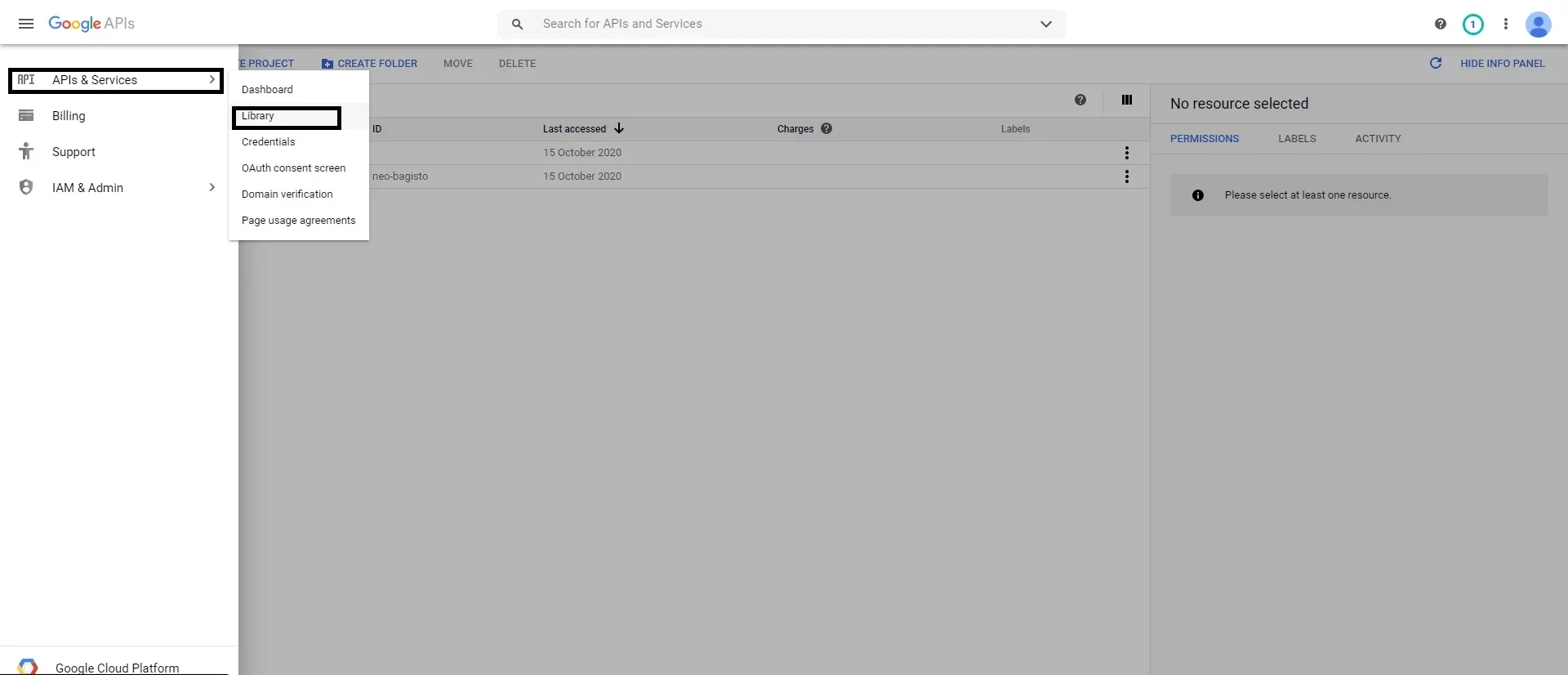
Step 2: Enable APIs
Go to: APIs & Services → Library
Enable the required Google authentication API.

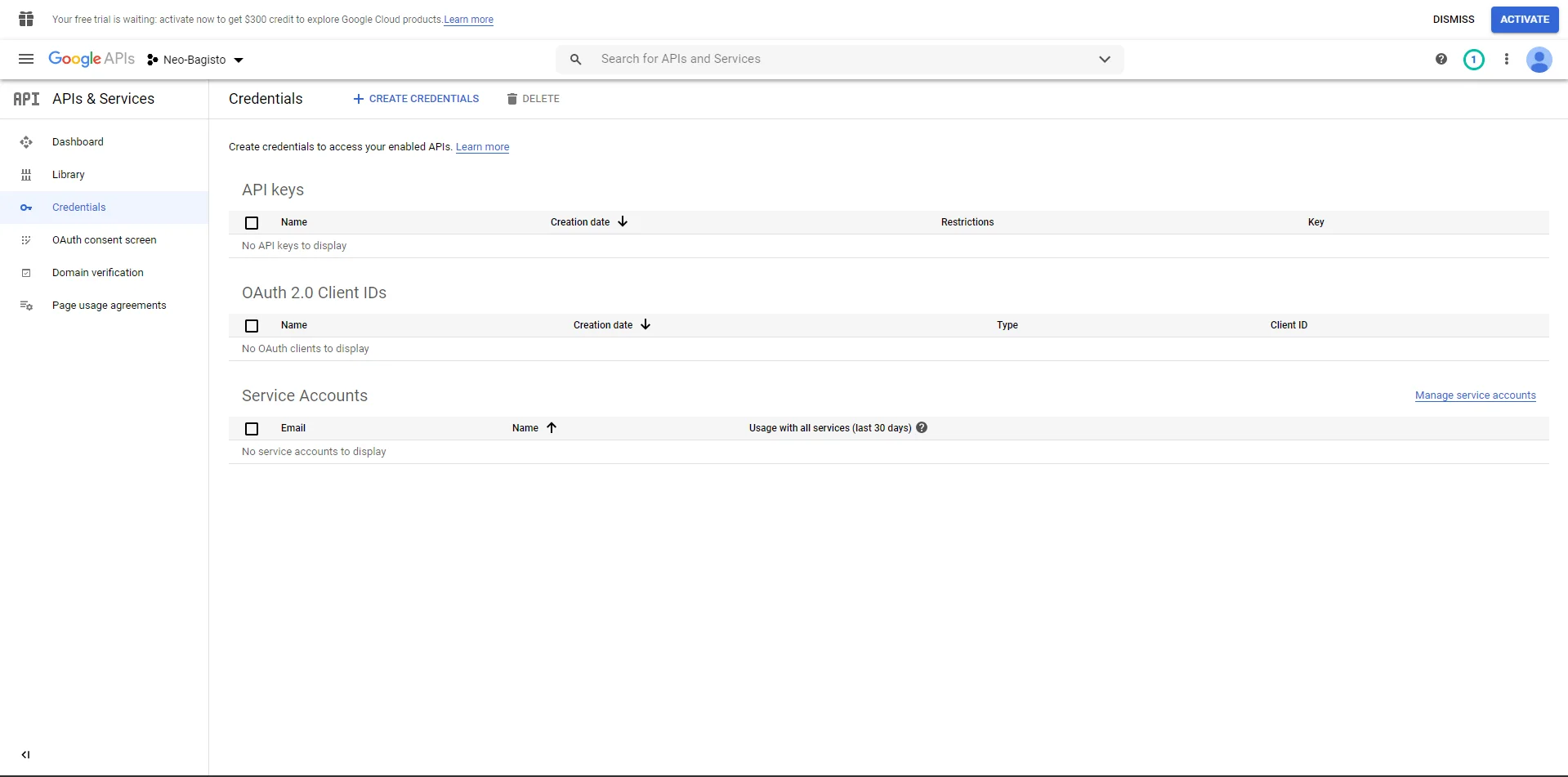
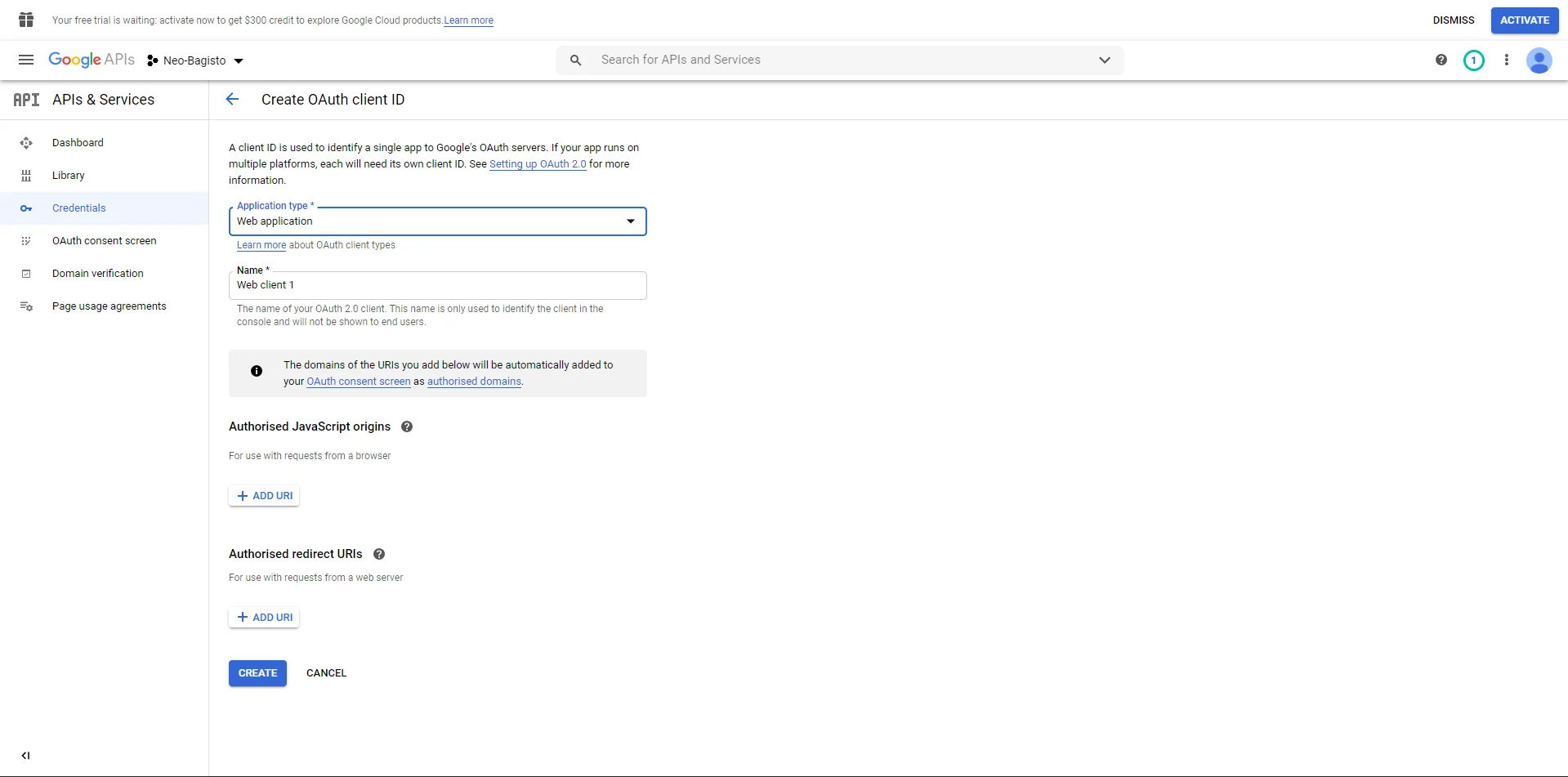
Step 3: Create OAuth Credentials
Navigate to: APIs & Services → Credentials
Step 4: Configure Redirect URLs
Add your Authorized Redirect URL.
Example: https://www.example.com/customer/social-login/google/callback/
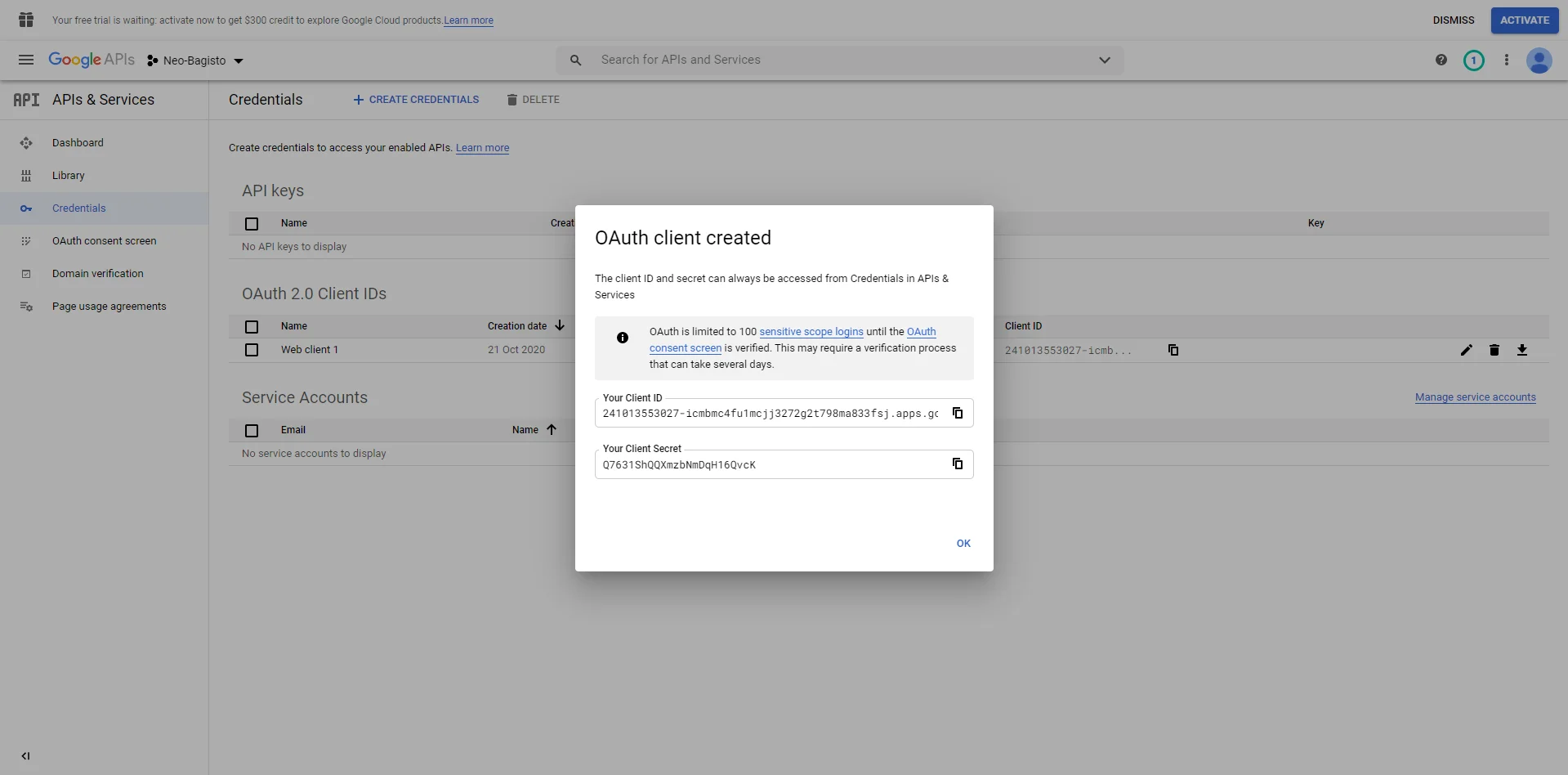
Step 5: Copy Client Credentials
Copy the generated Client ID and Client Secret.

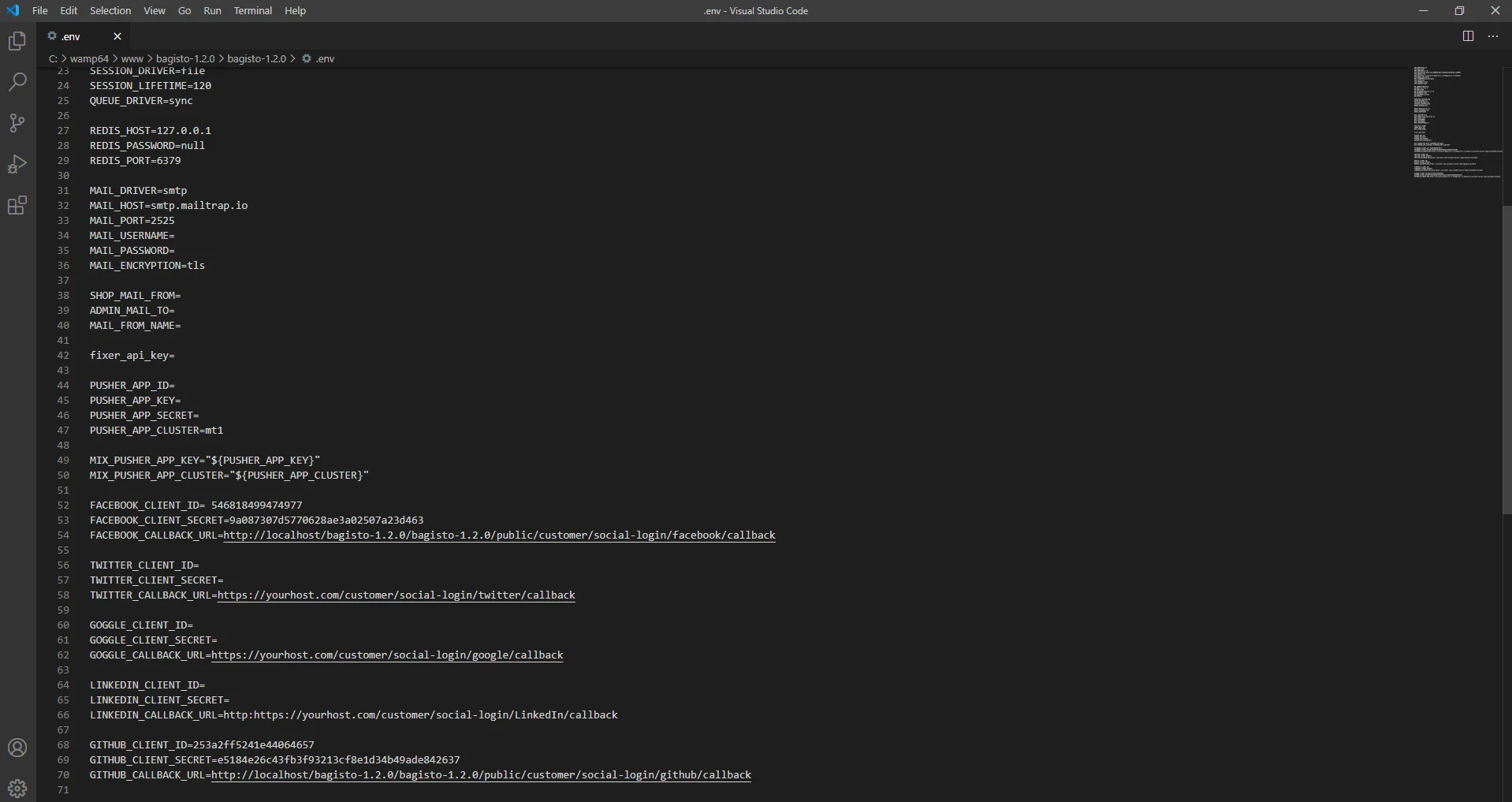
Step 6: Update the .env File
Add the credentials to your Bagisto configuration.
Facebook API Credentials
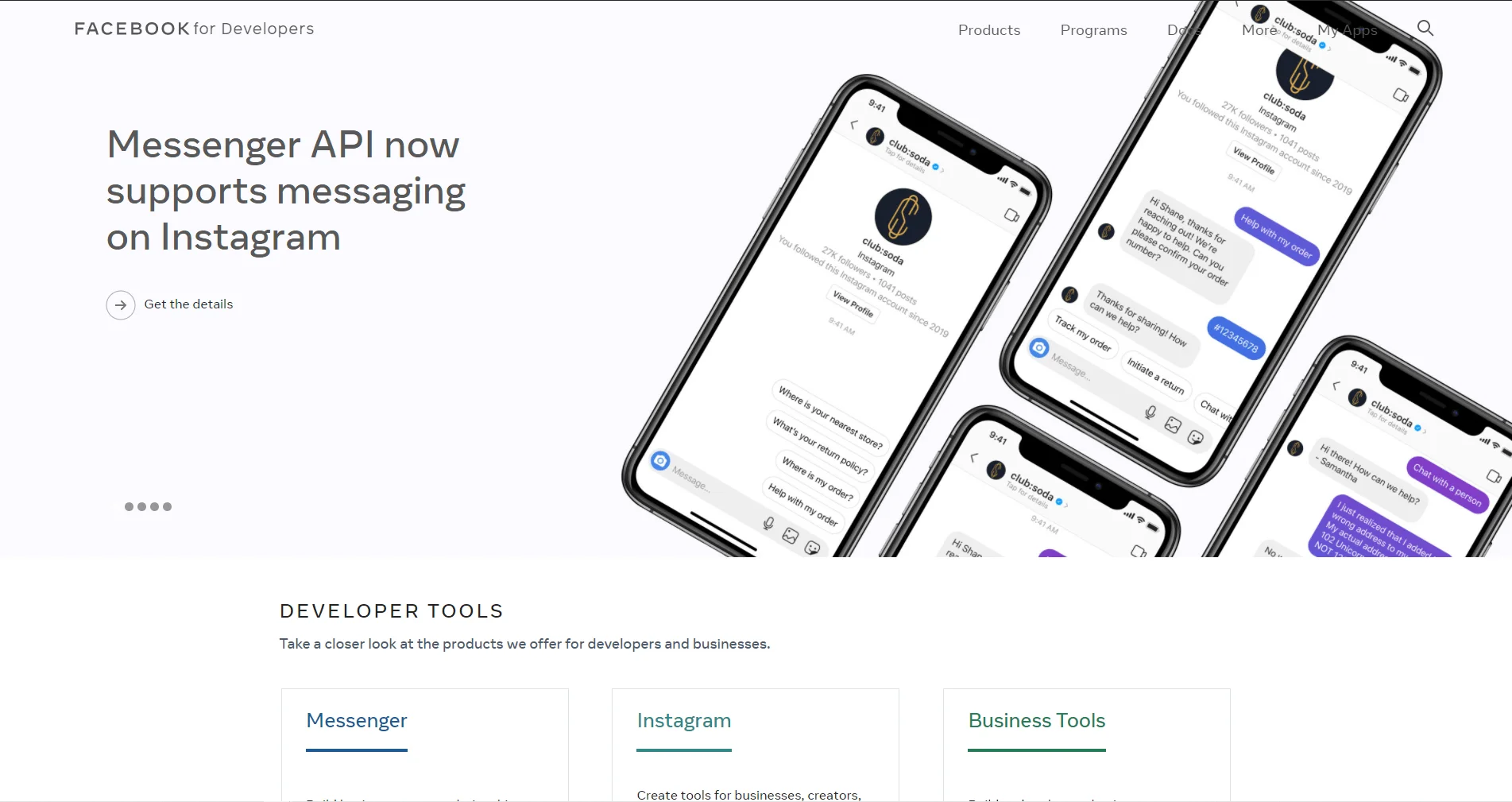
Step 1: Create a Facebook App
Open Facebook Developers and click Create App.

Step 2: Add Facebook Login
Select Facebook Login as the product.
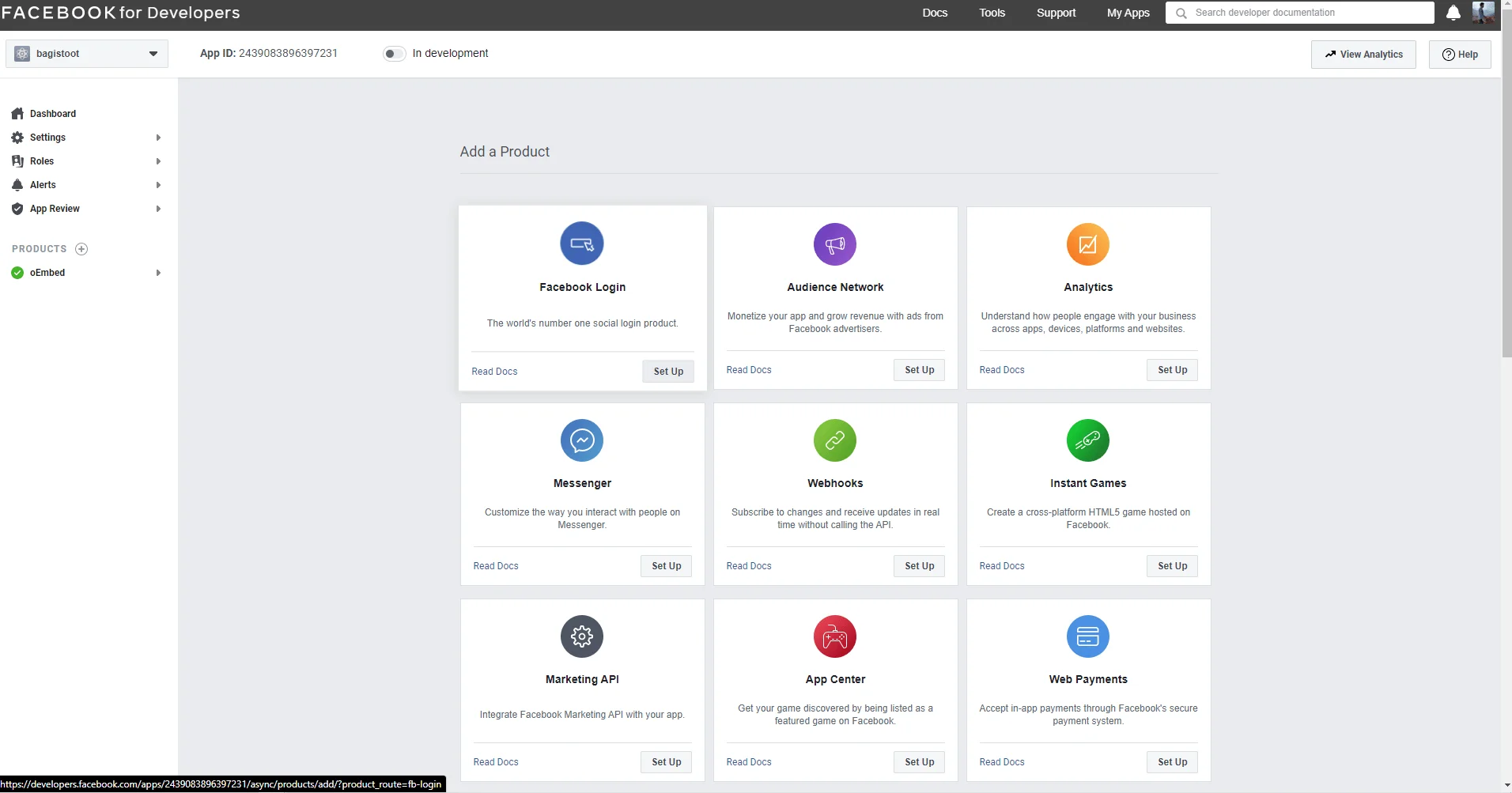

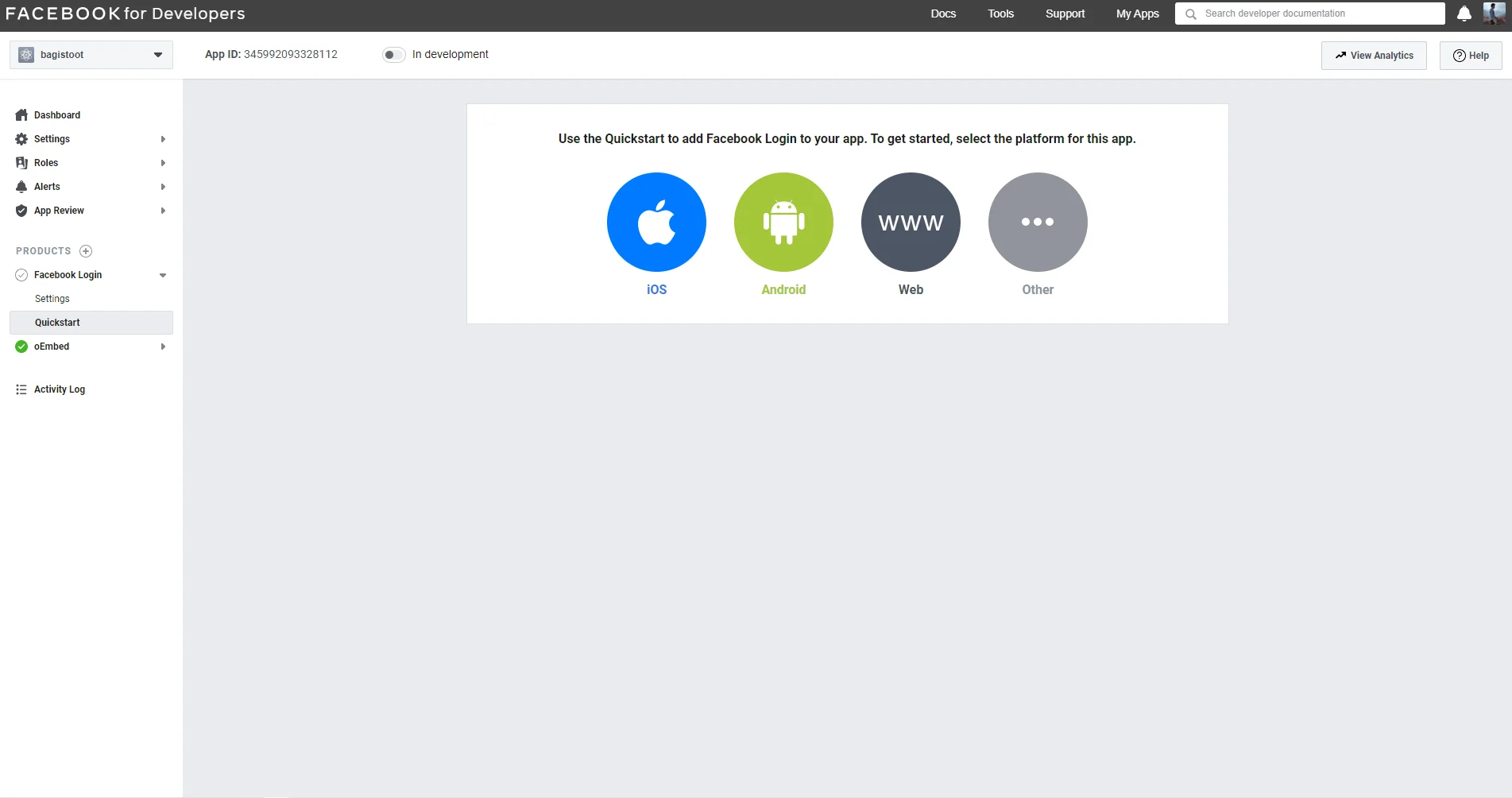
Step 3: Configure Web Platform
Select Web and enter your website URL.

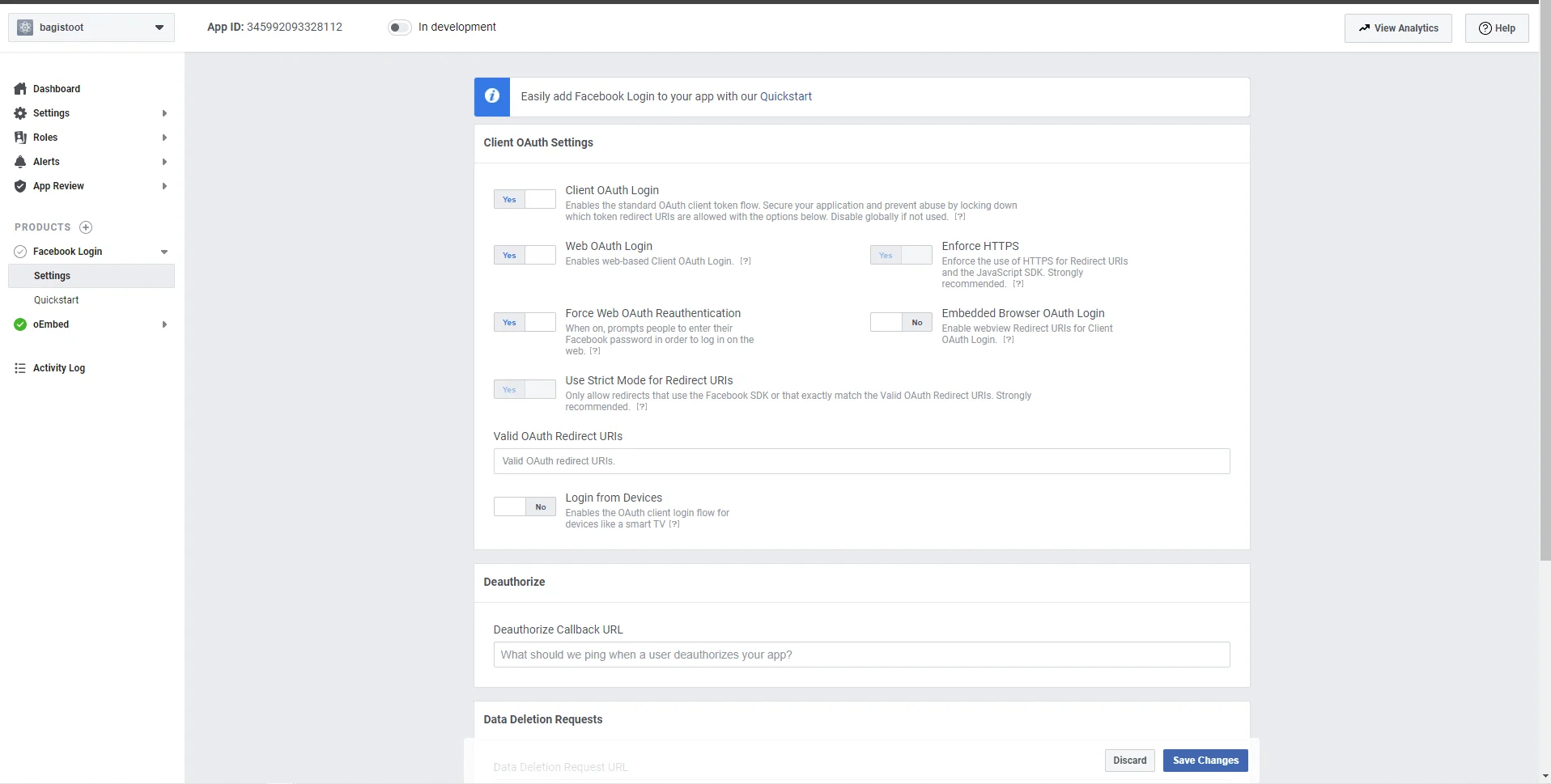
Step 4: Add Callback URL
Configure the callback URL in Facebook Login Settings

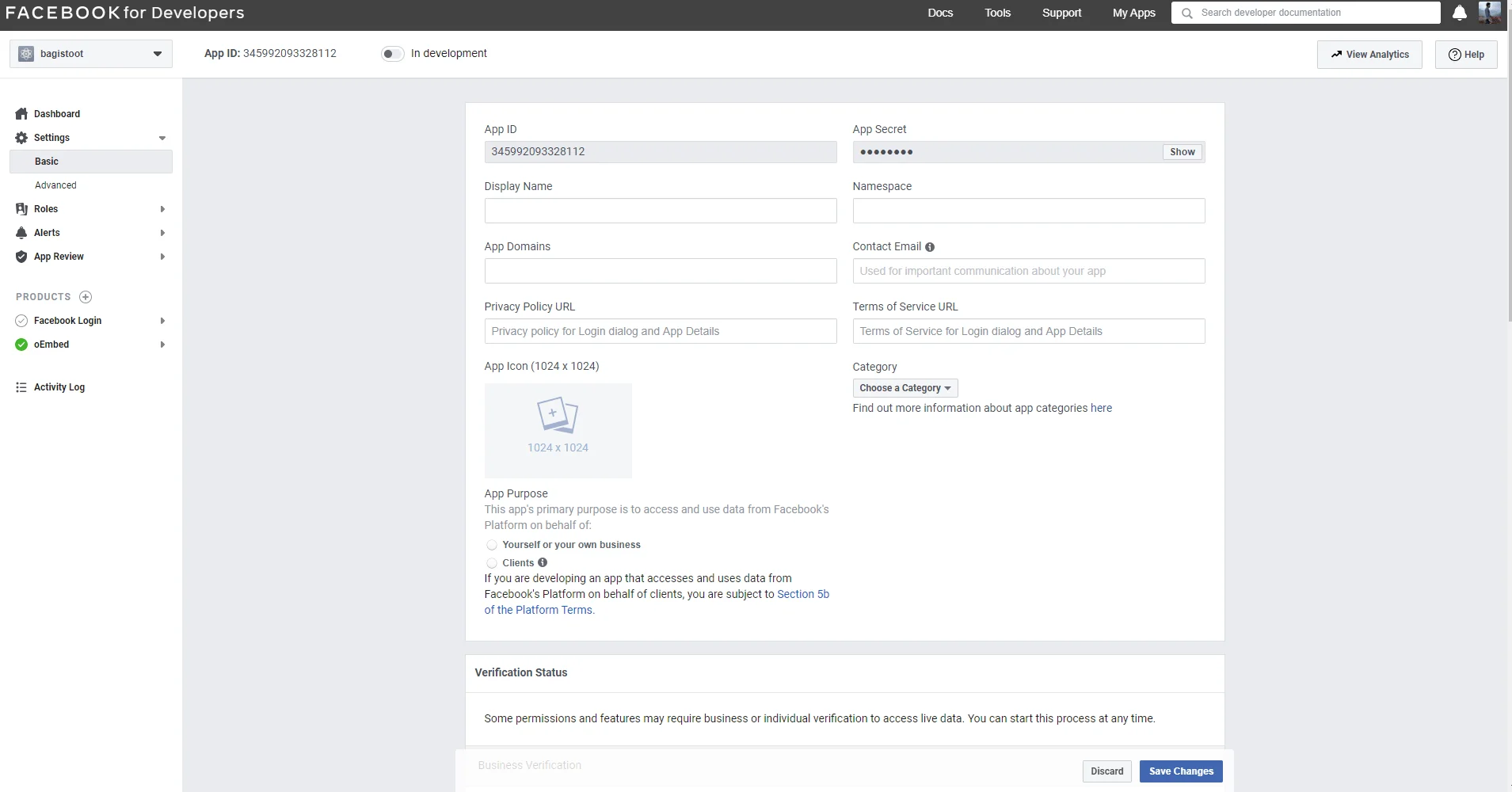
Step 5: Copy App Credentials
Copy the App ID and App Secret.

Step 6: Update the .env File
Add the credentials to your Bagisto configuration.
Twitter API Credentials
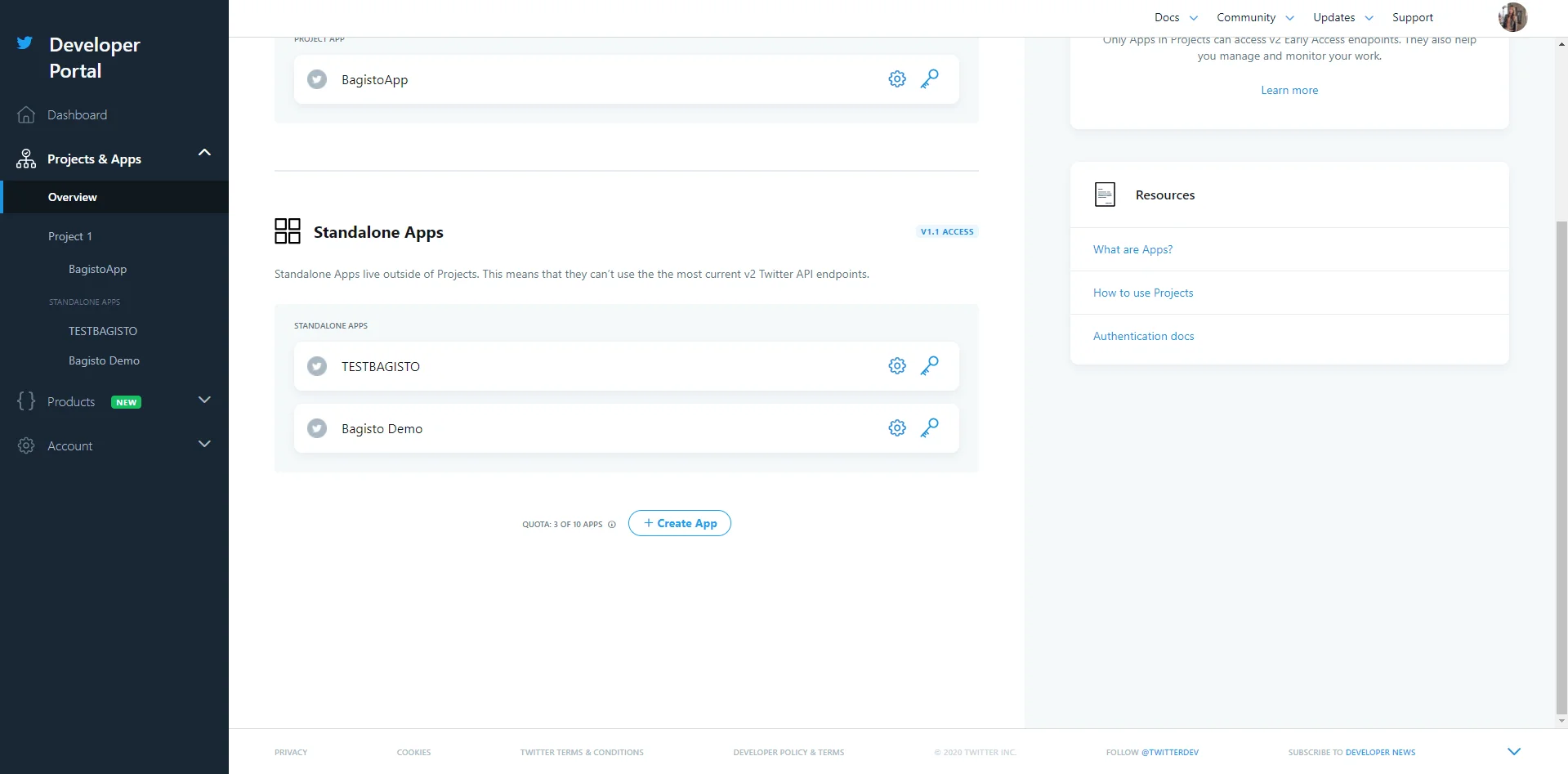
Step 1: Create a Twitter App
Open the Twitter Developer Portal and create a new application.

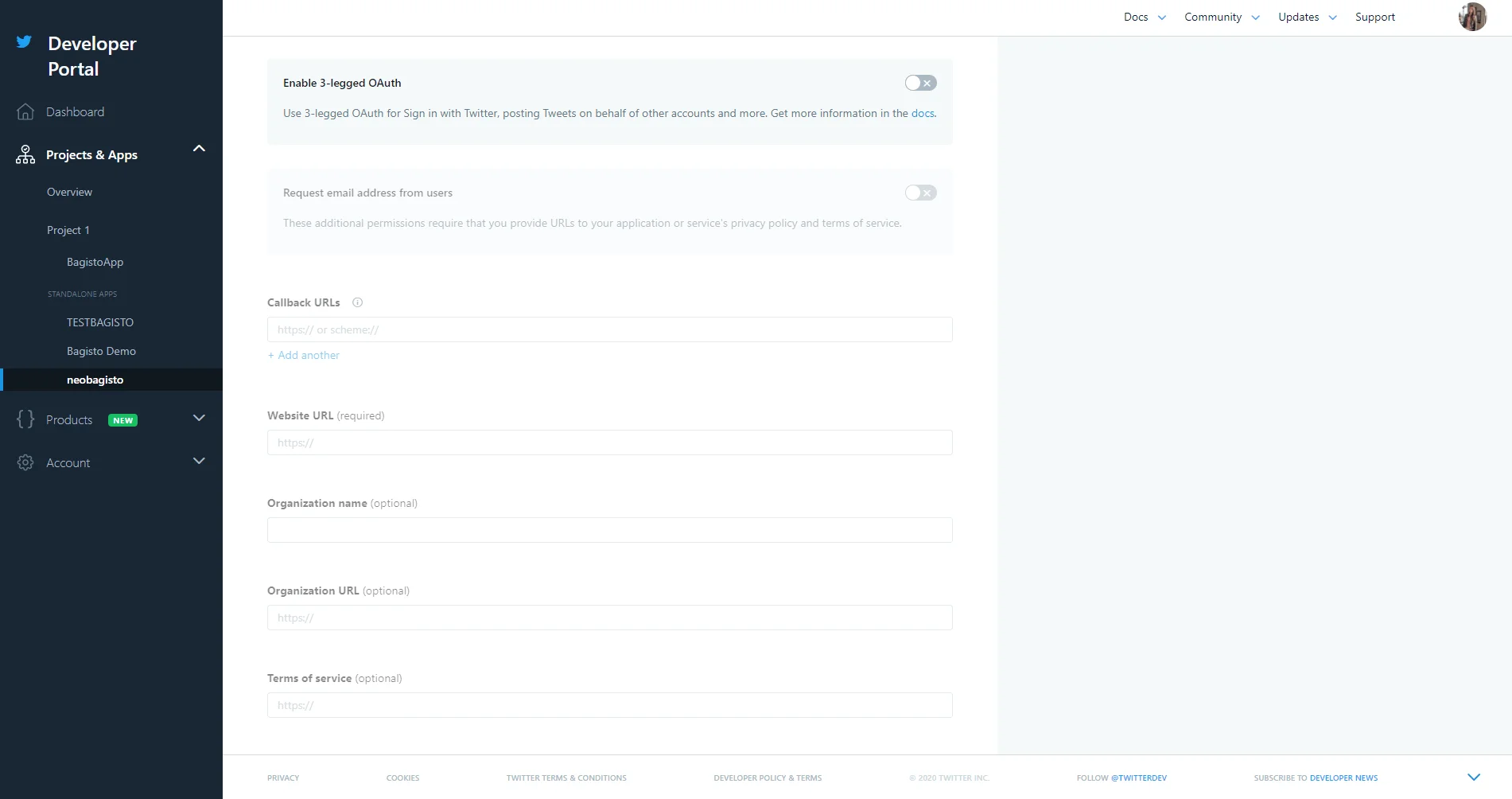
Step 2: Configure Authentication
Enable OAuth authentication and add the callback URL.

Step 3: Copy API Credentials
Copy the API Key and API Secret.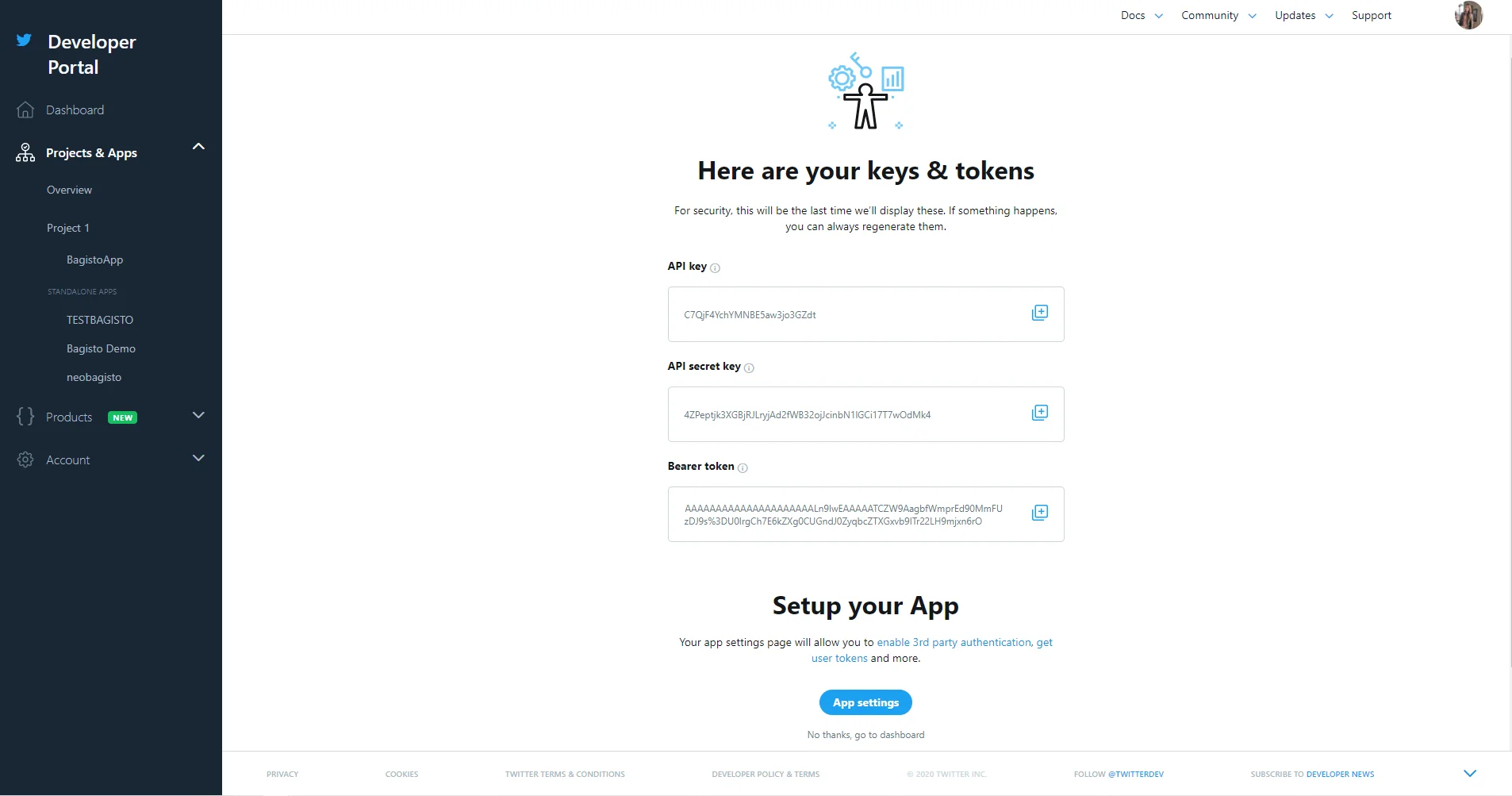

Step 4: Update the .env File
Add the credentials to the Twitter configuration section.
Social login provides a faster and more convenient sign-up experience, reducing friction during customer registration.
If you have any questions or need assistance, feel free to create a support ticket through our Bagisto UVDesk.