Magic AI product content generation helps sellers create useful product content from the details they provide, making product listing faster and easier.
Sellers can review, select, and edit suggestions before applying them, keeping control over the final product listing.
Magic AI reduces manual work and makes product content creation faster, helping sellers manage listings with ease.
For marketplace owners, it improves the seller experience and helps sellers complete product listings more efficiently.
Magic AI Product Content Generation
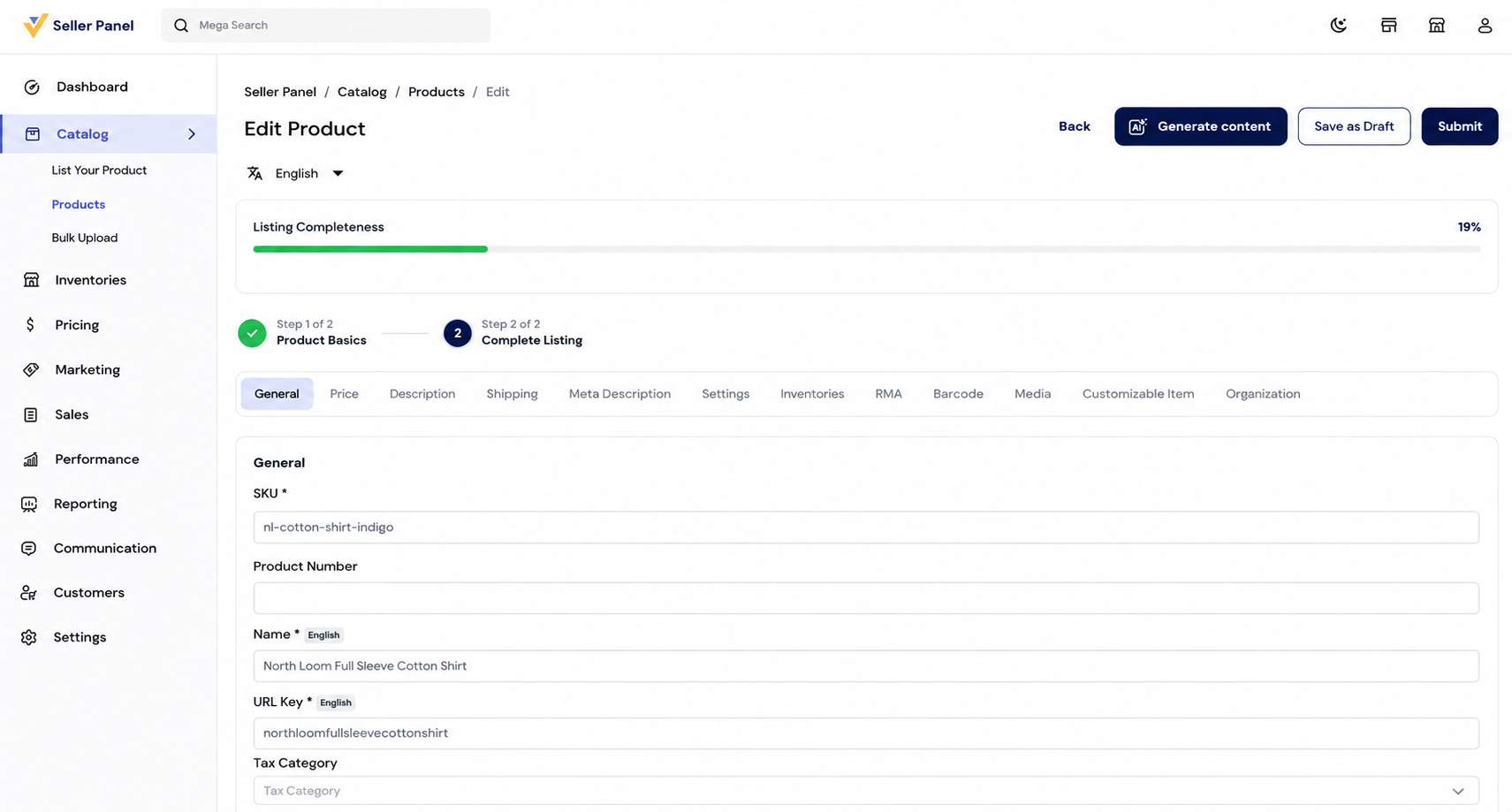
The seller starts from the Edit Product screen, where the Generate Content option is available at the top. Clicking Generate Content opens the Magic AI window.
The Magic AI window starts the product content generation process and guides the seller through two simple stages: Describe and Review for easy creation.

Step 1: Describe the Product
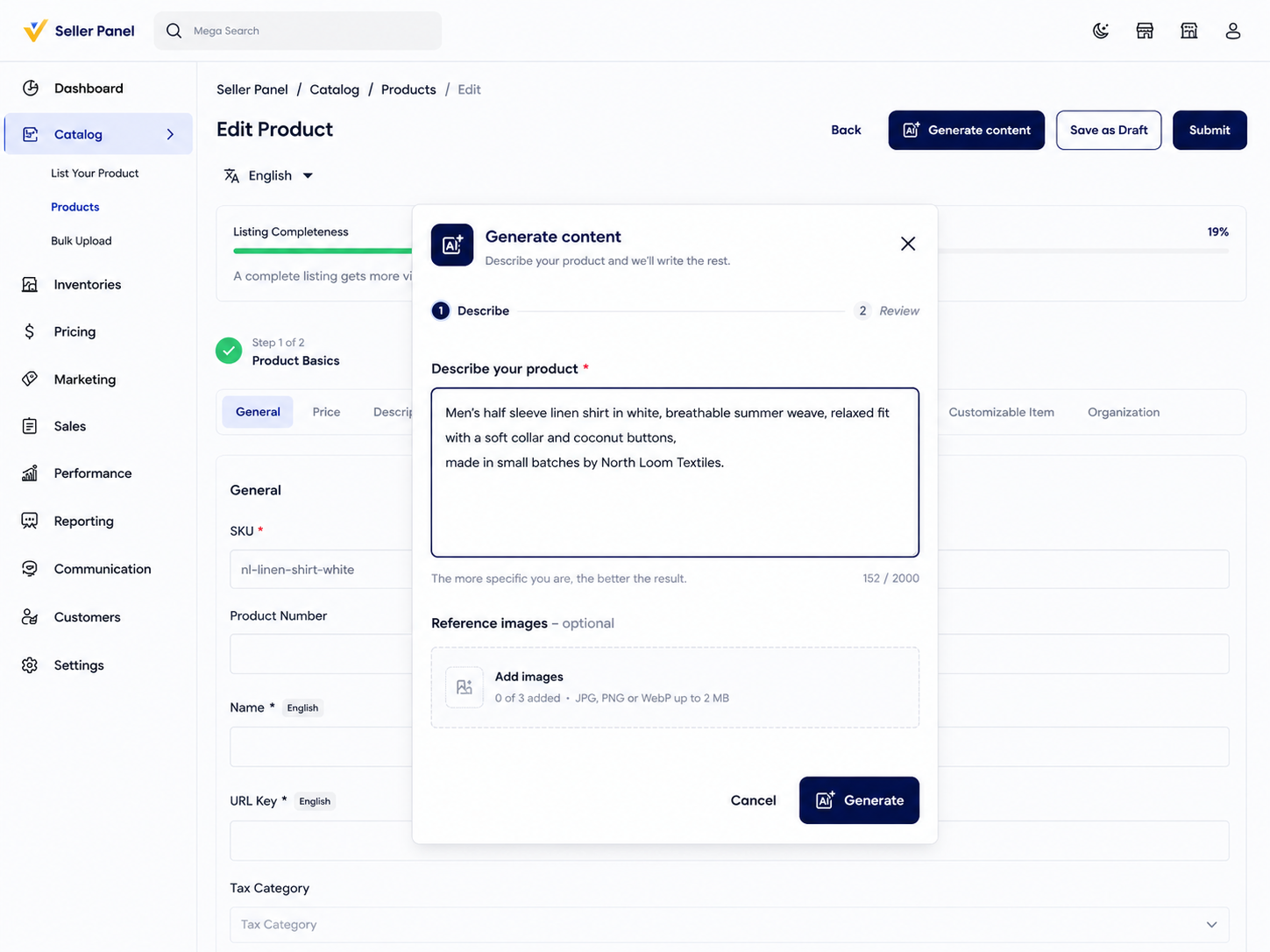
The first step is Describe, where the seller enters a simple product description in the text field. More specific details help Magic AI create better results!
The seller can mention the product type, appearance, material, key features, benefits, size, color, and other relevant details to guide the generated copy.

Step 2: Generate Product Content in Magic AI
Step 3: Review AI-Generated Product Content
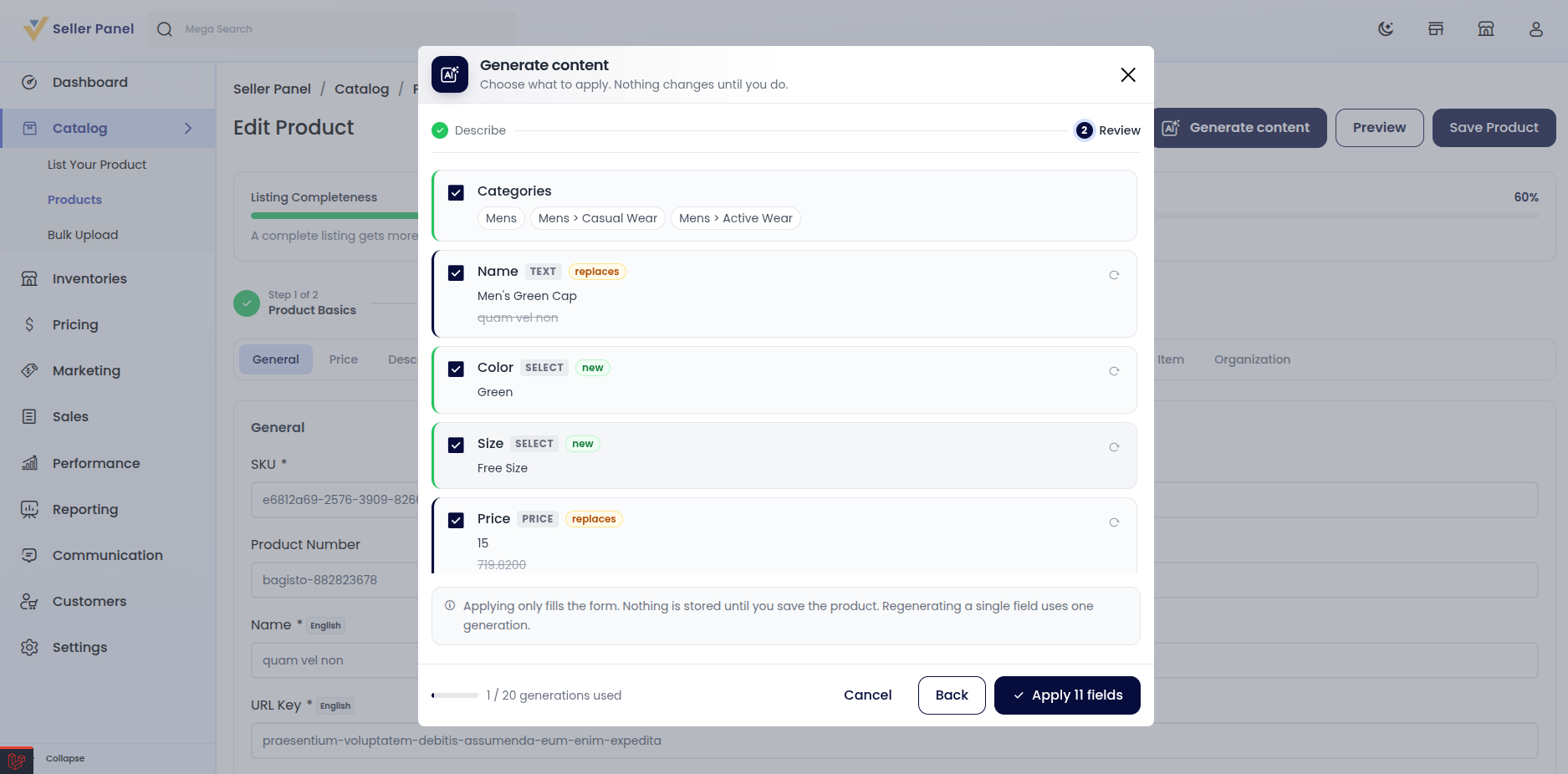
Once generation is complete, Magic AI moves to the Review step.

Step 4: Apply
After reviewing the suggestions, the seller can click Apply All Fields to apply the selected proposals and add the generated content.
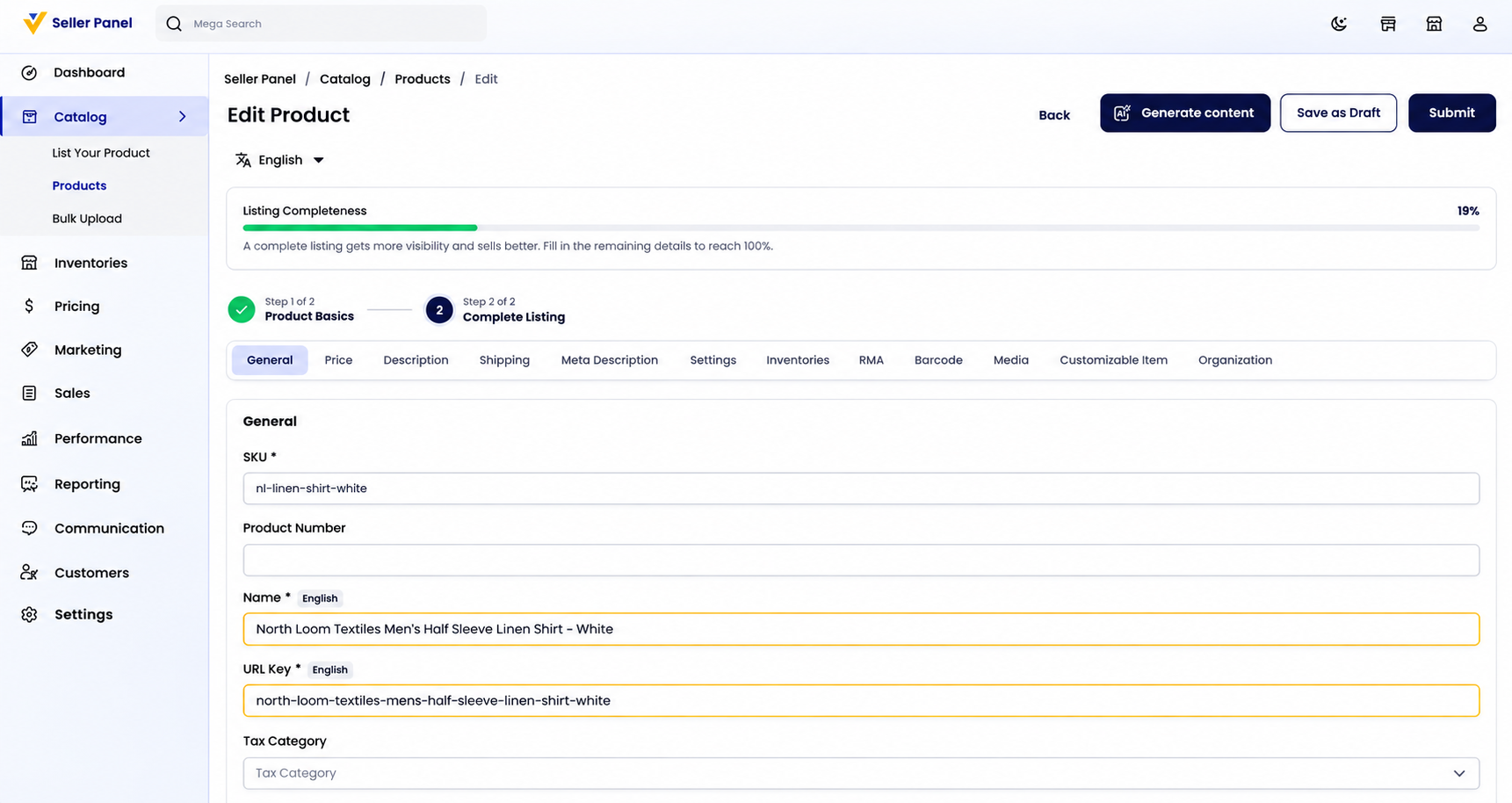
Magic AI then fills the corresponding fields in the product form with the generated content, making it faster to complete product information.

Step 5: Save the Product
Applying the generated content does not automatically save the product. The generated values are first added to the product form for review.
The seller can check and edit the generated content before saving. Applying the content only fills the form; saving remains the seller’s decision.
Step 6: Approval
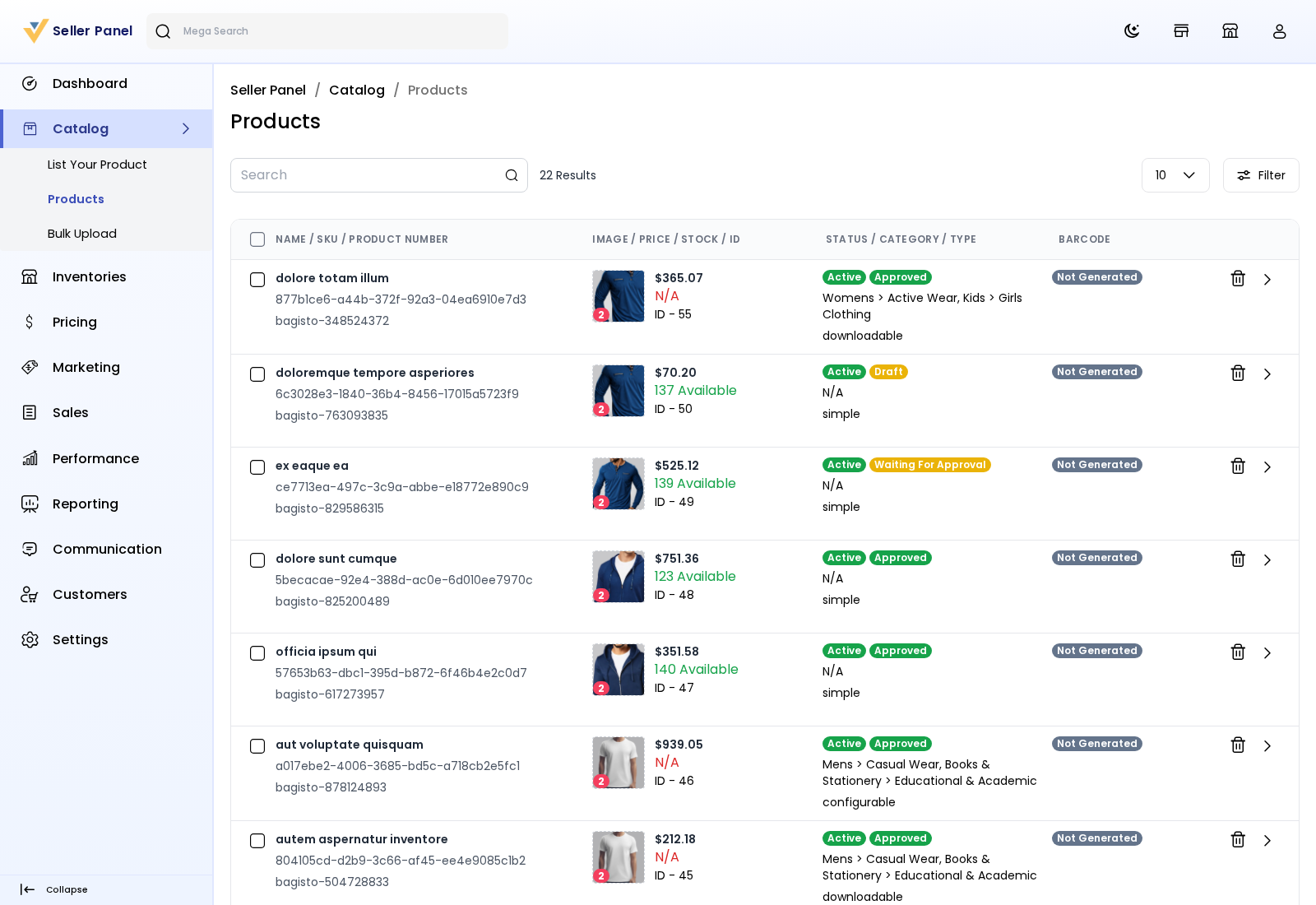
After saving, the product appears under Catalog → Products with its current status.
The product can show statuses such as Draft, Waiting for Approval, or Approved.
The admin checks the product before it can appear on the storefront.
After approval, the product can go live with its new content.

Final Words:
Sellers can review, select, and edit generated suggestions before applying them, keeping full control over the final product listing.
Magic AI makes product content creation faster and simplifies product management for sellers across the marketplace.
For marketplace owners, it improves the seller experience by reducing manual work and making product listing faster and easier.

