Order management issues can lead to delays, missed updates, and unhappy customers.
To solve this, businesses can manage orders in Bagisto through a centralized system.
It makes it easy to organize invoices, shipments, and the status of orders.
How to Manage Orders in Bagisto
Adding Products to the Cart





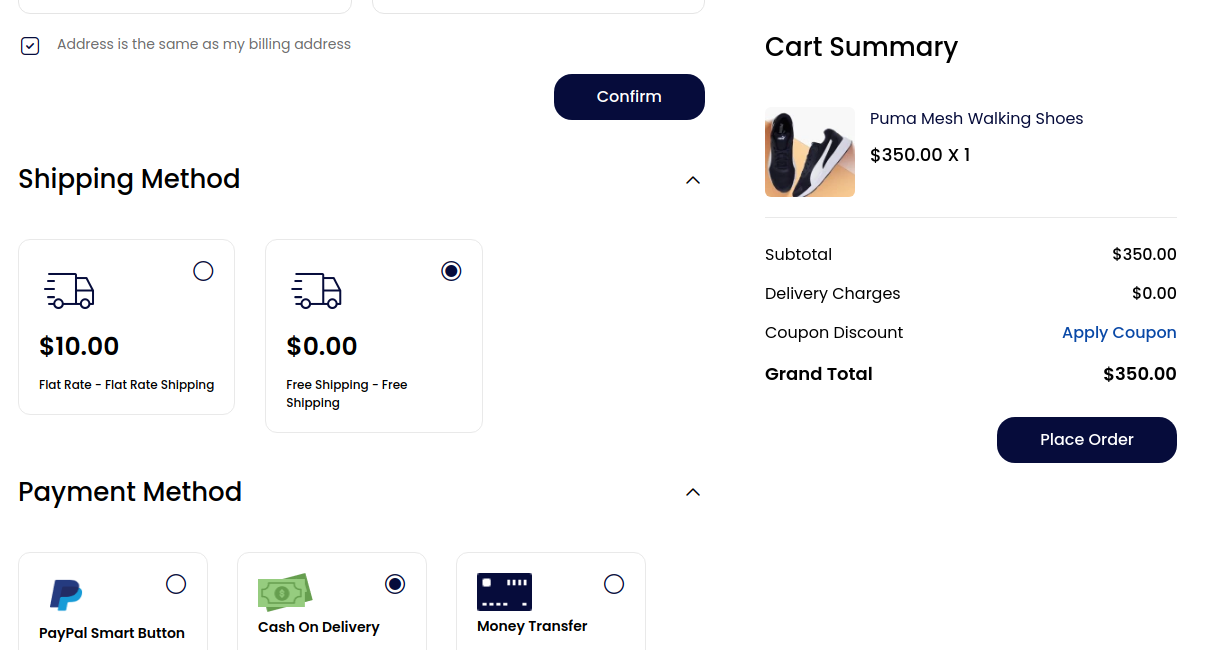

After clicking on Place Order, a confirmation page will open.
You will then receive an Order ID for your purchase.


Customer Panel
Customers can view all their order history from the customer dashboard.
They can also check the current order status anytime.
Information
On the Information page, the admin can check customer order details.
This includes the customer’s name, address, quantity, and other order information.

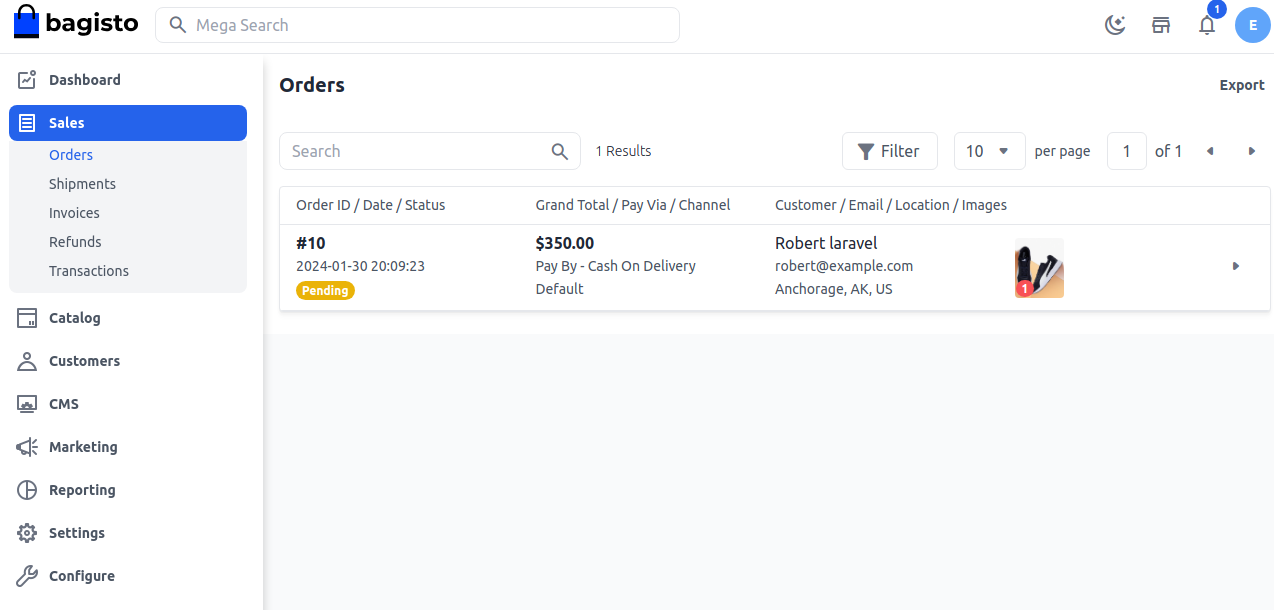
Note: The admin can also cancel the order if needed.
However, the Cancel button is only visible when the order status is Pending.
Invoice



Shipment
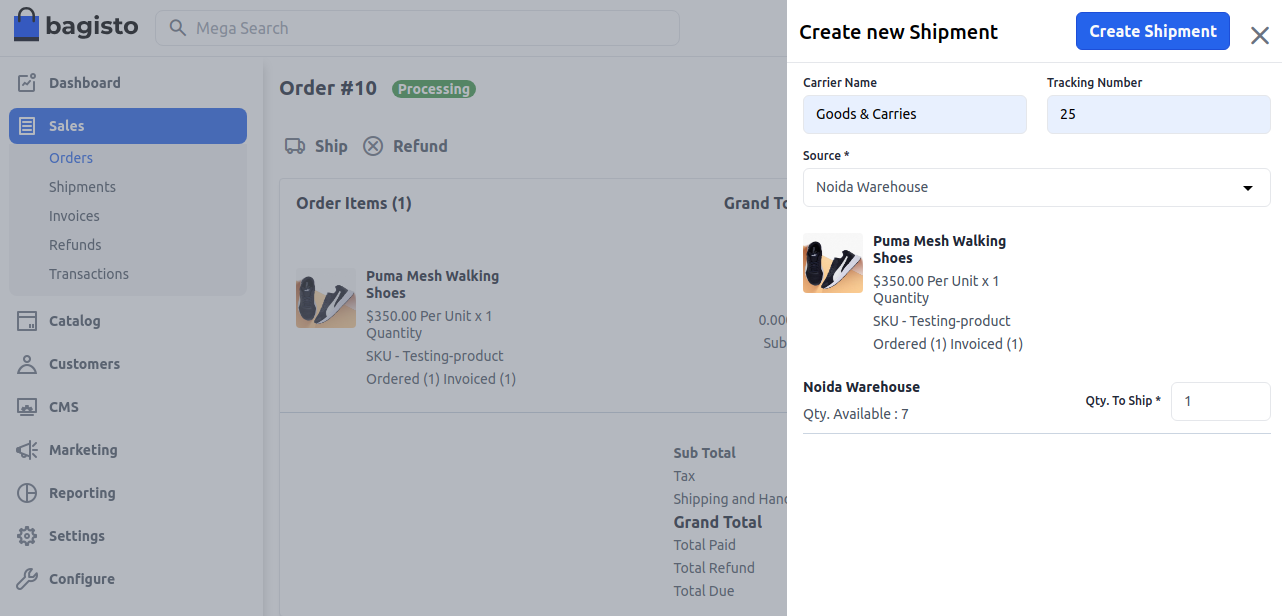
To create a shipment, click on the Ship button for the order. This allows the admin to begin the delivery process.
Enter the Carrier Name and Tracking Number carefully. Then select the Inventory Source from the drop-down menu.
After entering the shipment quantity, click on Save Shipment. The shipment will be created successfully.

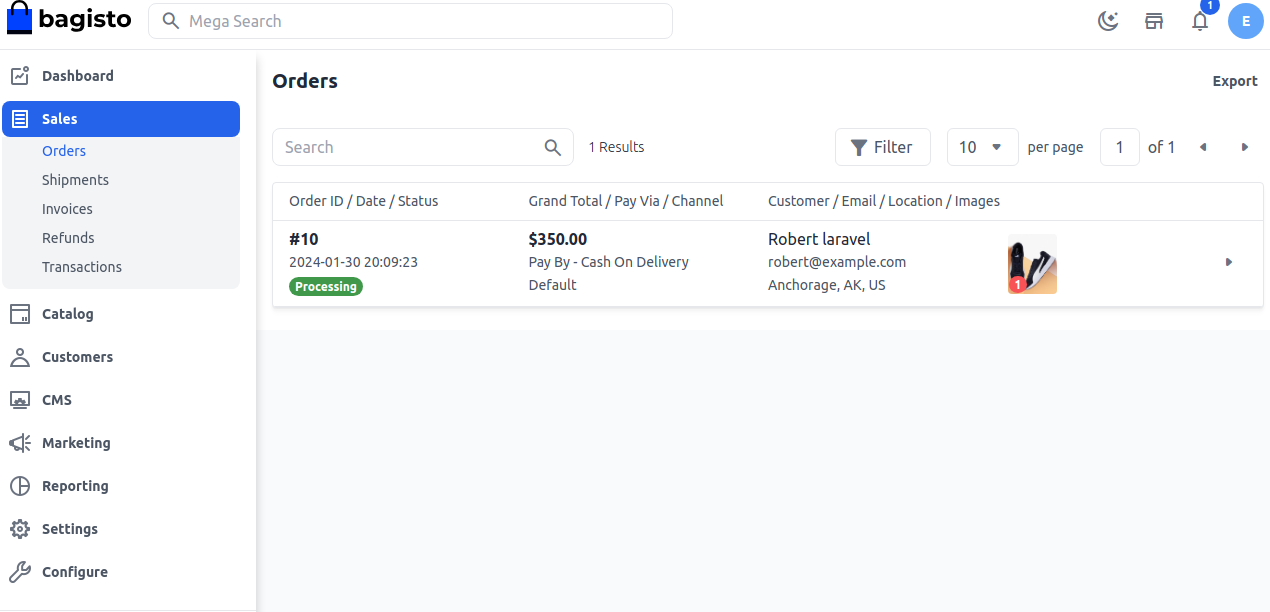
Once the shipment process is completed, the order status is updated.
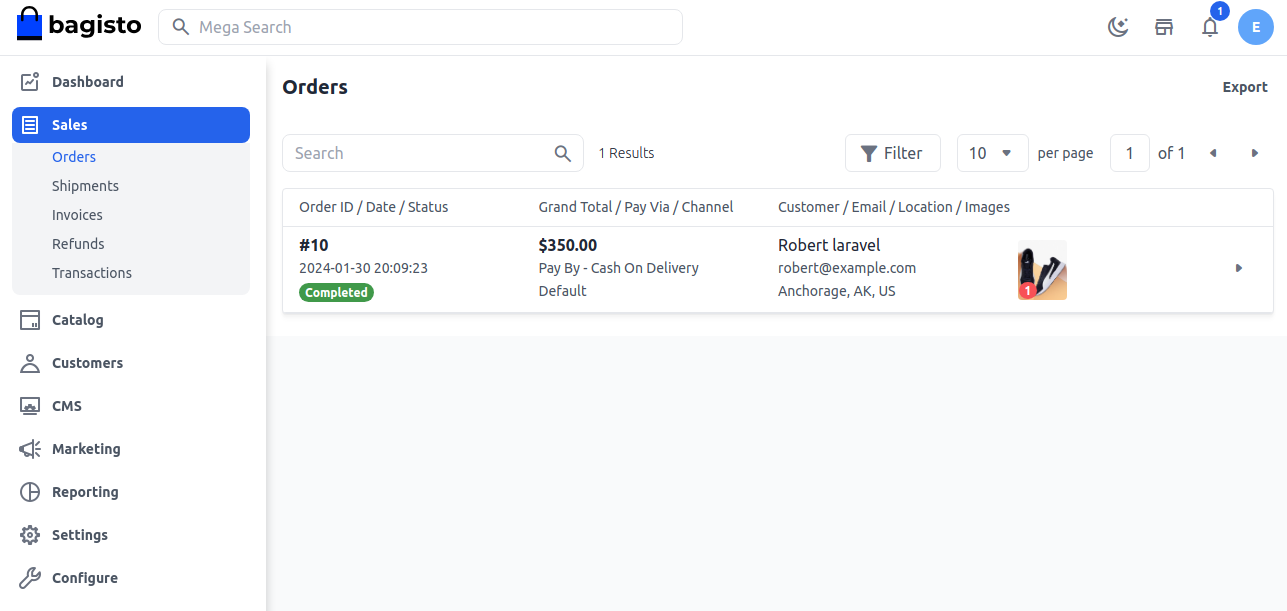
You can check the completed order in the order list.

Final Thought
Bagisto makes order management easier by helping admins handle every stage of an order efficiently.
From invoicing to Shipment Methods, everything can be managed smoothly from the admin panel.
A well-managed order process improves customer satisfaction and store efficiency.
Thank you for reading this blog. You can Hire Laravel developers for your custom Laravel projects and business requirements.
We hope this guide was helpful. If you face any issues or have questions, feel free to raise a ticket through our Support Portal

