Product attributes show simple details about a product and tell customers exactly what it offers.
These are the specific characteristics, such as color, size, or pattern, that define an item like a T-shirt.
As product sales grow, managing vast amounts of product data becomes harder and more unorganized.
This often leads to a messy catalog where customers struggle to find the right items or filter through options.
Using product attributes in Bagisto solves this problem by keeping your product data structured and clear.
What is an Attribute?
An attribute is a specific characteristic of a product.
In Bagisto, it serves as a building block that lets you store and display unique details for each item.
You can create and assign many different attributes to a single product in your Bagisto store.
This keeps your product data organized and helps customers find exactly what they are looking for.
Why Are Product Attributes Important in eCommerce?
Product attributes help businesses manage products in a simple and structured way.
They keep product data organized and improve the accuracy of product information.
Attributes also improve product search and navigation because customers can filter products based on specific features.
Key Benefits of Product Attributes
These advantages show how attributes can transform your store’s efficiency and the overall shopping experience for your customers.
- Improve product search
- Help customers filter products
- Support product variations
- Keep product data organized
- Improve customer experience
- Help manage large catalogs
- Support API and system integration
How to Create a Product Attribute in Bagisto?
Now that you understand the benefits, follow this simple guide to set up and configure your own attributes.
Creating a new product attribute in Bagisto 2.0 is a simple process handled directly through the Admin Panel.
By following just a few easy steps, you can quickly define and customize how your products appear to your customers.
Add a New Attribute
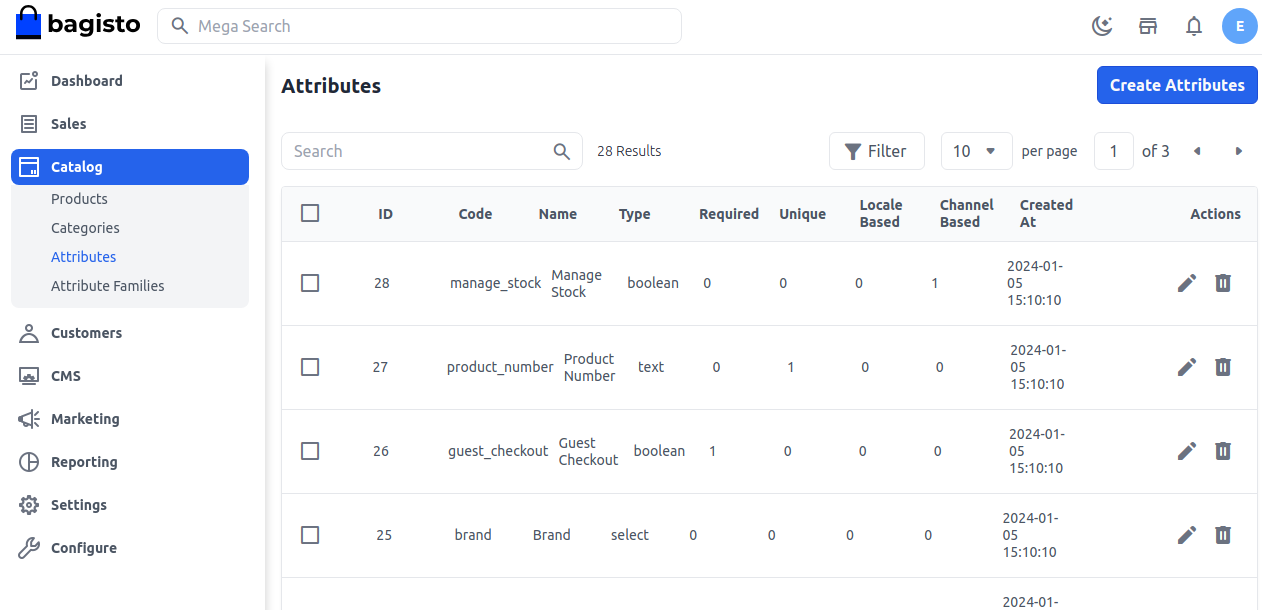
Click on Catalog >> Attributes >> Create Attributes.

Attribute Types
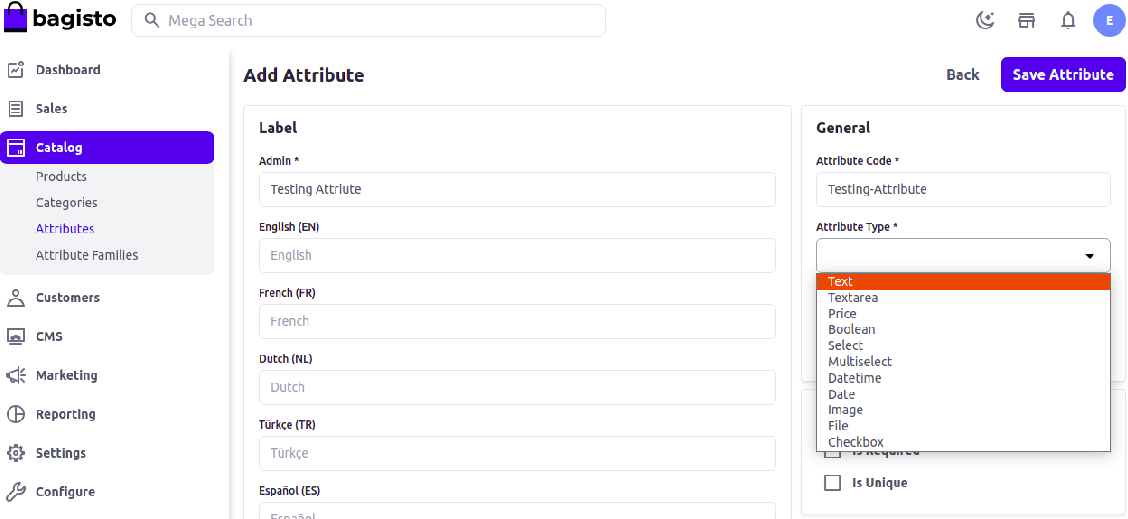
Enter Label, Attribute code, and select Attribute Type.
Attribute Code:- Enter the Attribute Code to identify the Attribute
Attribute Type:- Bagisto offers multiple attribute types, including Text, Textarea, Price, Boolean, Select, Multi-select, DateTime, and Date.

Now, add validation & configuration as shown in the image below as per your requirement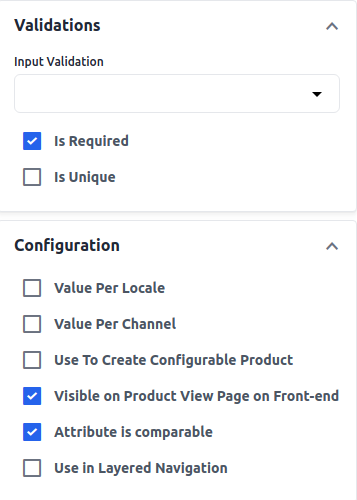

This process will successfully create a new attribute in your store.
Attribute Family
Go to Catalog >> Attribute Families, then drag and drop the unassigned attribute to the desired position.
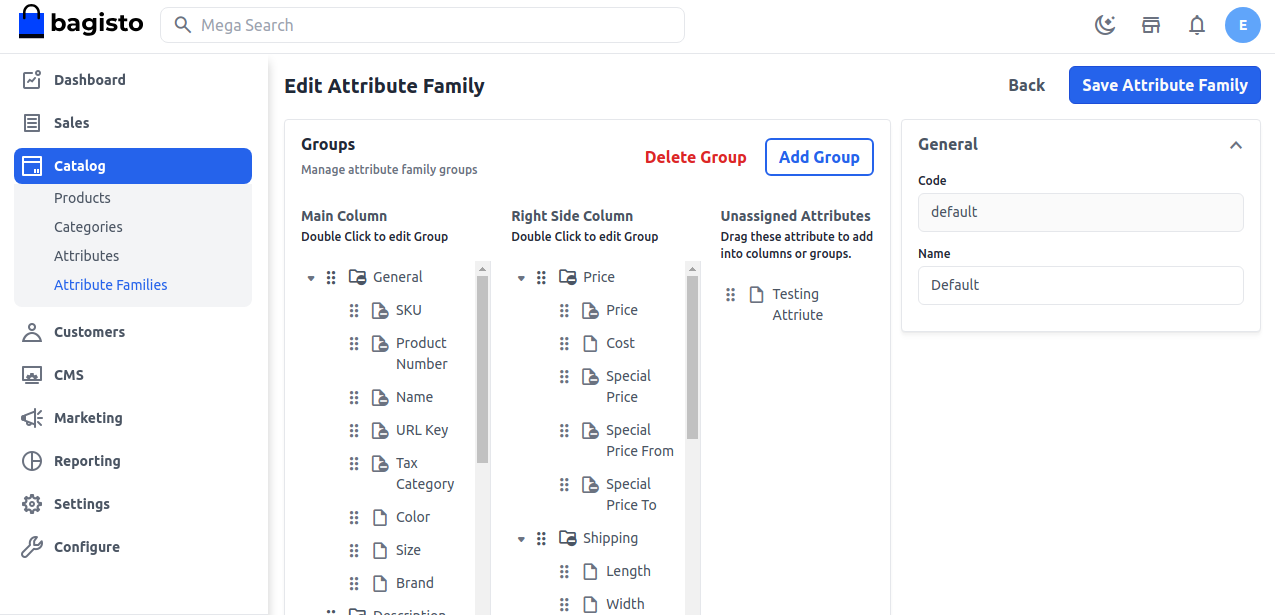

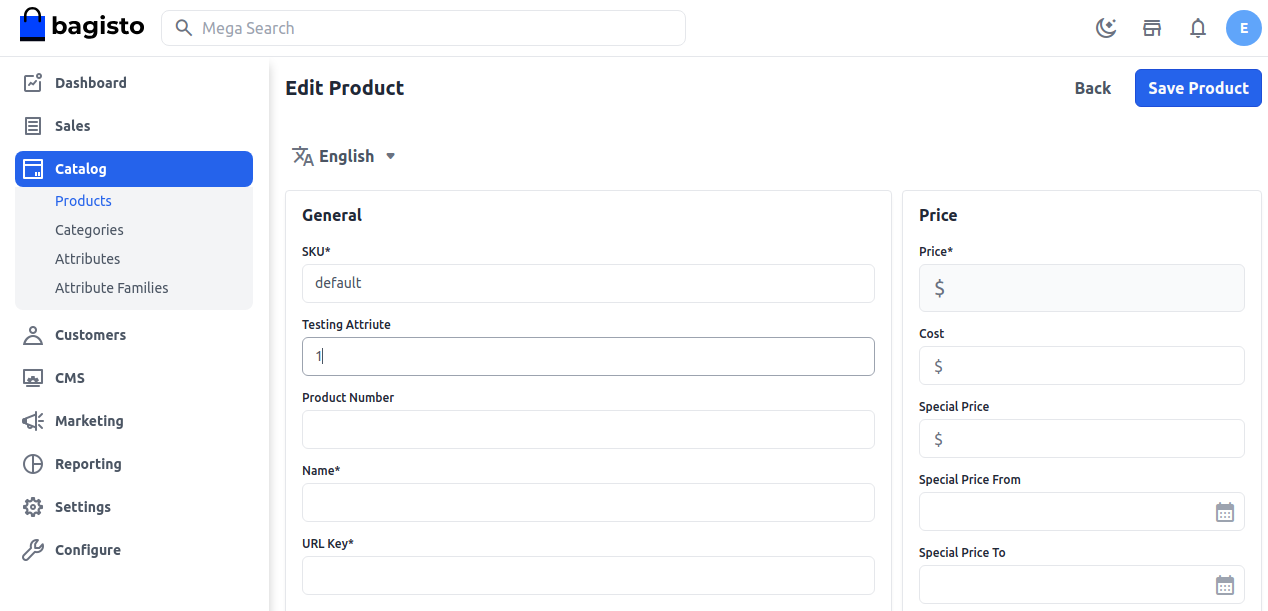

By following the above steps, you can easily create a Product Attribute in Bagisto 2.0.
Best Practices for Managing Product Attributes in Bagisto
Managing product attributes properly helps keep the product catalog organized and improves system performance.
Following simple best practices can make product management easier and support long-term business growth.
- Use clear and simple attribute names
- Keep attribute codes short and consistent
- Avoid creating duplicate attributes
- Group related attributes together
- Use select options for fixed values
- Remove unused attributes regularly
- Review attributes as the catalog grows
- Plan attributes for future scalability
These practices help maintain a clean and efficient product catalog.
Final Thoughts
Setting up product attributes in Bagisto 2.0 is an essential step for keeping your product data organized and easy to manage.
These details improve search, filtering, and the overall shopping experience for your customers as your business grows.
Thank you for reading this guide. If you have any questions, feel free to raise a ticket at our Support Portal