Why Image Caching Matters: Bagisto Image Cache Filter
Every product in a store needs its picture in many sizes – a tiny thumbnail in the cart, a medium tile on the listing page, a large one on the product detail page.
Bagisto Image Cache Filter makes this possible without requiring you to store separate copies of every image.
Storing every size of every image by hand would be a major storage problem. So, we at Bagisto propose a solution to keep only the original image.
Then what about other images, which create every other size on demand? The first time a browser asks, let the browser and CDN remember the result so it never has to do that work twice.
Think of a coffee shop that doesn’t pre-make every drink. You order a “medium latte”, the barista makes it once, and a photo of your exact order is pinned up so the next person gets it instantly. Bagisto’s image cache is that barista – but for images.
How image cache works?

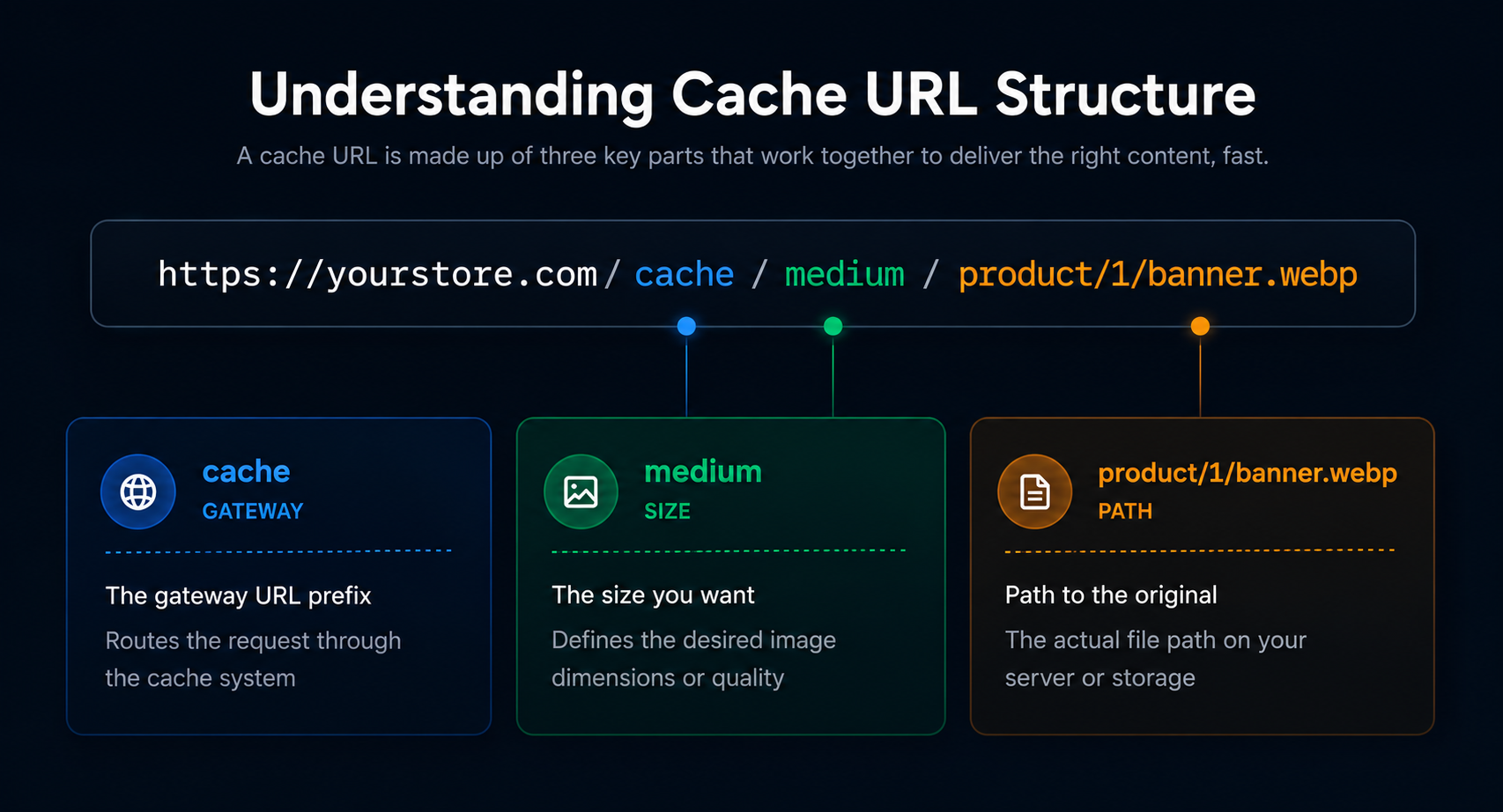
Change medium to small or large, and you will get a different size of the same original image with no extra files to manage.
Before vs. After: The Impact of Image Cache Filter
Without an image cache
- Upload 3-4 sizes of every image every time.
- Storage bloats with duplicate files.
- Adding or changing a display size means re-exporting, re-uploading, and re-linking every image in your catalog.
- Serving the wrong size wastes bandwidth and slows page loads, especially on mobile where a 1200px image is loaded into a 300px thumbnail slot.
With Bagisto’s image cache
- Upload one original only, which will be compressed internally.
- Sizes are generated on first request.
- Adding or changing a size is a one-line change in the config file. Every image in the store reflects the change automatically on the next request.
- Each display context gets exactly the size it asks for. Mobile gets small, desktop gets large.
How Bagisto Image Cache Filter Works
The solution Bagisto uses is a single dynamic route that intercepts every image request, figures out what size is being asked for, finds the original file, resizes it on the fly, and returns the result with the right HTTP headers to make sure the browser caches it aggressively. Here is what that entire journey looks like end-to-end :

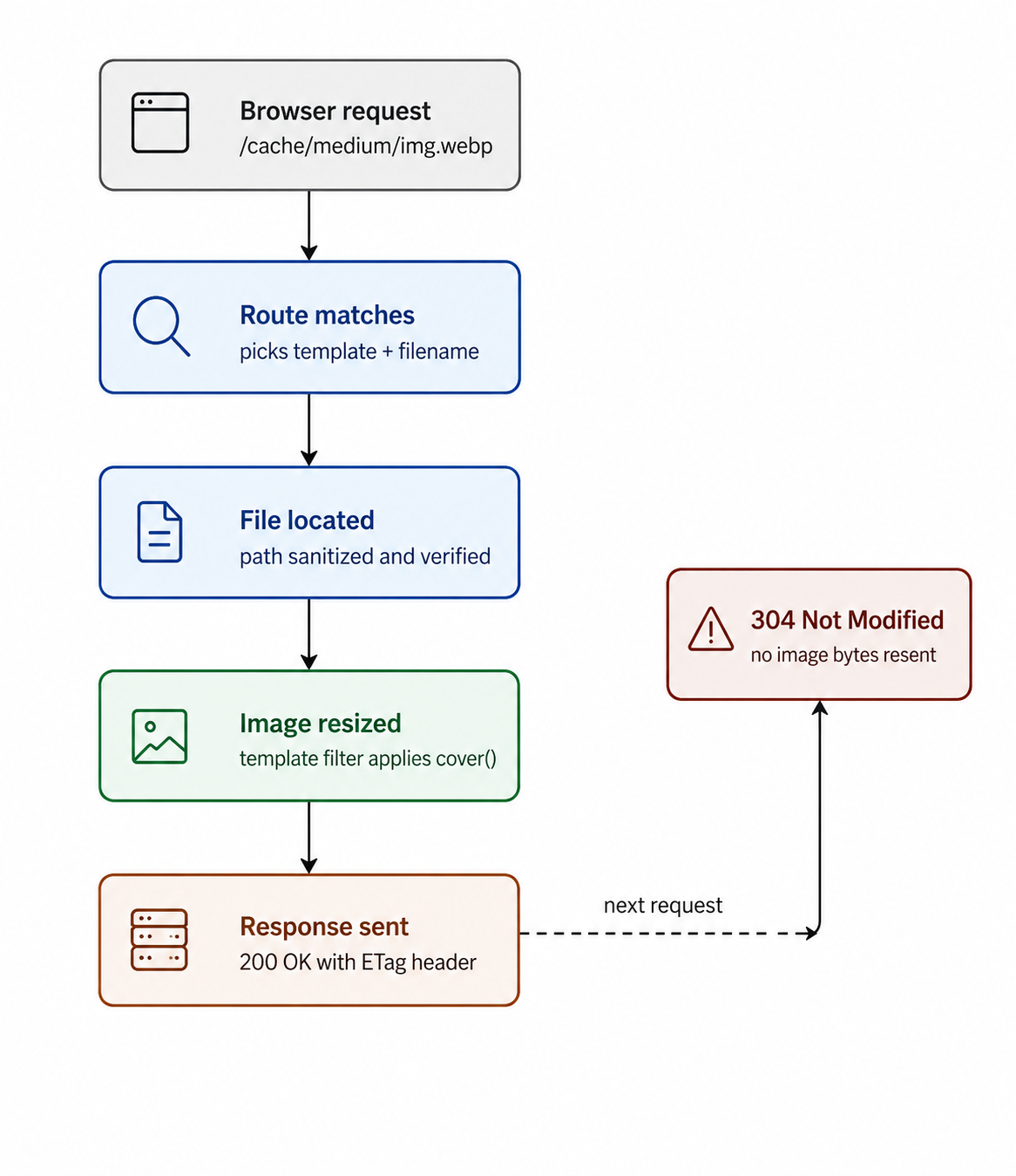
Image Cache Filters Flow
The browser requests an image through Bagisto’s cache route. Laravel resolves the requested template and image path, validates the file, loads the original image, applies the configured resize filter, and returns the processed image with an ETag and Cache-Control headers.
On subsequent requests, the browser sends the previously received ETag in the If-None-Match header. If the image hasn’t changed, Bagisto responds with 304 Not Modified instead of regenerating and retransmitting the image, allowing the browser to reuse its cached copy.
All resizing happens in memory, while browser and CDN caching handle reuse. This keeps storage clean and allows filter dimensions to be changed without manually clearing generated images.
Architecture: How Bagisto Image Cache Filters

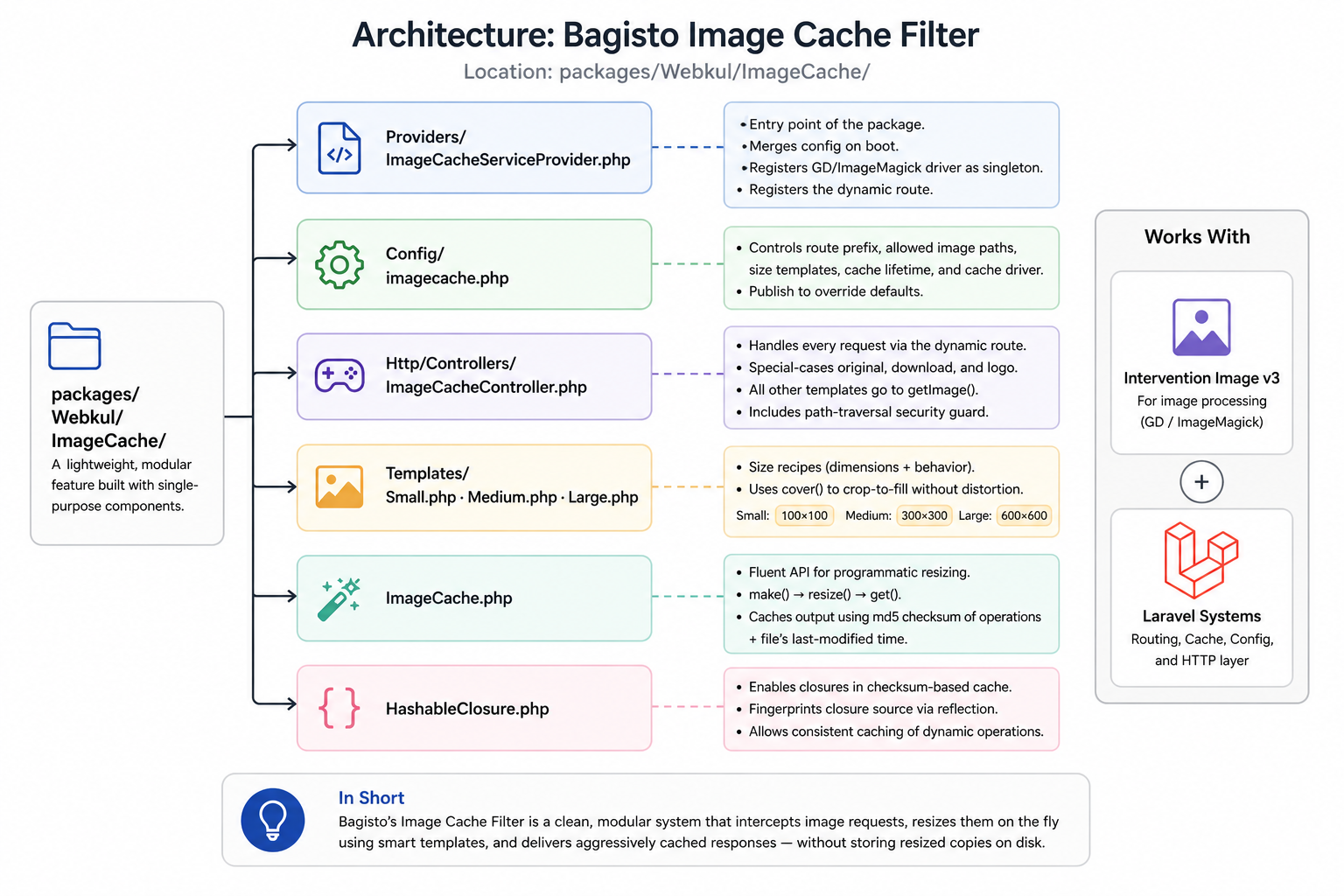
Architecture Flow of Bagisto Image Cache Filter
Under the Hood: The 6-Step Request Lifecycle
1. Registering the route on boot
|
1 2 3 4 |
$this->app['router']->get( config('imagecache.route') . '/{template}/{filename}', ['uses' => 'ImageCacheController@getResponse'] ); |
2. Building image URLs in the storefront
The storefront builds cache URLs from the original path in PHP models like ProductImage; precompute these before the view renders. The homepage carousel uses the same trick to build a responsive srcset.
|
1 |
'medium_image_url' => url('cache/medium/' . $path), |
3. The controller dispatches the request
Laravel routes the request to getResponse(), which special-cases original and download as raw passthroughs and sends everything else to getImage();
|
1 2 3 4 5 |
return match (strtolower($template)) { 'original' => $this->getOriginal($filename), 'download' => $this->getDownload($filename), default => $this->getImage($template, $filename), }; |
4. Finding and sanitizing the file path
Before touching disk, the controller strips ../ sequences from the filename in a loop, then verifies the resolved absolute path actually starts inside an allowed base directory. If not, the request gets a 404.
|
1 2 3 4 5 6 |
$sanitized = str_replace(['../', '..\\'], '', $filename); $realPath = realpath($basePath . '/' . $sanitized); if ($realPath && str_starts_with($realPath, $basePath)) { return $realPath; } |
5. Applying the template filter
|
1 2 3 4 |
public function applyFilter(ImageInterface $image): ImageInterface { return $image->cover(300, 300); } |
6. Building the response with caching headers
The encoded bytes go to buildResponse(), which computes an ETag, checks for a matching If-None-Match header, and replies with either a full 200 or a bare 304, always with a long Cache-Control Max-Age:
|
1 2 3 4 5 6 7 |
$eTag = md5($content); $notModified = $_SERVER['HTTP_IF_NONE_MATCH'] === $eTag; return new Response($notModified ? null : $content, $notModified ? 304 : 200, ['Cache-Control' => 'max-age='.$maxAge, 'Etag' => $eTag] ); |
Creating Your Own Image Templates
Adding a new size requires one class and one config line – no other files to touch.
1. Create a filter class
Just one method, applyFilter(), using any Intervention Image v3 method:
|
1 2 3 4 |
public function applyFilter(ImageInterface $image): ImageInterface { return $image->cover(1200, 400)->sharpen(5); } |
2. Register it in Config
The key you choose becomes the URL segment – ‘banner‘ means /cache/banner/your-image.webp.
|
1 2 3 4 |
'templates' => [ 'medium' => Templates\Medium::class, 'banner' => \App\ImageTemplates\Banner::class, ], |
3. Using it in Blade Templates
No artisan command, no pre-generation – the route picks up the new template automatically.
|
1 |
<img src="{{ url('cache/banner/' . $category->banner_path) }}"> |
Responsive Image Delivery with srcset
Combine multiple cache sizes in srcset so the browser picks the right one for the device – no JS or server-side detection needed.
|
1 2 3 |
<img src="{{ url('cache/medium/' . $img) }}" srcset="{{ url('cache/small/' . $img) }} 480w, {{ url('cache/large/' . $img) }} 1600w"> |
Global behavior is tunable from config too: route sets the URL prefix, paths defines which directories are safe to serve from, and lifetime sets the cache duration in minutes (default 43200, i.e. 30 days).
The Implemented Result: Small, Medium, Large
The magic of Cache Filter can be seen in how it handles 3 different image formats in Bagisto.
- In {URL}/cache/small/

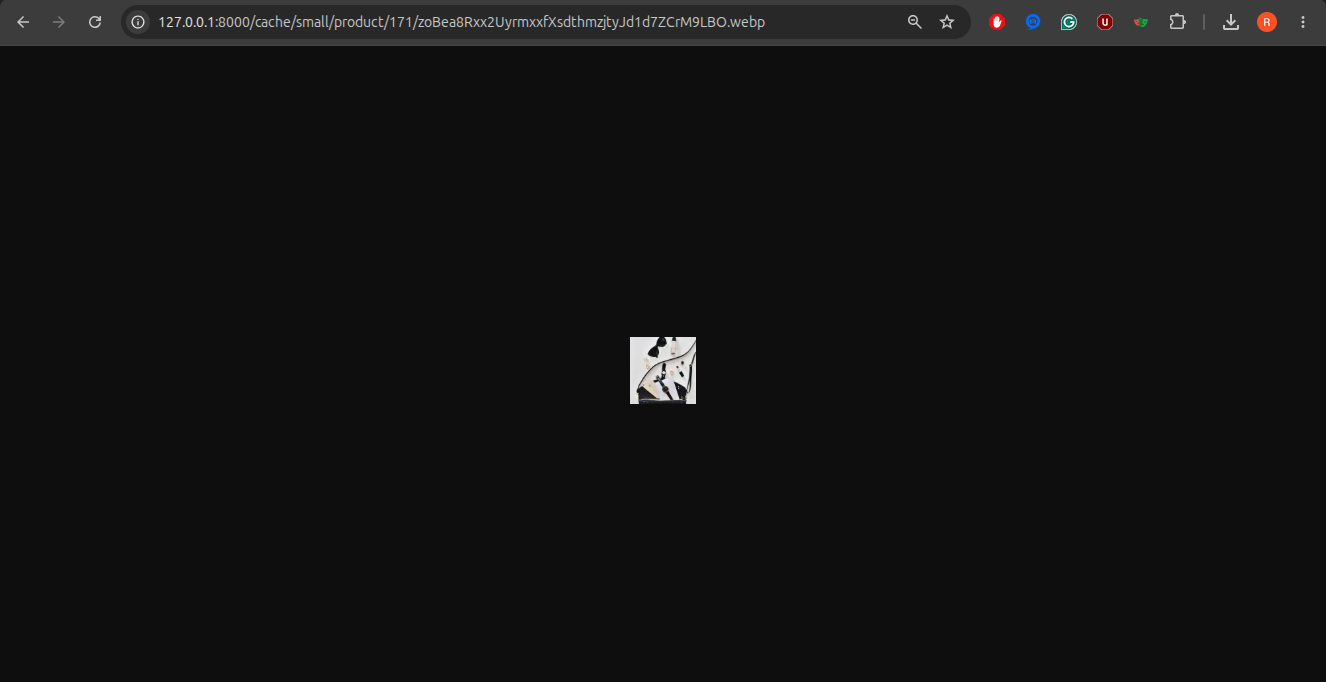
Cache Filter Small Image
2. In {URL}/cache/medium/
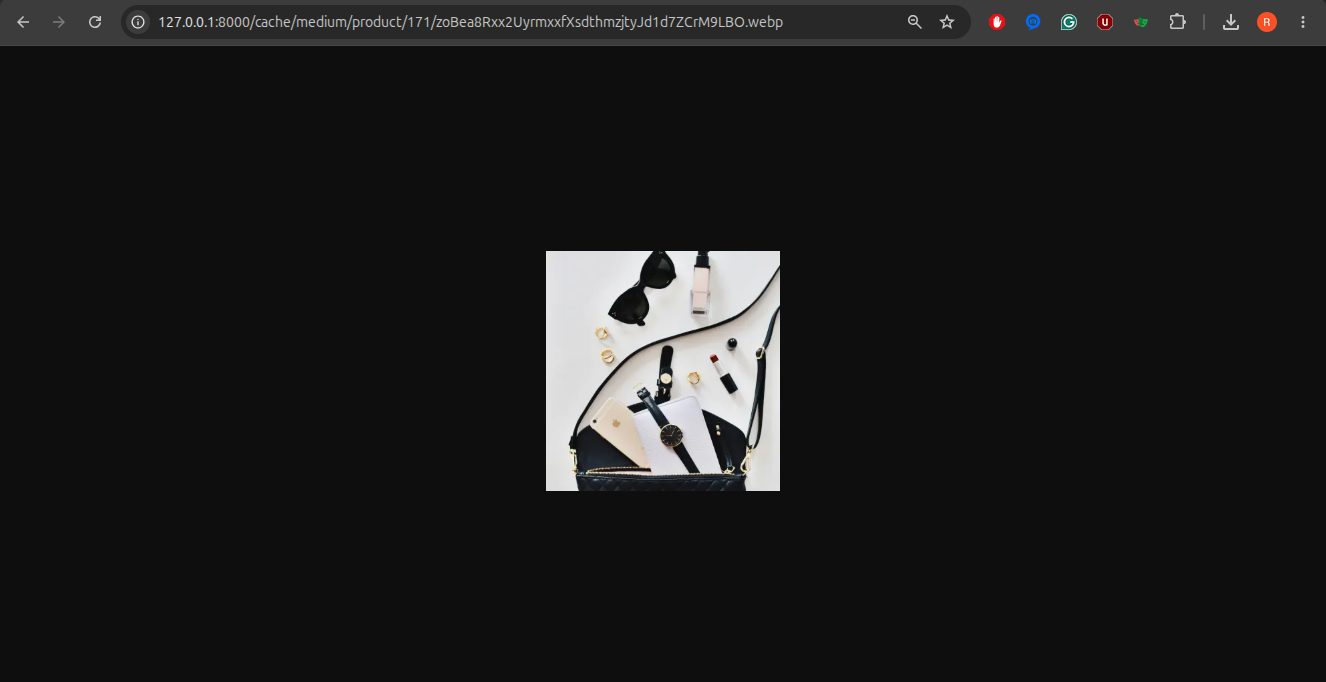
Cache Filter Medium Image
3. In {URL}/cache/large/
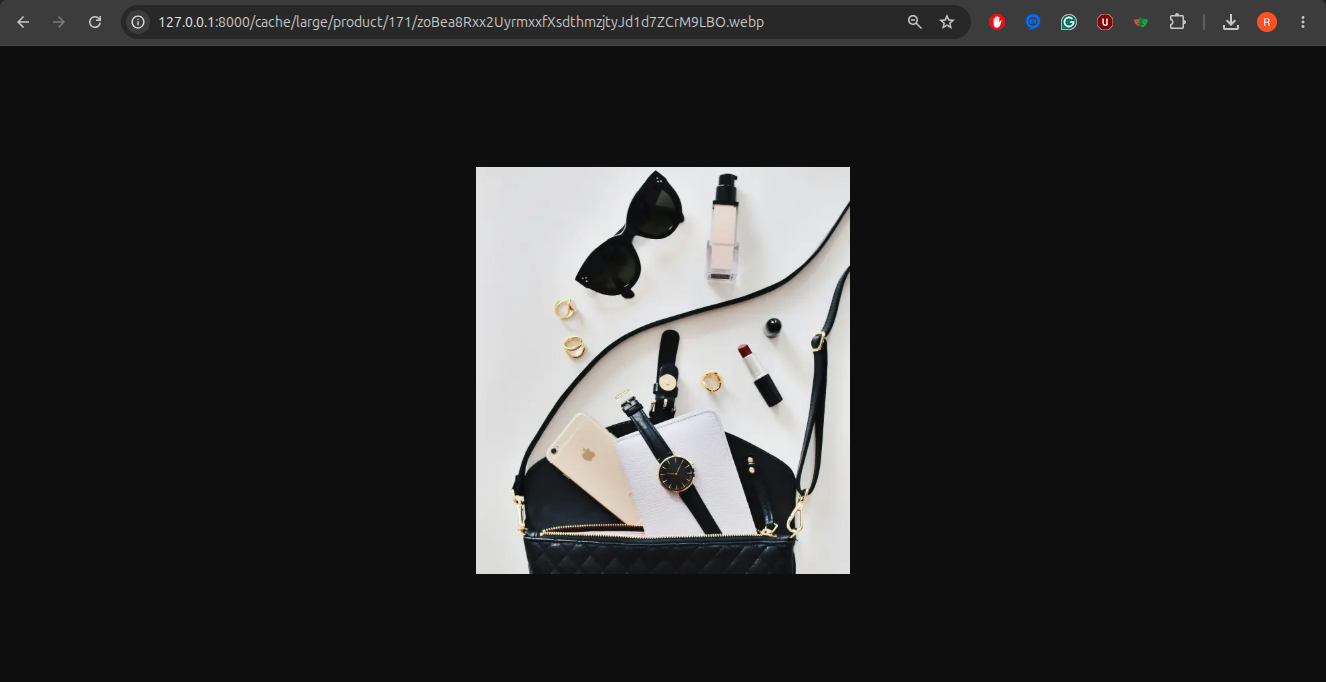
Cache Filter Large Image
Final Thoughts
What looks like a simple image URL in Bagisto actually hides a well-designed pipeline. From resolving the requested template and securely locating the original file to resizing it on demand.
It leveraging HTTP caching with ETags, every step is designed to minimize storage, reduce bandwidth, and improve page load times.
Rather than maintaining multiple copies of the same image, Bagisto treats the original upload as the single source of truth and generates optimized versions only when they’re needed.
The result is an image handling system that’s efficient, configurable, and easy to extend, whether you’re using the built-in templates or creating your own.
It’s a small feature, but one that has a significant impact on both performance and maintainability.
You can also hire Laravel developers to build your custom solutions on Laravel. To explore the available extensions for Bagisto, you can check out the Bagisto extension marketplace.