A slider helps make your website more interesting by showing banners, special deals, and important content.
In Bagisto, it’s easy to add a slider, which makes your home page look better.
A lot of store owners find it hard to make their website appealing to visitors.
If there’s no banner section, it’s tough to showcase offers and products.
With Bagisto, you can easily add and control sliders from the admin panel.
You can upload pictures and enhance your store’s design without needing any technical skills.
Follow the steps below to add a slider in Bagisto:
Step 1: Navigate to Image Carousel
Go to Settings >> Themes >> Image Carousel from the admin panel.
This section allows you to manage all slider images for your website’s home page.
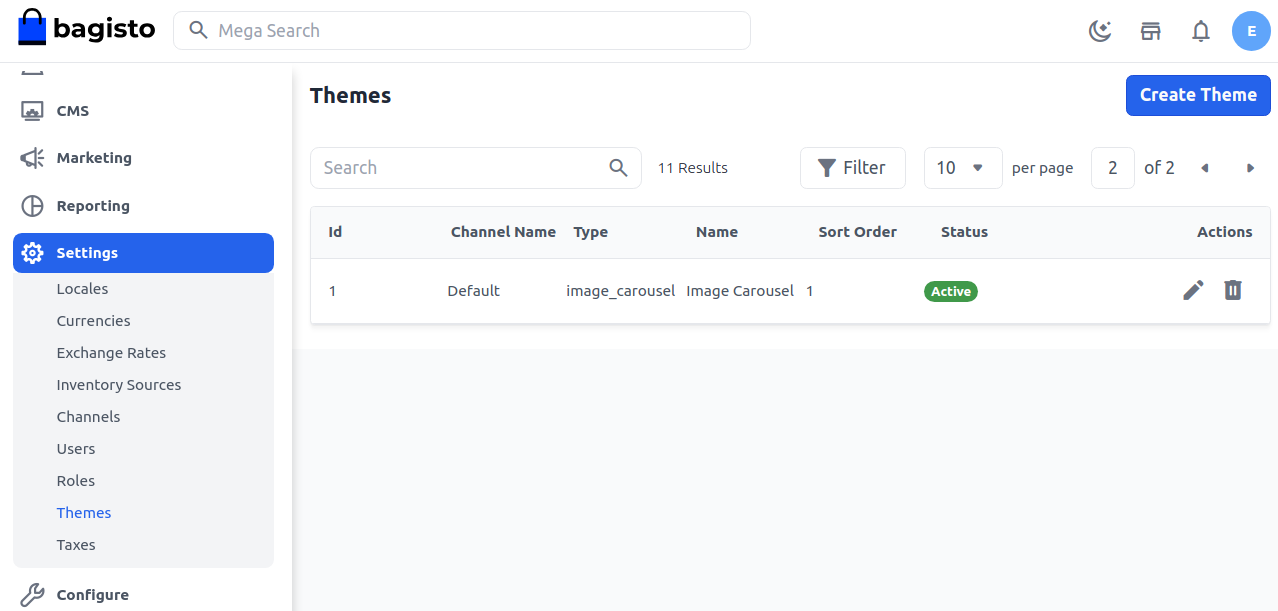

Step 2: Edit the Image Carousel
Click on the Actions button and edit the image carousel.
Here, you can update existing slider settings or manage current images.
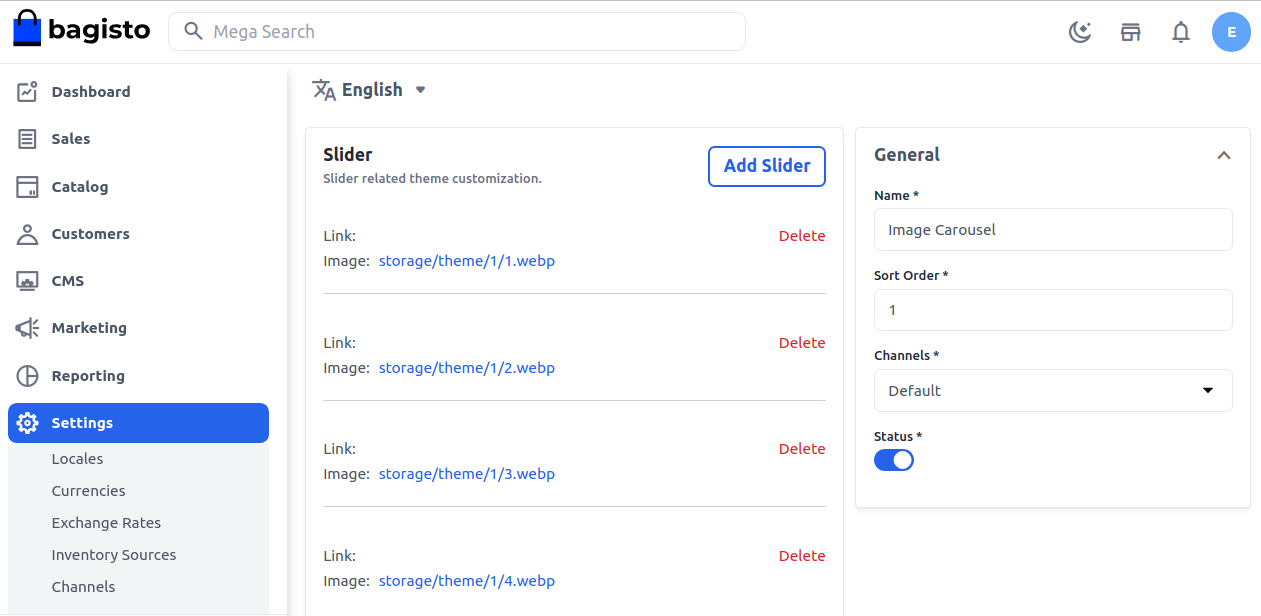

Step 3: Add a New Slider
Click on the Add Slider button to upload a new image.
You can also remove the default carousel images if they are no longer needed.
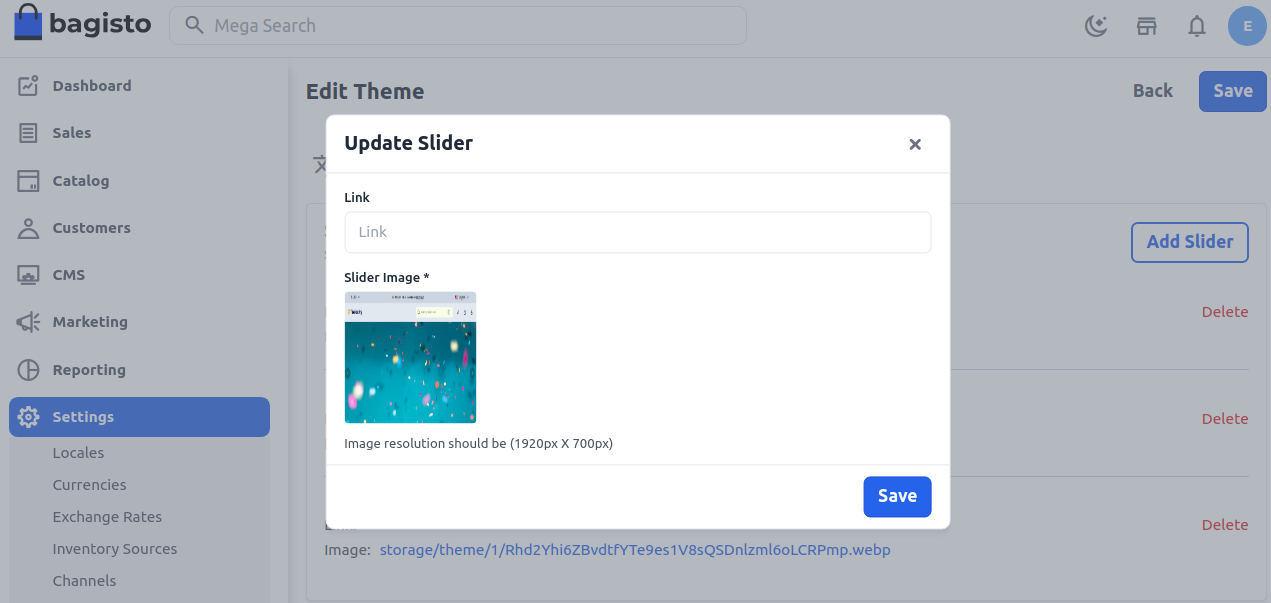
Step 4: Upload and Save the Image
Use the Slider Image option to upload your preferred banner image.
After adding the image, save the changes to apply the slider successfully.

Front End Result
Once the slider is added, it will automatically appear on the home page.
The images will rotate smoothly and create an attractive first impression.
This makes the website look more professional and helps visitors explore highlighted content easily.


Final Thoughts
Adding a slider in Bagisto is a simple way to improve your store’s home page design.
It helps showcase banners, promotions, and featured products in an engaging format.
A well designed slider quickly attracts visitor attention and gives your website a more professional look.
It also helps showcase important updates clearly and engagingly.
With straightforward admin settings, you can manage and change slider images with ease.
This makes browsing better and improves the overall look of your store.

